How AI connects to your tools.
What a connector is, what an admin’s approval means, and what happens to your data when an AI assistant reaches into the tools your team already uses.
Checked 15 October 2026 against 98 sources, each the vendor’s own page. See them all
The short version
Most AI chat tools can now link to other software you use, such as your email or your customer records. The AI can then look things up there, and sometimes make changes for you.1234261
Each company names these links differently. ChatGPT calls them apps, and now groups them into plugins. Claude and Microsoft say connectors, while Google says Connected Apps.12234161
Many of these links now run on one open standard, the Model Context Protocol, usually shortened to MCP.524426270
To connect, you normally sign in to the other service on its own page and approve what the AI may do. The AI can then reach only what your own account can reach, unless the connection uses a shared login.3234263
At work, an administrator decides which connections are switched on. Administrators can also block risky actions such as sending or deleting.6234263
OpenAI, Anthropic, Microsoft and Google all say they don’t train their AI on business customers’ work data by default. Personal plans each have their own rules, and data fetched through a connection has its own rules again.93747661361160
Anything the AI sends to a connected service is then handled under that service’s terms. That can mean storage in another country.16172360
OpenAI and Anthropic warn that a connected service can carry hidden instructions aimed at the AI. Google says it doesn’t control or secure custom connected apps. All three advise connecting only services you trust.142462
Automation services like Zapier, Make, n8n and Power Automate can sit in the middle, so one connection reaches many apps.80889655
This area changes monthly. On 15 October 2026, Zapier’s ChatGPT guide still described a developer mode step that OpenAI’s newer page says is no longer needed. Check the date on any setup guide before you follow it.583
The words you’ll see
Connector
A link between an AI tool and another app or service, so the AI can find information there and act for you.31 Microsoft uses the same word for links that let its tools use another service’s actions and triggers.55
App, Connected App and plugin
In ChatGPT, an app links ChatGPT to an outside service such as Google Drive, and a plugin is a bundle that can hold apps, written instructions called skills, or both.12 Google calls its links Connected Apps.61
MCP server
A program that gives an AI tool a set of actions and information from one service, using MCP.71 It can run on your own computer (local) or on the internet (remote).71
Signing in with another account (OAuth)
You sign in on the other service’s own page and approve the access it asks for. The AI then gets a pass, called a token, to act for you without ever seeing your password.2458
API key
A long secret code that software sends to prove which account a request comes from. Zapier says to treat its similar connection token like a password, and Anthropic notes that a key shared by a team gives everyone that key’s access.812469
Admin consent
An administrator approves an app’s access for everyone in the organisation in one step. Microsoft calls this a sensitive operation and says not to grant it unless you trust the app and its publisher.57
Permission or scope
The specific access an app asks for, such as reading your files. Microsoft describes scopes as permissions that say what an app may do on a user’s behalf.56
Read-only and read-write
Read tools look things up, while write tools create, change, send or delete. OpenAI, Anthropic and Microsoft let administrators allow or block these two groups separately.462342
Agent
An AI set up to work through several steps on its own toward a goal, picking which tools to use as it goes.9490 Microsoft says agents can take actions like sending emails or updating records.44
Prompt injection
Hidden instructions planted in something the AI reads, such as a web page, a file or a tool’s reply, meant to make it act against your wishes.2124 OpenAI says it’s the most common risk behind its “Elevated risk” labels.22
Desktop extension
Anthropic’s one-click package for running an MCP server on your own computer inside the Claude desktop app.25
ChatGPT
What it’s called now OpenAI’s help centre calls these links apps. Its examples are Google Drive and Slack.
- OpenAI’s help centre calls these links apps. Its examples are Google Drive and Slack.1
- The word connectors still appears in places, including that page’s answer about training.1
- Plugins are a newer layer. A plugin can include skills, connected apps, app templates for administrators and extensions.2
- Very old versions of the iOS and Android apps may say Apps where newer versions say Plugins.1
- Some apps show interactive content in the chat, such as maps or cards.1
- OpenAI’s release notes date the switch to 18 December 2025, when connectors began appearing as apps in a new app directory. On 9 July 2026 a Plugin Directory replaced that App Directory, and existing app connections carried on.98
Which plans have it OpenAI says availability depends on the app, your plan, region, workspace, role, model and where you use ChatGPT. Its pricing pages list these rows. The Free to Pro columns come from the individual pricing page, and the Business and Enterprise columns from the business pricing page.
OpenAI says availability depends on the app, your plan, region, workspace, role, model and where you use ChatGPT.1 Its pricing pages list these rows. The Free to Pro columns come from the individual pricing page, and the Business and Enterprise columns from the business pricing page.78
| OpenAI’s label | Free | Go | Plus | Pro | Business | Enterprise | Source |
|---|---|---|---|---|---|---|---|
| Discover & use Plugins | Yes | Yes | Yes | Yes | Yes | Yes | 78 |
| Interactive apps | Yes | Yes | Yes | Yes | Yes | Yes | 78 |
| Apps connecting to internal tools | No | No | Yes | Yes | Yes | Yes | 78 |
| Apps for deep research | Limited | Limited | Yes | Yes | Yes | Yes | 78 |
| Developer mode (beta) | No | No | Yes | Yes | Yes | Yes | 78 |
| Company knowledge | No | No | No | No | Yes | Yes | 78 |
| Workspace agents | No | No | No | No | Yes | Yes | 78 |
| Connector registry | No | No | No | No | No | Yes | 78 |
Connecting an app
-
A drawing from the step’s own words. The real screen may look a little different. -
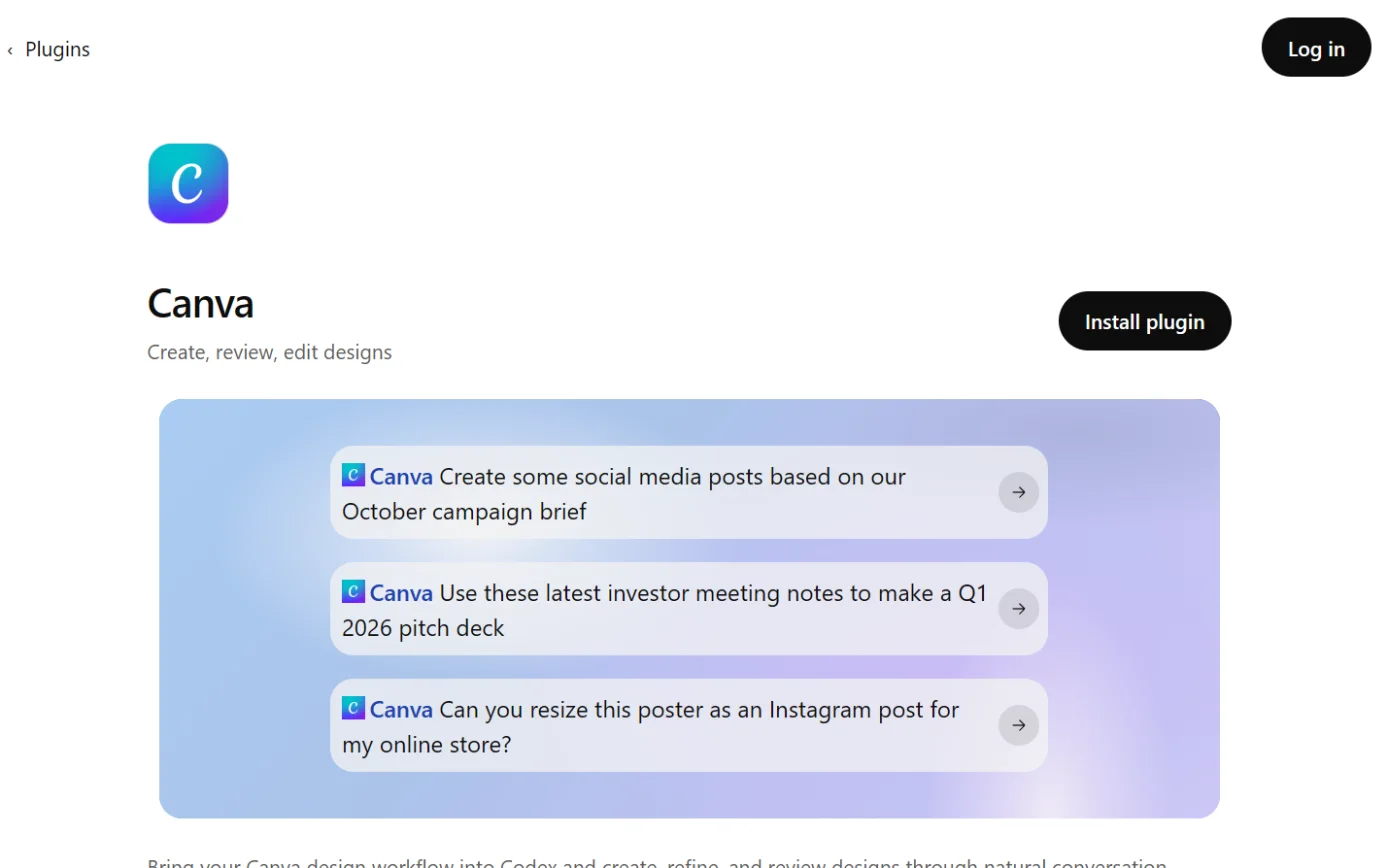
Screenshot: ChatGPT’s plugin directory, the Canva page, signed out, 18 October 2026. -
A drawing from the step’s own words. The real screen may look a little different. -
A drawing from the step’s own words. The real screen may look a little different. -
A drawing from the step’s own words. The real screen may look a little different.

Pictures without a date are drawings from each step’s own words. The real screen may look a little different.
- Some apps need no sign-in, or use a connection your administrator set up.3
- Connecting a personal account won’t reach files that only your work account can see.3
- Google’s screen may ask you to choose Select all. To connect fewer Google apps, choose Select fewer apps in ChatGPT.3
- To disconnect, go to Settings > Plugins, select the app, then Disconnect.3
When ChatGPT asks before acting Always ask: ChatGPT asks before reading or changing anything.
- Always ask: ChatGPT asks before reading or changing anything.4
- Allow read actions: it reads without asking, and asks before changes.4
- Allow low-risk actions: low-risk actions run automatically, and higher-risk ones may need confirming or be refused.4
- Allow all actions: no further prompts. OpenAI says this carries elevated risk, and the account-wide and workspace-wide settings don’t offer it.4
- If you haven’t changed your own Plugins settings, OpenAI’s release notes say the default is Allow low-risk actions.98
- OpenAI’s examples of actions that may need extra review include sending an email, deleting a file, changing sharing settings and making a purchase.4
- An approval card may offer Deny, Allow once, Allow low-risk actions or Always allow. Always allow is offered only to eligible personal accounts.4
- Changing these settings doesn’t cancel the access an app already has. To stop an app, disconnect it.4
What workspace administrators control In Business, apps are on by default and administrators can change that.
- In Business, apps are on by default and administrators can change that.6
- In Enterprise and Edu, new workspaces start with a selected set of apps, and new plugins and apps are generally off until an administrator reviews them.6
- Enterprise and Edu administrators can choose which roles may use which apps.6
- Administrators switch read actions and write actions on separately. For actions an app adds later, they choose Enable all new actions, Only enable new read actions or Disable new actions.6
- The workspace’s default approval level sits under Workspace settings > General > Plugin permissions.6
- Manage domains limits which email domains members can connect to an app.6
- Enterprise organisations can ask OpenAI Support to block work accounts on their verified domain from being connected to personal ChatGPT accounts. Covered apps include Gmail, Google Drive, Outlook Email, SharePoint, Slack and Teams.61
- Some Outlook, Teams and SharePoint actions need a Microsoft Entra administrator to grant organisation-wide consent. Microsoft’s screen has no per-permission boxes, so Accept grants the whole request.6
- App calls are logged, and Enterprise and Edu customers can retrieve conversations, including those using apps, through the Compliance API.156
- Business administrators don’t automatically get access to members’ ordinary private conversations.6
- Administrators can switch off the thumbs feedback buttons under Workspace settings > Allow response feedback.9
- Lockdown Mode is an optional setting that limits outbound network requests to reduce data theft through prompt injection. It turns off deep research and agent mode. On personal and self-serve Business accounts, it also blocks live access to outside services and connector write actions where they conflict with its protections.21
Custom MCP servers and developer mode Custom MCP server connections and full MCP support are for Business, Enterprise and Edu, on ChatGPT for the web.
- Custom MCP server connections and full MCP support are for Business, Enterprise and Edu, on ChatGPT for the web.5
- In Business, only admins and owners can create and publish them. In Enterprise and Edu, admins can give selected members the “Create plugins with MCPs” permission, and only admins and owners can publish.52
- That permission is off by default for Enterprise.2
- In the current Plugins screen you don’t turn on Developer Mode first. You tick a risk warning for each server instead.5
- Pro users can build with OpenAI’s Apps SDK and connect custom MCP servers that only read and fetch. Full MCP, including write actions, is for Business, Enterprise and Edu.5
- ChatGPT connects to remote servers. A server on a private network can be reached through OpenAI’s Secure MCP Tunnel.5
- Separately, a plugin can include local MCP apps that run in the ChatGPT desktop app.2
- Custom MCP connections are web only, and OpenAI says there are no geographic restrictions.5
- After approval, ChatGPT uses a frozen copy of the server’s tool list. Later changes wait for an administrator, and administrators aren’t alerted when a tool starts failing.5
- OpenAI says custom apps aren’t verified by OpenAI, and the workspace is responsible for vetting them.65
- If the server’s sign-in isn’t set up to renew itself, people may have to sign in again later.5
Deep research, agent mode and ChatGPT Work Deep research can use connected apps that support it, and uses their read actions only.
- Deep research can use connected apps that support it, and uses their read actions only.135
- Agent mode can use apps as data sources. OpenAI asks for extra caution, because an agent with access to email or files is exposed to prompt injection.14
- OpenAI’s tips for agent mode: enable only the apps the task needs, and avoid open-ended requests like “Check my email and handle everything”.14
- Agent mode asks you to confirm high-impact actions and monitors for prompt injection. OpenAI says these measures don’t eliminate all risk.14
- In Enterprise workspaces, agent mode is off until an owner turns it on, and it can only use apps the workspace has enabled.14
- ChatGPT Work is OpenAI’s agent for longer, multi-step jobs, and it can use connected apps.15
- Workspace agents, for Business and Enterprise, are shared agents that builders can give apps and custom MCP servers. Each agent’s builder decides which app actions need a user’s approval.166
- Eligible users can set a task to run when a connected app receives a matching event, such as a new Gmail message.1
Australia Australia is on OpenAI’s list of supported countries.
- Australia is on OpenAI’s list of supported countries.19
- Agent mode is offered in all supported countries.14
- Eligible API customers and new Enterprise and Edu customers can have their content stored in Australia.178
- OpenAI offers in-region AI processing (it calls this inference residency) only for Europe, the United States and the UAE. Australia isn’t on that list.17
- Data sent to apps or MCP servers can be stored outside the chosen region.176
- Administrator-managed Google Drive sync works for workspaces set to Australian data residency.18
Claude
What Anthropic calls it Connectors let Claude reach your apps, retrieve data and take actions there.
- Connectors let Claude reach your apps, retrieve data and take actions there.23
- Claude inherits each person’s permissions. If you can’t open a file in the original service, Claude can’t reach it either.23
- A connector that uses a shared credential reaches whatever that credential can reach.23
- Remote connectors work wherever you use Claude. Desktop extensions run on your own computer, in Claude Desktop and Claude Code only.26
- Plugins can bundle remote or local MCP servers.26
- Some connectors are interactive and show things like dashboards or task boards inside the chat.2324
The Connectors Directory One directory serves Claude on the web, desktop and mobile, plus Claude Code and Cowork.
- One directory serves Claude on the web, desktop and mobile, plus Claude Code and Cowork.33
- Verified means Anthropic tested the connector’s tools for quality and compatibility.32
- Community means Anthropic screened it before listing but didn’t review it in depth.32
- Custom means you added it yourself and Anthropic hasn’t reviewed it.32
- Anthropic says verification isn’t a security audit, and the developer can change the tools after review.32
- Ranking is based on usage. Anthropic says Claude takes no payment to suggest an app.3329
- On Team plans, members who can’t enable connectors see a Request button that notifies the Owners.33
- If a provider moves its server address, your old connection keeps working but shows as Custom.33
Which plans have it Directory connectors are available to all users of the Claude apps.
- Directory connectors are available to all users of the Claude apps.23
- The pricing page lists connectors and desktop extensions for Free, Pro and both Max tiers.35
- Custom connectors work on Free, Pro, Max, Team and Enterprise. Free accounts can add one.232434
- On Team and Enterprise, an Owner enables a connector first. Each member then signs in with their own account, unless the connector uses a shared credential.2324
- Installing connectors on mobile is in beta.23
Connecting a connector
-
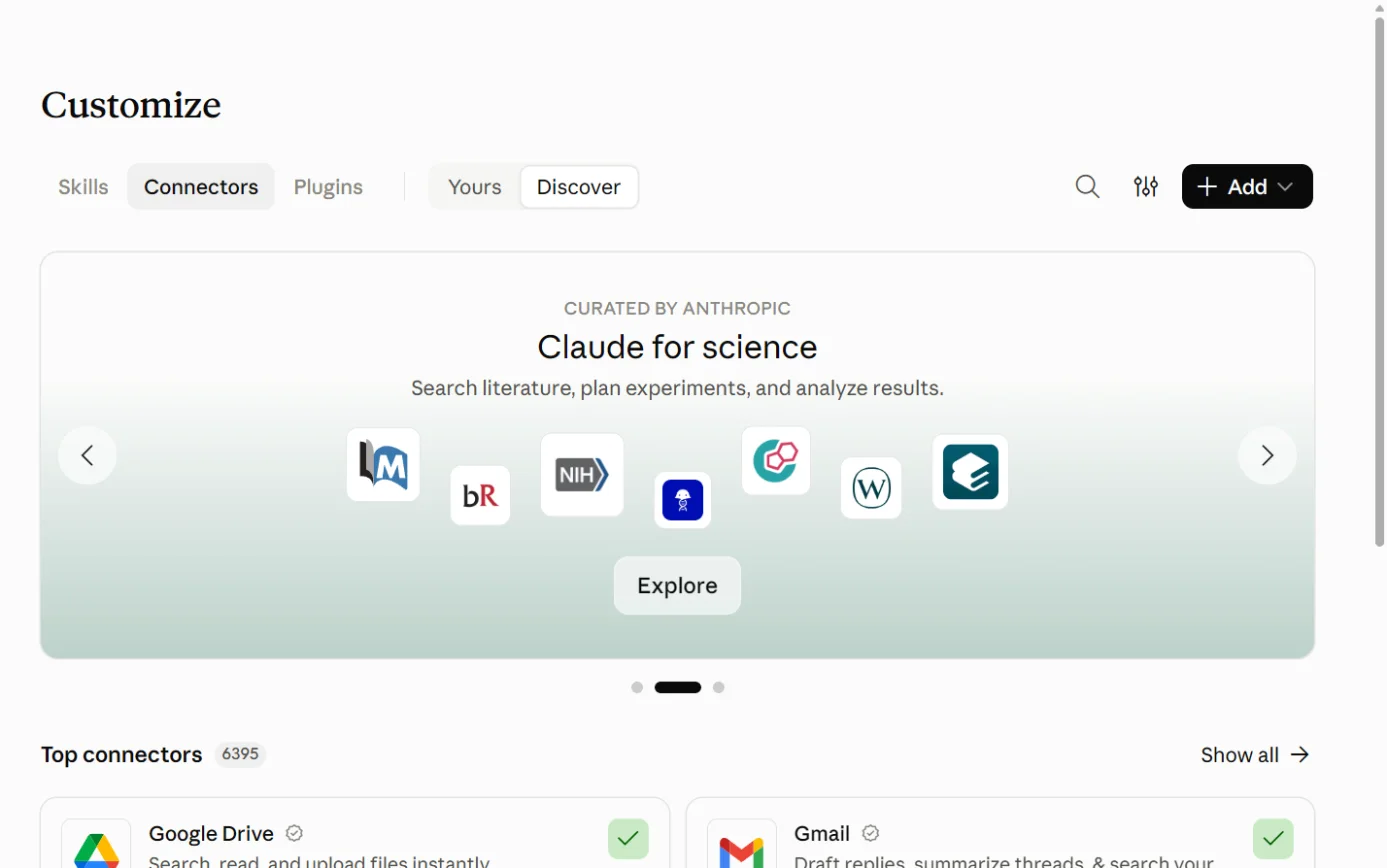
Screenshot: Claude, the Connectors page under Customize, 18 October 2026. -
A drawing from the step’s own words. The real screen may look a little different. -
A drawing from the step’s own words. The real screen may look a little different. -
A drawing from the step’s own words. The real screen may look a little different. -
A drawing from the step’s own words. The real screen may look a little different.

Pictures without a date are drawings from each step’s own words. The real screen may look a little different.
- To use it, select + in the message box, then Connectors, and switch it on for that chat.31
- Claude may ask before using a tool. Allow once runs it this time, and Always allow skips the question for that tool from then on.31
- For each connector you can set groups of tools to Always allow, Needs approval or Blocked.31
- Anthropic’s pages use slightly different menu names. Most say Customize > Connectors, and one says Settings > Connectors.3126
- With 10 or more connectors, Anthropic suggests the On demand tool access mode so they don’t crowd the conversation.2330
- Claude can suggest a connected app on its own. Before it books or buys anything, it checks with you.29
Custom connectors (remote MCP)
-
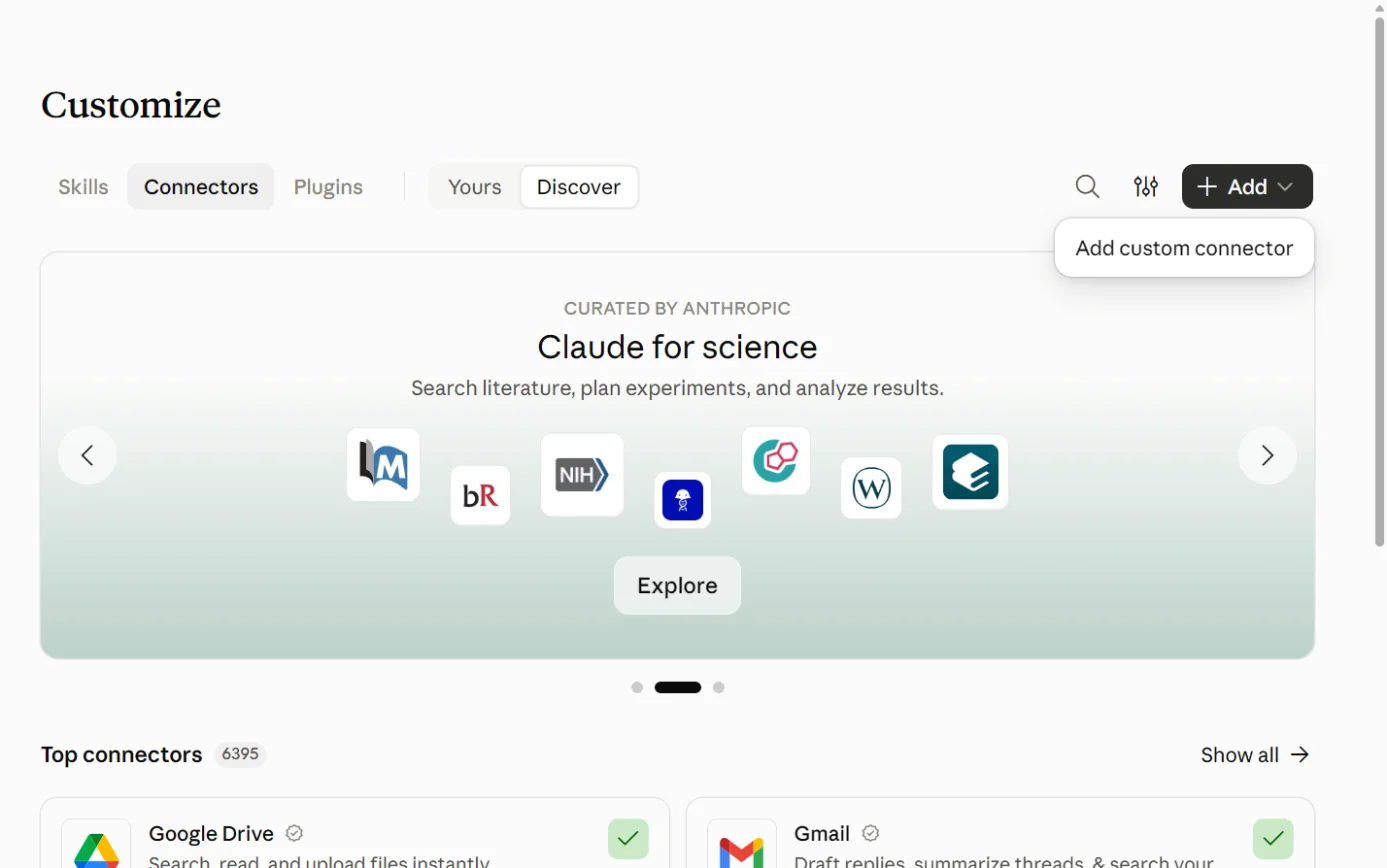
Screenshot: Claude, the Connectors page’s + Add menu, 18 October 2026. -
A drawing from the step’s own words. The real screen may look a little different. -
A drawing from the step’s own words. The real screen may look a little different. -
A drawing from the step’s own words. The real screen may look a little different. -
A drawing from the step’s own words. The real screen may look a little different. -
A drawing from the step’s own words. The real screen may look a little different.
Pictures without a date are drawings from each step’s own words. The real screen may look a little different.
- Claude reaches custom connectors from Anthropic’s cloud, even in the desktop app, so the server must be reachable from the public internet.24
- A server behind a firewall needs Anthropic’s IP addresses allowed through, or an MCP tunnel.2434
- Anthropic reviews each custom header name before Claude will send it to a third-party server.34
Desktop extensions (local MCP)
-
A drawing from the step’s own words. The real screen may look a little different. -
A drawing from the step’s own words. The real screen may look a little different. -
A drawing from the step’s own words. The real screen may look a little different.
Pictures without a date are drawings from each step’s own words. The real screen may look a little different.
- Extensions from outside the directory install from a .mcpb file, under Advanced settings and then Install Extension.25
- Settings marked sensitive are encrypted in your computer’s own secure storage, such as Credential Manager on Windows.25
- Directory extensions update automatically. Privately shared ones must be updated by hand.25
- Claude’s Research feature can’t use tools from local MCP servers.24
What Team and Enterprise owners control Enable a connector for the organisation under Organization settings > Connectors > Browse connectors > Add to your team.
- Enable a connector for the organisation under Organization settings > Connectors > Browse connectors > Add to your team.23
- Limit actions for everyone, such as letting Claude search and summarise email while blocking sending. Each tool group can be Always allow, Needs approval or Blocked, and members can’t override it.23
- Add custom connectors. On Team only Owners and Primary Owners can, and on Enterprise so can custom roles with library management rights.24
- Enterprise-managed auth: authorise a connector once through the organisation’s identity provider, then choose which roles get it and which permissions it may request. Okta is supported at launch.27
- Enterprise only: stop work accounts on the company’s verified domains being connected from personal Claude accounts. Covered services include Gmail, Google Drive, HubSpot, Canva, Microsoft 365 and Slack.28
- Desktop extensions: switch public extensions on or off, keep an allowlist and upload the organisation’s own. Device-level policies override the in-app settings.25
- Switch off interactive connector tools.24
- Switch off the thumbs feedback buttons under Organization settings > Data and Privacy.37
- On Team and Enterprise, connectors only work in private projects, and chats with synced content can’t be shared.23
Anthropic’s warnings Connecting a service lets Claude read and possibly change data there, within your permissions. Anthropic says to connect only services you trust and need.
- Connecting a service lets Claude read and possibly change data there, within your permissions. Anthropic says to connect only services you trust and need.23
- Custom connectors reach services Anthropic hasn’t verified.24
- Malicious MCP servers may hide instructions meant to make Claude do things you didn’t intend. Claude has protections, but Anthropic asks you to watch what tools receive and return.24
- Developers can change how a tool behaves after you connect it.2432
- Anthropic says to use Always allow only for tools you trust to run unsupervised.24
- During Research, Claude can call connector tools without asking each time. Anthropic suggests switching off write tools first.24
- Malicious servers can be reported through Anthropic’s vulnerability disclosure program.24
Training Consumer plans: Anthropic’s training data doesn’t include raw content from connectors, including local and remote MCP servers, unless it’s copied into the conversation.
- Consumer plans: Anthropic’s training data doesn’t include raw content from connectors, including local and remote MCP servers, unless it’s copied into the conversation.36
- Anthropic’s page on connected apps says data from a connected app isn’t used to train Claude’s models, and the app can’t see your other conversations.29
- Work plans and the API: not used for training by default.37
Australia Australia is on Anthropic’s Supported Regions Policy, effective 12 May 2026.
- Australia is on Anthropic’s Supported Regions Policy, effective 12 May 2026.38
- Connected services run on their own infrastructure under their own terms, which may be outside the United States. Settings that keep Claude’s own processing in the US don’t change where those services run.23
- Anthropic’s regional compliance page covers Claude through AWS Bedrock, Google Vertex and Microsoft Foundry, with an Asia-Pacific row. It doesn’t cover connectors in the Claude apps.39
Microsoft Copilot
Another researcher covers Microsoft 365 in depth. This is the short version.
Copilot Chat and the paid licence Copilot Chat comes with eligible Microsoft 365 licences. It’s mainly grounded on the web, plus files you upload or paste and some in-app context.
- Copilot Chat comes with eligible Microsoft 365 licences. It’s mainly grounded on the web, plus files you upload or paste and some in-app context.40
- In Outlook, Copilot Chat can also search your mail, calendar, meetings and chats without the paid licence.40
- The paid Microsoft 365 Copilot licence adds reasoning across your organisation’s emails, meetings, chats, documents and sites, and fuller access to agents.40
- Both respect existing Microsoft 365 permissions.40
Copilot connectors Copilot connectors bring outside data into Copilot. Synced connectors copy and index it into Microsoft Graph. Federated connectors fetch it live through MCP and store nothing in Microsoft 365.
- Copilot connectors bring outside data into Copilot. Synced connectors copy and index it into Microsoft Graph. Federated connectors fetch it live through MCP and store nothing in Microsoft 365.4143
- Microsoft offers more than 100 prebuilt synced connectors.41
- Federated connectors currently listed include Xero, HubSpot, Canva, Gmail, Google Calendar, Notion, Asana, Box, monday.com and Make.42
- They work in Copilot Chat, agents, Cowork, Word, Excel, PowerPoint, Outlook and the Researcher agent.42
- To connect one, go to Copilot Chat, select the ... menu, then Settings > Sources. Find the service, select Connect and sign in.42
- Copilot sees only what your account can see, and can change only what you’re allowed to change.42
- Microsoft’s pages also use the name Microsoft Graph connectors in places. The API is the “Microsoft Graph connectors API”, and the privacy page refers to “Microsoft Graph connectors”.4147
Write actions through connectors Federated connectors have been read-only. Microsoft says write, update and delete actions begin rolling out in early October 2026.
- Federated connectors have been read-only. Microsoft says write, update and delete actions begin rolling out in early October 2026.4142
- Write tools ask for approval by default. The choices are Allow once, Allow for conversation, Always allow and Cancel.42
- If a publisher adds or changes a write tool, it goes back to needing approval.42
- The Researcher agent stays read-only.42
Agents and Copilot Studio Agents are specialised assistants that add knowledge and actions to Copilot. Declarative agents use Copilot’s own model, and custom engine agents bring their own.
- Agents are specialised assistants that add knowledge and actions to Copilot. Declarative agents use Copilot’s own model, and custom engine agents bring their own.44
- Copilot Studio agents can use tools and resources from MCP servers. Microsoft says you’re responsible for the tools you use from a non-Microsoft server.45
- When Copilot calls an agent, it sends a query built from your prompt, your Copilot history and Microsoft 365 data you can access.47
Admin controls Microsoft-published federated connectors are on by default. Partner connectors need an administrator’s approval.
- Microsoft-published federated connectors are on by default. Partner connectors need an administrator’s approval.42
- Administrators manage them in the Microsoft 365 admin center under Copilot connectors > Your connections, and can roll a connector out to chosen groups first.42
- A setting called Allowed agent types can keep federated connectors off by default, including future ones.42
- Microsoft asks administrators to check a connector’s capabilities, privacy terms and third-party agreements before enabling one that has write tools.42
- The Agent Registry (Agents > All agents) lets administrators install, block or delete agents. Installing one includes a Grant admin consent step.46
- Microsoft says users can only use agents their administrator allows, and tells administrators to check each agent’s privacy statement and terms.47
Australia Copilot’s AI calls go to the nearest data centres but can go to other regions when busy. Outside the EU, queries may be processed in the US, the EU or elsewhere.
Gemini
Another researcher covers Google Workspace in depth. This is the short version.
Personal accounts: Connected Apps Gemini can connect to Google apps and third-party services, and can act in them with your permission.
- Gemini can connect to Google apps and third-party services, and can act in them with your permission.61
- You must be signed in, and Keep Activity must be on. With it off, Connected Apps don’t work on gemini.google.com or iOS devices, and on Android only Phone, Messages, WhatsApp and Device assistance still work.6160
- To connect, open gemini.google.com, select Customize in the sidebar, then Connectors at the top, then Add. In a chat, type @ to pick an app.61
- Google’s pages say Connected Apps. Some Google text also uses the word extension, such as “the Workspace extension”.6166
Custom apps through MCP Personal accounts can add a custom app by entering an MCP server’s address.
- Personal accounts can add a custom app by entering an MCP server’s address.62
- You must be 18 or over and in the US, with Keep Activity on. For now, the feature is English-only and not available to work and school accounts.62
- Google says it doesn’t control, monitor or secure these servers. Once data reaches a custom app, that app’s privacy practices apply.62
- Gemini currently asks you to confirm every write action, but Google notes Gemini can make mistakes.62
- Google warns custom apps may ask for more data than a task needs. Gemini may also share chat content and data from your other connected sources with them.62
- This page gives a different menu path from the main Connected Apps page: Settings > Connected Apps > Custom apps.6261
Work and school accounts Work accounts need a qualifying Workspace edition, Keep Activity on (set by the administrator), and an administrator who has enabled connected apps.
- Work accounts need a qualifying Workspace edition, Keep Activity on (set by the administrator), and an administrator who has enabled connected apps.63
- Type @ and choose the app. Google lists things Gemini can’t do there, such as drafting or deleting Gmail messages.63
- The Gemini app is a core service in most Workspace editions, including Business Starter, Business Standard and Business Plus.65
- In those editions, content isn’t human-reviewed or used for AI training outside your organisation’s domain without permission.6566
- Google’s Workspace privacy hub says third-party apps used with Gemini come under different terms.66
Gemini Enterprise Gemini Enterprise is a separate Google Cloud product for company-wide search, an assistant and agents. It has prebuilt connectors for tools such as Confluence, Jira, SharePoint and ServiceNow.
- Gemini Enterprise is a separate Google Cloud product for company-wide search, an assistant and agents. It has prebuilt connectors for tools such as Confluence, Jira, SharePoint and ServiceNow.67
- Its connectors either copy data into Gemini Enterprise’s index or fetch it live, which Google calls federation.68
- With federation, your query goes to the third-party system, may include parts of your conversation, and can be linked to you. After that, the third party’s terms apply.68
- Data stores can be placed in global, US or EU regions.68
MCP, in plain words
What it is
- MCP is an open standard for connecting AI apps to outside systems.70
- MCP’s own website compares it to a USB-C port: one standard plug in place of a different cable for each device.70
- Anthropic created it.24
- The MCP site says the project is now established as “a Series of LF Projects, LLC”. Seats in its technical governance belong to individuals, and no company has reserved seats.77
- The current specification is the version dated 2026-07-28.72
- Claude, ChatGPT, Visual Studio Code and Cursor are among the apps that support it.70
- Microsoft’s federated connectors and Copilot Studio use it, as do Gemini’s custom apps.424562
- Zapier, Make and n8n each offer MCP connections.808895
The pieces
- Host: the AI app you use, such as Claude Desktop.71
- Client: the part inside the host that holds one connection to one server.71
- Server: the program that offers the tools.71
- A server can offer tools (actions the AI can take), resources (information it can read) and prompts (ready-made templates).72
Local and remote
- A local server runs on your computer and talks to the AI app directly. It usually serves one app.71
- A remote server runs on the internet and usually serves many people.71
- Remote servers can use bearer tokens, API keys or custom headers to check who’s calling. MCP recommends OAuth for sign-in.71
- A remote server needs no installing on each device, which suits AI apps used in a browser.74
- MCP’s security guide says apps should warn that a local server runs with the same privileges as the AI app itself.73
- MCP’s local-server guide notes that its example file server can do any file operation you can do yourself.75
Who makes servers
- Anyone can. The official MCP Registry lists publicly reachable servers, and checks that a publisher owns the GitHub account or web domain in the server’s name.76
- The registry is in preview and may have breaking changes or data resets. It leaves security scanning to package registries such as npm.76
- The MCP project’s own reference servers are teaching examples. The project says they aren’t production-ready.78
- Companies run their own servers too, such as Zapier’s and Make’s.8088
- Anthropic’s directory doesn’t ask for proof of domain ownership. That requirement belongs to the open MCP Registry.33
What the specification says about safety
- Users must agree to, and understand, all data access and actions.72
- AI apps must get explicit consent before running any tool.72
- Tool descriptions should be treated as untrusted unless they come from a trusted server.72
- MCP can’t enforce these rules itself. Each app has to build them in.72
- MCP’s security guide warns that a malicious local server can run harmful commands or send data off your computer. It says one-click installs must show the exact command and ask for approval.73
- The guide also warns against granting broad permissions up front, because a stolen token then reaches more.73
Automation tools as the glue
An automation service already holds sign-ins to many apps. Connect an AI to it once, and the AI can use those apps through it.8089 Our reading: this saves setting up each app separately, and it adds one more company that handles your data.
Zapier Zapier MCP lets AI tools such as Claude, ChatGPT and Cursor take actions in apps connected to your Zapier account.
- Zapier MCP lets AI tools such as Claude, ChatGPT and Cursor take actions in apps connected to your Zapier account.7980
- Zapier holds the app credentials, so the AI tool never handles a third-party key.81
- Zapier says its connection works on every Claude plan, including Free. On Claude Team and Enterprise, an Owner has to enable Zapier first.84
- Zapier’s ChatGPT guide covers two routes: signing in to a Zapier app your workspace has already added, or creating your own plugin with Zapier’s server address.83
- It’s included in every Zapier plan. Each successful tool call uses two tasks from your plan’s allowance.7982
- It’s on by default for every account. Workspace administrators can restrict it, and app and action restrictions apply account-wide.82
- Zapier stores customer data in AWS US-East-1 in the United States, unless otherwise agreed.82
- Enterprise customers are opted out of AI model training by default. The page doesn’t say what applies to other plans.82
- Zapier Agents is Zapier’s own product for AI agents that work across apps.8685
- The old AI Actions addresses now redirect to Zapier MCP. That suggests AI Actions has been folded into Zapier MCP, but we found no page that says so.87
Make Make’s MCP server lets an AI tool run your Make scenarios (automated workflows) and manage your Make account.
- Make’s MCP server lets an AI tool run your Make scenarios (automated workflows) and manage your Make account.8890
- You connect with OAuth at mcp.make.com, and choose an organisation and permission scopes on the consent screen.89
- The “Run your scenarios” scope gives access to every on-demand and active scenario in the organisation.89
- Scenario run tools are on all plans. Management tools need a paid plan.88
- MCP toolboxes are separate servers holding only the scenarios you pick, each marked Read only or Read & write.9291
- Make AI Agent (New) has been in open beta since 2 February 2026. Its tools can include MCP server tools.90
- Make suggests giving agents tasks you’d trust an intern with, and keeping them away from sensitive data and high-stakes decisions.90
- Make’s data zones are US1, US2, EU1 and EU2. Some features send requests to the US whatever zone you choose.93
n8n The AI Agent node connects a chat model to at least one tool, and the agent decides which tools to call.
- The AI Agent node connects a chat model to at least one tool, and the agent decides which tools to call.94
- The MCP Client Tool node lets n8n agents use an outside MCP server. You choose which of its tools to expose.96
- The MCP Server Trigger node turns n8n workflows into tools that other AI apps can call. Its authentication can be None, Bearer or Header.95
- n8n can be self-hosted on your own infrastructure.97 Our reading: that lets an organisation choose where it runs. The pages we read don’t mention Australian hosting.
Power Automate Power Automate builds automated workflows between apps and services.
- Power Automate builds automated workflows between apps and services.59
- It uses connectors that expose actions and triggers. Microsoft says all its connectors are agent-ready.54
- Copilot in Power Automate lets you build a flow by describing it in plain language.52
- Copilot in Power Automate is on by default in regions with GPUs, and Microsoft lists Australia as one.52
- In Copilot Studio, agent flows are fixed, rule-based workflows that agents can call. They use Copilot Studio capacity.53
- Microsoft’s connector reference now has a section for MCP connectors.55
Your data when AI is connected
The take-home training table, re-checked 15 October 2026
| Plan | What the take-home sheet relies on | Still holds? | What the vendor says now | Source |
|---|---|---|---|---|
| ChatGPT Free, Plus, Pro | May train on content. Opt out under Data controls. A thumbs rating overrides the opt-out. | Yes. Consider adding Go. | OpenAI may train on your content unless you turn off “Improve the model for everyone” (Settings > Data controls) or opt out in the Privacy Portal. Thumbs feedback can send the whole conversation for training even after opting out. The pricing page shows the same opt-out for Go. Page updated 12 Oct 2026 UTC (13 Oct in Perth). | 9107 |
| ChatGPT Business, Enterprise, Edu, API | Not trained on by default | Yes | Not used to improve models by default. For Business, Enterprise and Edu, thumbs feedback doesn’t change that. The same applies to data from apps. | 9206 |
| Claude Free, Pro, Max | Trains only if Model Improvement is on | Yes, with a nuance | Chats are used if you allow it, if a chat is flagged for safety review, or if you opt in to a programme such as Trusted Tester. Raw connector content is excluded. Thumbs feedback keeps the whole conversation for up to 5 years and may be used for training. Page still dated 16 Mar 2026. | 36 |
| Claude for Work, API | Not trained on by default, unless feedback is reported or you opt in | Yes | Unchanged. Page still dated 18 Aug 2026. Owners can switch off the feedback buttons. | 37 |
| Gemini, personal | Keep Activity on: trains, with some human review. Off: kept 72 hours, no training unless feedback is sent | Yes | Unchanged. Page dated 13 Oct 2026. With Keep Activity off, most Connected Apps don’t work. | 6061 |
| Microsoft Copilot, work | No foundation-model training. Stored with your M365 data. Processing can leave your region. | Yes | Unchanged. Page updated 8 Oct 2026. Local processing in Australia is expected by the end of 2026. | 4748 |
| Copilot, personal | Trains unless you opt out; kept 18 months. Where the control sits in the new app (18 Aug) is unconfirmed | Changed | For the updated Copilot app (from 18 Aug 2026), Microsoft says prompts, responses and file contents “aren’t used to train foundation models”. The new privacy controls page lists no training switch. The old FAQ, with opt-out training and 18-month storage, now says it applies only to the older app. We found no storage period for the new app. | 505149 |
The one-pager’s line “kept or used to train, depending on tool and settings” still holds.9366050
Rules for data fetched through a connection
| Vendor and plan | What the vendor says about data fetched through a connection | Source |
|---|---|---|
| ChatGPT Free, Go, Plus, Pro | May be used for training if “Improve the model for everyone” is on. | 1 |
| ChatGPT with Google apps, any plan | OpenAI doesn’t train its general models on data from connected Google apps. The exceptions are feedback, content you paste in, and content included in a reply. | 11 |
| ChatGPT Business, Enterprise, Edu | Not used for training by default. | 620 |
| Claude, consumer plans | Raw connector content, including from local and remote MCP servers, is left out of training and feedback data unless it’s copied into the chat. | 3629 |
| Claude, work plans and API | Not used for training by default. Feedback data leaves out raw connector content. | 37 |
| Gemini, personal | Gemini saves and uses Connected Apps information under its privacy notice, including to improve Gemini. Feedback can include connected-app content. We found no carve-out like OpenAI’s or Anthropic’s. | 60 |
| Gemini, Workspace editions | Not human-reviewed or used for training outside your domain without permission. Third-party apps come under different terms. | 6566 |
| Microsoft 365 Copilot, work | Prompts, responses and data accessed through Microsoft Graph aren’t used to train foundation models. Agents have their own privacy statements. | 47 |
| Zapier MCP, Enterprise | Opted out of AI model training by default. | 82 |
What the AI sends to the connected service
- ChatGPT: relevant conversation context, saved memories if Memory is on, your IP address and approximate location.1
- Claude: Anthropic says a connected app can’t see your other conversations.29
- Gemini: chat content, device and preference details, location, and content from your Connected Apps. Third-party apps then use it under their own policies.60
- Microsoft 365 Copilot agents: a query built from your prompt, your Copilot history and Microsoft 365 data you can access.47
- Microsoft write actions: Copilot sends the connector what it needs to complete the action, and nothing is sent until you approve.42
- Gemini Enterprise federation: your query, possibly including parts of your conversation, goes to each enabled third-party system and can be linked to you.68
Where your data sits, for Australian organisations
| Service | What the vendor documents | Source |
|---|---|---|
| ChatGPT Enterprise, Edu and API | Content can be stored at rest in Australia for eligible customers. In-region AI processing isn’t offered for Australia. Data sent through apps and MCP may sit elsewhere. | 17 |
| Claude apps | We found no Australian storage option. Connected services may operate outside the US. | 2339 |
| Microsoft 365 Copilot | Queries may be processed in the US, the EU or elsewhere. Local processing in Australia is expected by the end of 2026. | 4748 |
| Copilot in Power Automate | Australia is listed as a region with GPUs, where Copilot is on by default. Our reading: requests from Australian environments don’t rely on cross-region data sharing. | 52 |
| Gemini Enterprise | Data store regions are global, US or EU. | 68 |
| Zapier MCP | Stored in AWS US-East-1 unless otherwise agreed. | 82 |
| Make | Data zones are US1, US2, EU1 and EU2. | 93 |
| n8n | Can be self-hosted on your own infrastructure. | 97 |
What to watch for, whichever AI you use
- Work data in personal accounts. OpenAI and Anthropic both offer Enterprise settings that stop work accounts being connected to personal AI accounts.628 Anthropic’s example: without the setting, someone could connect their work Gmail to a personal Claude account and move company information outside the organisation’s controls.28
- Hidden instructions. A web page, a file or a tool’s reply can carry instructions meant for the AI.212414 OpenAI’s Lockdown Mode limits what can be sent out, but OpenAI says it doesn’t stop injected text affecting answers.21
- Standing approvals. Always allow and Allow all actions remove a check. OpenAI labels Allow all actions as elevated risk, and Anthropic says to use Always allow only for tools you trust unsupervised.424
- Research modes. Claude’s Research can call connector tools without asking each time.24 ChatGPT’s deep research and Microsoft’s Researcher agent only read.1342
- Shared keys. A connector set up with one API key gives everyone who uses it that key’s access. Anthropic suggests a key limited to what members should reach.24
- Tools that change after approval. MCP server developers can change their tools at any time.2432 ChatGPT keeps a frozen copy until an administrator reviews changes.5 Copilot Studio picks up server changes automatically.45 Microsoft puts changed write tools back to Needs approval.42
- Badges and labels. OpenAI says its Verified badge doesn’t replace your organisation’s own privacy, security or vendor review.2 Anthropic says its Verified label isn’t a security audit.32
- Disconnecting. Disconnecting stops future access. It doesn’t delete past chats, memories, or data the other service has already received.360
- All-or-nothing consent screens. Microsoft Entra’s consent screen for ChatGPT’s Microsoft apps has no per-permission boxes.6 Microsoft says not to grant organisation-wide consent unless you trust the app and its publisher.57
- Data leaving the region. Residency promises cover the AI vendor’s own storage. Connected services keep their own terms and locations.172368
- Work that runs while you’re away. ChatGPT tasks can run when a connected app receives an event, and workspace agents can run on a schedule. Actions needing approval pause until someone reviews them.116
- Costs. App use counts toward ChatGPT plan limits.1 Each Zapier MCP tool call uses two tasks.82 Agent flows use Copilot Studio capacity.53
- Guides that go stale. Menu names differ between a vendor’s own pages, and third-party guides lag behind.31266162583
Announced changes
- Microsoft: write, update and delete actions through federated Copilot connectors “begin rolling out in early October 2026”.4241
- Microsoft: a Tools list for each connector in the admin center is marked “Coming soon”.42
- Microsoft: the Allowed agent types setting replaces a tenant-wide PowerShell switch for federated connectors. The old switch stops being honoured after a notice period.42
- Microsoft: local processing of Microsoft 365 Copilot interactions in Australia is expected by the end of 2026. It was first promised for the end of 2025, and Microsoft revised the timeline on 3 April 2026.48
- OpenAI: workspace agents start switched off for Enterprise workspaces at launch.16
- OpenAI: developer mode carries a beta label on the pricing pages.78
- OpenAI: more data residency and inference residency regions are planned.17
- Anthropic: Enterprise-managed auth supports Okta at launch, “with more identity providers coming soon”.27
- Anthropic: request header sign-in for custom connectors is in beta for a limited set of organisations.34
- Anthropic: installing connectors on mobile is in beta.23
- Google: for now, custom MCP apps in Gemini are English-only and unavailable to work and school accounts. They also require the user to be in the US.62
- Google: Personal Intelligence, which connects Google apps for personalisation, is being released gradually and isn’t offered in the EEA, Switzerland, the UK or Nigeria.64
- MCP: the Registry is in preview, and breaking changes or data resets may happen before general availability.76
- MCP: the 2026-07-28 version deprecates a feature called sampling.71
- Zapier: building Next Gen Zaps from AI tools is in early access. Running them is free during early access, then priced in tasks.79
- Make: Make AI Agent (New) is in open beta, and its features and pricing may change.90
- n8n: the old version of the AI Agent node will be removed in n8n 3.0.94
What we couldn’t establish
- Whether ChatGPT Plus can connect custom MCP servers. We re-read both pages on 15 October 2026. The pricing page still lists Developer mode (beta) for Plus and Pro, while the help page names only Pro (read and fetch) and Business, Enterprise and Edu (full).75
- Whether OpenAI-built apps can write. The custom MCP page says they’re search-only, while other OpenAI pages describe write actions in apps such as Google Drive and Microsoft’s apps.561
- How the local MCP apps in ChatGPT desktop plugins fit with the custom MCP page, which answers “Not directly” when asked about local servers.25
- Whether Anthropic’s Enterprise-managed auth is in beta or generally available. One Anthropic page says beta, and another says generally available.2327
- Whether Microsoft’s write actions through federated connectors are live in Australian tenants yet.42
- Whether Copilot Chat users without the paid licence can use federated connectors. Microsoft says “where available”.42
- A formal Microsoft statement that Graph connectors became Copilot connectors. The pages we read use the new name without stating a rename.4143
- A formal Google statement that Gemini extensions became Connected Apps. Current pages use the new name without stating a rename.6166
- That Gemini Enterprise was formerly called Agentspace. Google’s current overview doesn’t mention an earlier name.67
- The storage period for the updated personal Copilot app, and whether it has any training switch.5051
- Whether Microsoft’s wording for the new Copilot app (“foundation models”) also covers other models.50
- Any Australian storage or processing option for the Claude apps (web, desktop and mobile).2339
- Whether Claude’s memory saves information that came through connectors. The pages we read don’t say.
- What Zapier does with non-Enterprise data for AI training.82
- Connectors in Microsoft’s personal Copilot app. We didn’t research these.
- Prices in Australian dollars. OpenAI’s Business page shows A$ headline prices next to fine print in another, unlabelled currency, and Claude’s pricing page shows US dollars only. We’ve named plans instead.835
- Exact update dates for Google’s Gemini help articles and Make’s help centre, which show no date.
- Research note: the session’s shared web-search allowance ran out partway through. Later checks were done by opening known official pages directly. Google’s Workspace admin settings for third-party apps in Gemini weren’t covered in depth.
Sources
Every line above was read at one of these pages, on the date shown.
- 1 Connected apps in ChatGPT
- 2 Plugins in ChatGPT
- 3 Connecting and managing app accounts in ChatGPT
- 4 Managing app permissions in ChatGPT
- 5 Connecting custom MCP servers in ChatGPT
- 6 Admin controls, security, and compliance for plugins and apps
- 7 Plans and Pricing (individual plans)
- 8 ChatGPT Business and Enterprise pricing
- 9 How your data is used to improve model performance
- 10 Data controls in ChatGPT
- 11 Google app data controls FAQ
- 12 Memory in ChatGPT
- 13 Deep research in ChatGPT
- 14 ChatGPT agent
- 15 ChatGPT Work and Codex
- 16 ChatGPT Workspace Agents for Enterprise and Business
- 17 Data residency and inference residency for ChatGPT
- 18 Administrator-managed apps with sync in ChatGPT
- 19 ChatGPT Supported Countries
- 20 Enterprise privacy at OpenAI
- 21 Lockdown Mode
- 22 Elevated Risk labels
- 23 Use connectors to extend Claude's capabilities
- 24 Get started with custom connectors using remote MCP
- 25 Getting Started with Local MCP Servers on Claude Desktop
- 26 When to use desktop and web connectors
- 27 Authorize MCP connectors for your entire organization
- 28 Restrict verified-domain connectors to your Enterprise
- 29 How Claude suggests connected apps
- 30 Manage Claude's tool access
- 31 Get started with connectors
- 32 Connector verification
- 33 Connectors directory
- 34 Add a connector that isn't in the directory
- 35 Plans & pricing
- 36 Is my data used for model training? (consumer products)
- 37 Is my data used for model training? (commercial products)
- 38 Supported Regions Policy
- 39 Regional compliance
- 40 Overview of Microsoft Copilot Chat
- 41 Copilot connectors overview
- 42 Federated connectors overview
- 43 Microsoft 365 Copilot connectors overview (developer)
- 44 Compare declarative and custom engine agents
- 45 Extend your agent with Model Context Protocol (Copilot Studio)
- 46 Governance and lifecycle actions for agents available in Microsoft 365 admin center
- 47 Data, Privacy, and Security for Microsoft Copilot
- 48 Microsoft offers in-country data processing to 15 countries to strengthen sovereign controls for Microsoft 365 Copilot
- 49 Privacy FAQ for Microsoft Copilot (older app)
- 50 Microsoft Copilot for individuals: your activity history
- 51 Microsoft Copilot for individuals: your privacy controls and choices
- 52 Copilot in Power Automate
- 53 Agent flows overview (Copilot Studio)
- 54 Connectors overview
- 55 Copilot Studio, Power Platform, and Azure Logic Apps connectors documentation
- 56 Overview of permissions and consent in the Microsoft identity platform
- 57 Overview of user and admin consent
- 58 OAuth 2.0 and OIDC authentication flow in the Microsoft identity platform
- 59 Explore the Power Automate home page
- 60 Gemini Apps Privacy Hub
- 61 Use & manage Connected Apps in Gemini
- 62 Connect & manage custom apps for Gemini Apps
- 63 Use apps connected to Gemini with a work or school Google Account
- 64 Connect your Google apps to personalize your Gemini experience
- 65 Turn the Gemini App on or off
- 66 Generative AI in Google Workspace Privacy Hub
- 67 What is Gemini Enterprise?
- 68 Introduction to connectors and data stores (Gemini Enterprise)
- 69 Manage API keys
- 70 What is the Model Context Protocol (MCP)?
- 71 Architecture overview
- 72 Specification (version 2026-07-28)
- 73 Security Best Practices
- 74 Connect to remote MCP Servers
- 75 Connect to local MCP servers
- 76 The MCP Registry
- 77 Governance and Stewardship
- 78 Model Context Protocol servers (README)
- 79 Zapier MCP
- 80 Zapier MCP: Model Context Protocol for 9,000+ app integrations
- 81 How Zapier MCP connections work
- 82 Zapier MCP security
- 83 Zapier MCP for ChatGPT
- 84 Zapier MCP for Claude
- 85 What is Zapier?
- 86 Zapier Agents
- 87 AI Actions (former addresses)
- 88 Make MCP Server
- 89 Connect using OAuth
- 90 Introduction to Make AI Agent (New)
- 91 Introduction to MCP
- 92 MCP toolboxes
- 93 AI providers and data zones in Make
- 94 AI Agent (node)
- 95 MCP Server Trigger (node)
- 96 MCP Client Tool (node)
- 97 Host n8n
- 98 ChatGPT release notes
Want your team shown this on its own tools?
We teach on the tools your workplace already uses, with the checks that go with them.