Skip to content

AI for legal work, and how to check it.

Careful AI training for law firms. Your team learns to draft and summarise faster, with the habits that stop an invented case reaching a client or a court.

Led by Caleb Scott, who’s partway through a law degree.

A draft file note, checked the way we teach it.

It writes every line with the same confidence, and two of these five are right. You only find out which by checking each one against the lease.

Draft from the tool, marked up Invented for this page

What we asked

Summarise the termination and notice clauses in this commercial lease for a file note. Give the clause number for every point and say what each clause requires. Do not interpret it.

What came back

  1. Checked, correct: Either party may end the lease by giving three months’ written notice (cl 12.1).

    Read cl 12.1. It says this.

  2. Wrong: Notice must be sent by registered post (cl 12.3).

    cl 12.3 says “in writing”. Nothing about post.

  3. Checked, correct: The Tenant has 14 days to fix a breach before the Landlord can end the lease (cl 14.2).

    Checked at cl 14.2.

  4. Struck out: In our view, the Landlord’s position under cl 14 is strong.

    We asked for no opinion. Out.

  5. Struck out: This follows Quenda Holdings Pty Ltd v Stirling Lane Traders, a 2019 decision of the WA Supreme Court.

    Not in any authorised report. It doesn’t exist. Out.

Then it goes to the practitioner. Nothing leaves the firm until the responsible practitioner has reviewed it.

The lease, its clauses, the draft and Quenda Holdings Pty Ltd v Stirling Lane Traders are all invented for this page.

What to check before you rely on it.

Every prompt in the law pack comes with the check that goes with it. This is the routine the team takes back to their desks.

Cases, quotes, sections and authorities. Read it yourself in an authorised source before it goes into anything filed or sent.
Summaries. Check each point at the page or clause it names.
Plain-English rewrites. Compare line by line. If the meaning shifted, the original stands.
Dates. Check every date against its source document.
Anything leaving the firm. Reviewed by the responsible practitioner first.

What never goes in.

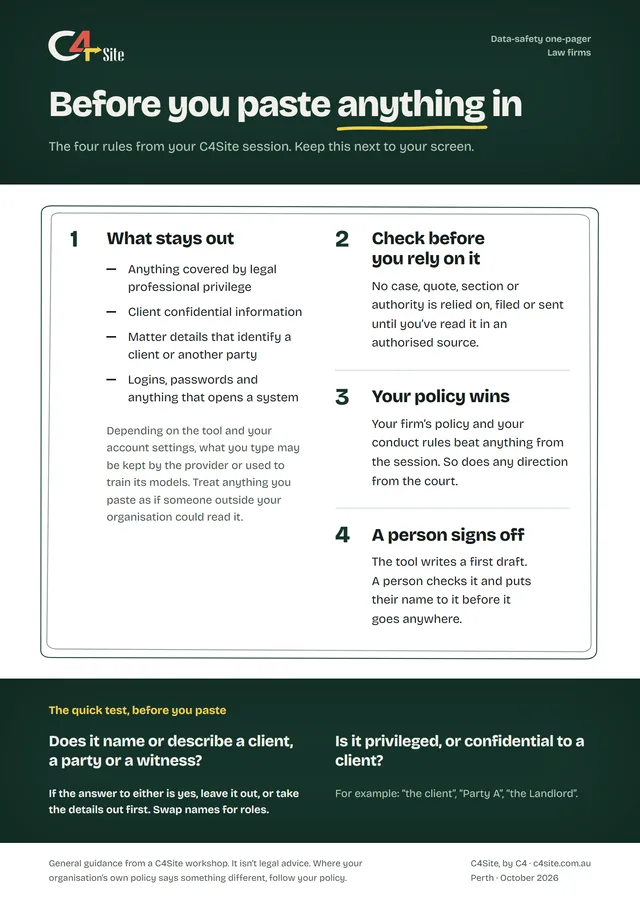
Ask two questions before you paste anything in. Does it name or describe a client, a party or a witness? Is it privileged, or confidential to a client? If either answer is yes, it stays out, or the details come out first.

Swap names for roles: “the client”, “Party A”, “the Landlord”. Your firm’s policy and your conduct rules beat anything from the session.

  • Anything covered by legal professional privilege
  • Client confidential information
  • Matter details that identify a client or another party
  • Logins, passwords and anything that opens a system

How the day runs.

What we aim for: your team speeds up one drafting or summarising task, with a checking routine they trust.

This is a starting point. We’ll shape the day around your team’s work and what you want from it.

In a session, we teach on whichever tool your firm has approved. See the tools we work with

Half day

About 3.5 hours

The morning, and the whole of a half day:

  1. Setup 15 minutes Devices, wifi and tool access, and everyone gets their pack. Then a sentence each on what the room uses AI for now.
  2. What these tools are 30 minutes How the tool writes, by predicting likely text, and why that can produce a case that looks real and isn’t.
  3. First hands-on 45 minutes One real task each: a letter, a clause, a summary, with names taken out first.
  4. Break 15 minutes
  5. Prompting that works 45 minutes A weak prompt from the room, fixed together. Everyone rewrites one of their own and keeps it.
  6. Data safety 30 minutes Privilege, client confidentiality and invented citations. Your conduct rules win.
  7. Making it stick 20 minutes One or two recurring tasks to use it on, tied to a habit you already have.
Full day

About 6 hours

After lunch, on a full day:

  1. Your own tasks 60 minutes Bring a recurring task from your practice. We build the prompts against it with you.
  2. Break 15 minutes
  3. Build a workflow you keep 45 minutes A summarise-then-check routine or a review checklist, written up in your own words.
  4. Your questions 30 minutes Your real situations and the edge cases.
  5. The pack 15 minutes Back through the pack: the prompts, the one-pager and the workflows you built.

What the team keeps.

Printed and handed out on the day.

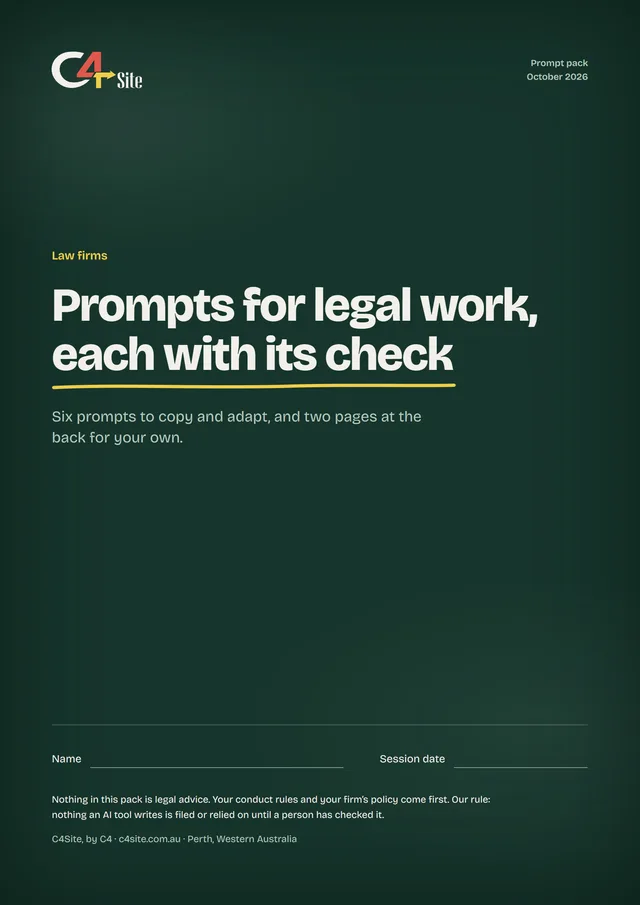
Cover of the C4Site prompt pack for law firms: Prompts for legal work, each with its check.

1 of 3

The prompt pack

Six prompts for legal work, each with the check that goes with it. Not legal advice, and it says so on the cover.

  1. The prompt pack Six prompts for legal work, each with the check that goes with it. Not legal advice, and it says so on the cover.
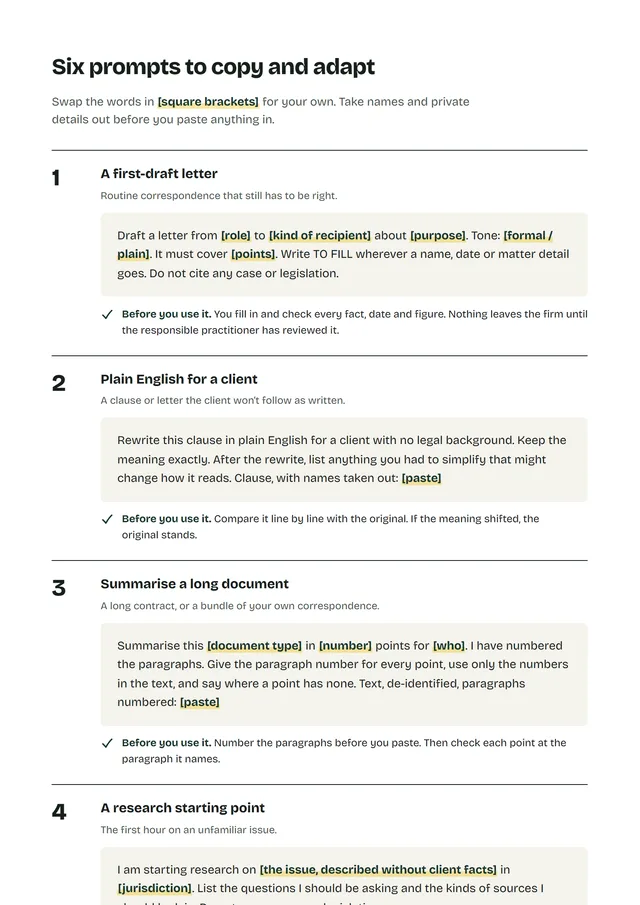
  2. Inside the pack Six numbered prompts, each followed by the check to do before you use it.
  3. The data-safety one-pager Four rules and a two-question test, for next to the screen.

On a full day they also keep the workflows they built, written up in their own words.

Where it helps, used carefully: a first-draft letter, plain English for a client, a summary of a long document, a process checklist, a chronology from notes, and a research starting point, which is a lead and never an authority.

Bring AI into the firm carefully.

A workplace quote depends on people in the room, half day or full, where you are. It comes to one fixed price.

Workplace training is quoted per team. Tell us about your team and you’ll have one fixed price after a short call.

Nothing we teach is legal advice. Practitioners remain bound by their professional conduct rules, and no AI output should be filed or relied on unverified. All prices are in AUD. We aren’t registered for GST, so no GST is added.