Skip to content

Microsoft 365 and AI.

Its own AI is Copilot. ChatGPT and Claude both connect officially to SharePoint, OneDrive, Outlook and Teams, and can make changes once that’s switched on. The everyday Gemini app doesn’t connect.

Checked 15 October 2026 against 92 sources, each the vendor’s own page. See them all, or what’s changed since.

The short version

Microsoft’s main business plans include Microsoft Copilot Chat, a work-safe AI chat, at no extra cost2. On its own it mostly answers from the web and from files you give it, though inside Outlook it can also read your inbox and calendar13. For Copilot to work across all your email, files, chats and meetings by itself, you need the paid add-on, which Microsoft’s Australian page lists at AU$31.40 per user a month on a yearly plan, before GST124. Whichever version you use, Copilot only sees what the signed-in person can already open, so loose SharePoint sharing shows up in Copilot’s answers638. Microsoft says your prompts and work data aren’t used to train its foundation models6. Copilot now runs some features on Anthropic’s Claude models and on OpenAI-operated models, both switched on by default for most business customers, and an admin can turn either off78. ChatGPT and Claude both have official connections into SharePoint, OneDrive, Outlook and Teams5971. Claude’s needs a Microsoft admin’s approval before anyone can connect, and ChatGPT’s needs one for many of its actions716162. Google’s everyday Gemini app has no Microsoft 365 connection on its list, while its business product, Gemini Enterprise, has one8882. Staff who pay for a personal Microsoft 365 plan can use that Copilot on work documents unless an admin switches it off52.

The plans

Microsoft 365 for business bundles Word, Excel, PowerPoint and Outlook with Teams, OneDrive, SharePoint and business email13. The business plans top out at 300 users across the whole family of business plans, and Microsoft points bigger organisations to its enterprise plans13.

The AI comes in two layers. Copilot Chat is included with eligible work accounts at no extra cost2. Work-grounded Copilot is a paid add-on, or comes built into the “with Copilot” bundles12.

Business plans (Australian prices)

Per user per month, in Australian dollars, excluding GST, as shown on Microsoft’s Australian pages on 15 October 20261213. Microsoft says the GST-inclusive amount shows on the “Payment and Billing” page before you buy13.

PlanPaid yearlyPaid monthlyAI includedSource
Microsoft 365 Business BasicAU$10.50AU$12.60Copilot Chat. Office apps on web and mobile only162
Microsoft 365 Business StandardAU$21.00AU$25.20Copilot Chat. Desktop apps included142
Microsoft 365 Business PremiumAU$32.90AU$39.48Copilot Chat. Adds advanced security and device management152
Microsoft 365 Apps for businessAU$15.80AU$18.96Desktop apps without Teams chat or calling. Not on Microsoft’s Copilot Chat eligibility list17132
Microsoft 365 Business Standard with CopilotAU$35.20AU$42.24Copilot Business built in12
Microsoft 365 Business Premium with CopilotAU$47.90AU$57.48Copilot Business built in12
Microsoft 365 Copilot Business (add-on)AU$31.40, or AU$26.91 in the first year under a promotionAU$37.68Add-on for an existing Business plan, up to 300 users12
  • Each plan has a cheaper “no Teams” version. Paid yearly: Basic AU$8.10, Standard AU$16.10, Premium AU$28.10, Standard with Copilot AU$30.40, Premium with Copilot AU$43.1013141516.
  • The Copilot Business promotion runs from 1 July to 31 December 2026. It’s only for existing customers on an eligible Business plan, needs an annual commitment, and the lower price applies to the first year only12.
  • The Copilot plans have a one-month free trial. It needs a credit card and becomes a paid subscription unless you cancel during the trial12.
  • Microsoft’s documentation site now calls the add-on “Microsoft Copilot Business”5. It can be added to Business Basic, Business Standard, Business Premium, Apps for Business and Teams Essentials5.

Enterprise plans (bigger workplaces)

PlanPaid yearly, annual commitment, ex GSTAISource
Microsoft 365 E3AU$58.40Copilot Chat. Copilot add-on AU$44.90 per user a month, paid yearly18
Microsoft 365 E5AU$89.80Copilot Chat. Same Copilot add-on price18
Microsoft 365 E7AU$148.20Copilot included, plus Agent 3651839

E7 became generally available on 1 May 2026. Microsoft describes it as E5 with Copilot and Agent 365 added, along with the full Entra Suite39.

Personal plans, and why they turn up at work

PlanPrice shownAISource
Microsoft 365 PersonalAU$16.00 a month or AU$159.00 a yearCopilot in the desktop apps, with usage limits19
Microsoft 365 FamilyAU$18.00 a month or AU$179.00 a yearThe same AI, for the subscription owner only19
Microsoft 365 PremiumAU$33.00 a month or AU$329.00 a yearHeavier AI use, plus “agentic” research and analytics19
  • On Family and Premium the AI belongs to the subscription owner and can’t be shared with the others on the plan19.
  • Copilot in Excel on these plans needs AutoSave on, so the file has to be saved to OneDrive19.
  • AI use on personal plans runs on monthly “AI credits”. Microsoft’s help page doesn’t give the amounts54.
  • Researcher (covered below) comes with Microsoft 365 Premium and Pro, and isn’t in Personal or Family27.
  • Microsoft brought AI features into Personal and Family in Australia and changed their pricing in October 202420. In November 2025 it apologised for not making clear that a cheaper “Classic” plan without Copilot was open to all subscribers20. It quoted Classic at A$11 (Personal) and A$14 (Family) a month including tax, and said Classic “may not receive new feature updates”20.
  • The part that matters at work: someone with a personal plan can use their personal Copilot on a work document in Word, Excel, PowerPoint, Outlook or OneNote, unless the organisation turns that off5253. See “Personal Copilot on work files” below.

What changed on 1 July 2026

  • Microsoft raised list prices for most commercial suites from 1 July 2026. Its US-dollar table shows Business Basic going from US$6.00 to US$7.00, Business Standard from US$12.50 to US$14.00 and Apps for business from US$8.25 to US$10.00. Business Premium stayed at US$22.0021.
  • Existing customers keep their current price until renewal21.
  • Standalone Copilot and Teams products weren’t part of the change21.
  • Alongside the increase, Microsoft said Business Basic, Standard and Premium would get Copilot Chat “enhancements”, rolling out from June 2026. Those are inbox and calendar awareness plus Word, Excel and PowerPoint agents2122.
  • The Australian prices in the tables above are what the pages showed on 15 October 20261314151617. We didn’t find an Australian-dollar version of Microsoft’s before-and-after table.

What’s built in

Microsoft Copilot Chat A chat assistant for work. It can research and summarise from the web, write and rewrite, analyse files you upload, make images and run agents. It answers mainly from the web. It uses your organisation’s content when you hand it over: by pasting it in, uploading a file with the + button, or typing / to pick a file you already have access to. It can also reach work content through Outlook (next section) and through agents your organisation pays for by usage. A model picker offers Auto, Quick response and Think deeper.
What it does

A chat assistant for work. It can research and summarise from the web, write and rewrite, analyse files you upload, make images and run agents1. It answers mainly from the web123. It uses your organisation’s content when you hand it over: by pasting it in, uploading a file with the + button, or typing / to pick a file you already have access to3. It can also reach work content through Outlook (next section) and through agents your organisation pays for by usage3. A model picker offers Auto, Quick response and Think deeper1.

Where to find it

At copilot.cloud.microsoft, in the Microsoft Copilot app on web, desktop and mobile, inside Outlook and Teams, in the Edge sidebar, and as Word, Excel and PowerPoint agents inside Chat2. Signed in with a work account, you’ll see a “Work” label under your profile and a green shield, which marks enterprise data protection23. A label such as Copilot Chat (Basic) tells you which version you have12.

Plans and cost

No extra cost for work or school accounts on eligible plans. The list includes Business Basic, Business Standard, Business Premium, E3, E5, E7 and Teams Essentials2. Without the paid licence you get “standard access”, which Microsoft says “may be temporarily restricted” when demand is high24. Agents built only from instructions and public websites are free31. Agents that read shared company content, such as SharePoint, are billed by usage and start switched off. The billing runs through an Azure subscription3113.

On by default, and who controls it

It’s pinned in the Microsoft 365 apps by default for most eligible users2. An admin with the AI Administrator role can change that under Copilot > Settings > Pin Microsoft Copilot Chat56. Since January 2026 the pin setting no longer controls the Copilot app itself562. Unpinning doesn’t remove access either2. Admins can block Copilot Chat for everyone or for chosen users and groups2. They can also show blocked users a company policy page, set under Copilot > Settings > View all > Custom link for blocked Microsoft Copilot app2. Web searching is controlled by the Allow web search in Copilot policy. With it off, Copilot answers from the language model alone2. Copilot Pages and Notebooks are allowed by default, and admins control them through Cloud Policy57.

Your data

Prompts and responses are processed inside the Microsoft 365 service boundary under enterprise data protection, and aren’t used to train the underlying foundation models3. They’re logged and stored in Exchange so admins can audit and search them3. Files you upload are stored in your OneDrive3. When Copilot searches the web, it sends Bing a short query of a few words with no user or tenant identifiers3. Bing handles that query under the Microsoft Services Agreement, with Microsoft acting as an independent data controller3. The exact search queries show in the answer’s citations for 24 hours3.

In Australia

Sold here in Australian dollars12. For tenants set up in Australia, Microsoft’s Product Terms commit to storing Copilot Chat interaction content at rest in Australia. Copilot Chat joined that commitment on 1 September 202510. Processing is a separate question. Microsoft says calls to the language model go to the nearest data centres but can move to other regions under heavy load3. It also says customers outside the EU “may have their queries processed in the US, EU, or other regions”6.

Copilot Chat in Outlook Inside Outlook, Copilot Chat can answer questions about your emails, calendar, meetings and chats, plus a limited set of files. It can also act in Outlook: drafting an email, scheduling a meeting, flagging unread emails or setting up an automatic reply. The files it can reach are your OneDrive, files from SharePoint sites you visit often, files shared directly with you, and files you’ve viewed, edited or created.
What it does

Inside Outlook, Copilot Chat can answer questions about your emails, calendar, meetings and chats, plus a limited set of files3. It can also act in Outlook: drafting an email, scheduling a meeting, flagging unread emails or setting up an automatic reply25. The files it can reach are your OneDrive, files from SharePoint sites you visit often, files shared directly with you, and files you’ve viewed, edited or created3.

Where to find it

Sign in to Outlook with your work account and select the Copilot button near the top of the app25. Microsoft’s help page lists Outlook for Microsoft 365 on Windows and Mac, and the new Outlook for Windows25.

Plans and cost

No add-on needed for this limited version251. With the paid licence it reaches more of your organisation’s data25.

On by default, and who controls it

It follows the Copilot Chat settings above2.

Your data

It finds your content with a simpler keyword index. The full semantic index and Work IQ are for licensed users only3. It respects existing Microsoft 365 permissions1.

In Australia

Same storage and processing position as Copilot Chat106.

Copilot in Word, Excel, PowerPoint and OneNote For users with in-app access but no add-on, Microsoft lists: drafting, rewriting and summarising in Word; analysing data and creating formulas and visuals in Excel; building and editing decks in PowerPoint; drafting plans and lists in OneNote; drafting and summarising email in Outlook; drafting questions in Forms. The Word, Excel and PowerPoint agents inside Copilot Chat can create new files. PowerPoint files are saved to your OneDrive, and Word and Excel files come back as downloads. In “Edit with Copilot”, users can choose Claude where the admin allows Anthropic models.
What it does

For users with in-app access but no add-on, Microsoft lists: drafting, rewriting and summarising in Word; analysing data and creating formulas and visuals in Excel; building and editing decks in PowerPoint; drafting plans and lists in OneNote; drafting and summarising email in Outlook; drafting questions in Forms4. The Word, Excel and PowerPoint agents inside Copilot Chat can create new files. PowerPoint files are saved to your OneDrive, and Word and Excel files come back as downloads3. In “Edit with Copilot”, users can choose Claude where the admin allows Anthropic models7.

Where to find it

Inside each app. A label shows your version: Microsoft 365 Copilot (Premium) for the paid licence, Microsoft 365 Copilot (Basic) for standard access without it, and Copilot Chat (Basic) where in-app Copilot isn’t available14.

Plans and cost

Microsoft says the in-app experience “might vary” with your licensing and tenant setup1. The paid licence gives priority access and grounds answers in your work data4. Business Basic only has the web and mobile Office apps16.

On by default, and who controls it

If an admin turns off the privacy setting for connected experiences that analyse your content, Copilot stops working in Word, Excel, PowerPoint, Outlook and OneNote6.

Your data

The same commitments as Copilot generally. No foundation-model training, and only content the user can already access61.

In Australia

Microsoft notes availability in its apps “may vary by market and customer licensing”12.

Copilot in Teams meetings Summarises the discussion, including who said what, and suggests action items. You can also ask it questions during or after the meeting. Microsoft’s overview lists meeting summaries (up to 30 days) and transcription among the in-app features available without the add-on.
What it does

Summarises the discussion, including who said what, and suggests action items. You can also ask it questions during or after the meeting26. Microsoft’s overview lists meeting summaries (up to 30 days) and transcription among the in-app features available without the add-on4.

Where to find it

In a meeting, select Copilot in the meeting controls26. The organiser sets it in the meeting scheduler under Online meeting options > Copilot and other AI. There, Allow Copilot and Facilitator can be set to During and after the meeting, Only during the meeting or Off26. Choosing Off also turns off recording and transcription for that meeting26.

Plans and cost

Intelligent recap comes with the Teams Premium add-on or a Microsoft Copilot licence26. Microsoft’s pricing page footnotes its Teams features with “Microsoft Teams license required”12.

On by default, and who controls it

The organiser controls Copilot for their own meetings, even without a licence26. To ask Copilot about a meeting afterwards, live transcription has to be on during it26.

Your data

With Only during the meeting, untranscribed speech-to-text data and Copilot conversations are gone once the meeting ends26. Teams chat messages are covered by Microsoft’s Australian data-at-rest commitment10.

In Australia

No Australia-specific limits stated. Microsoft notes Copilot won’t work in meetings hosted outside the participant’s organisation26.

Microsoft Copilot (the paid licence) Answers across the emails, meetings, calendars, chats, documents, sites and files you have permission to open. It uses Microsoft Graph, Work IQ and a semantic index to find that material without you uploading it. Microsoft says Work IQ can be turned off, and answers then aren’t enriched with your work context. It adds Copilot Search across Microsoft 365 and connected outside sources. Microsoft says Work IQ includes “Copilot Memory” to learn your style and preferences.
What it does

Answers across the emails, meetings, calendars, chats, documents, sites and files you have permission to open1. It uses Microsoft Graph, Work IQ and a semantic index to find that material without you uploading it4. Microsoft says Work IQ can be turned off, and answers then aren’t enriched with your work context4. It adds Copilot Search across Microsoft 365 and connected outside sources4. Microsoft says Work IQ includes “Copilot Memory” to learn your style and preferences12.

Where to find it

copilot.cloud.microsoft, the Microsoft Copilot app, and the Office apps4.

Plans and cost

For Business plans it’s Microsoft 365 Copilot Business: AU$31.40 per user a month paid yearly or AU$37.68 monthly, ex GST, for up to 300 users12. Microsoft lists it with Copilot in the Office apps and Teams, the Researcher, Analyst and Facilitator agents, adoption analytics and “LLM model choice”12. On enterprise plans the add-on is AU$44.90 a month paid yearly18. The licence includes SharePoint Advanced Management, the oversharing toolkit covered under “What to watch for”3637.

On by default, and who controls it

An admin assigns licences in the Microsoft 365 admin center5. Microsoft’s Copilot controls cover pinning, image generation, agents, web search and removing access4. Microsoft suggests the AI Administrator role so the job doesn’t need a Global Administrator4.

Your data

Microsoft says prompts, responses and data reached through Microsoft Graph aren’t used to train foundation models6. Copilot only shows organisational data the user has at least view permission for6. Microsoft says Copilot has opted out of the human-review abuse monitoring that Azure OpenAI offers6. Interactions are stored as the user’s Copilot activity history. Admins can search them and set retention in Microsoft Purview6. Users can delete their own history from the My Account portal655.

In Australia

Copilot has been part of Microsoft’s Product Terms data-at-rest commitment since 1 March 2024, and Australia is one of the covered locations10. In November 2025 Microsoft announced that Australian customers could have Copilot interactions processed in Australia by the end of 20259. An editor’s note dated 3 April 2026 moved that to the end of 20269.

Researcher and Analyst Researcher runs longer, multi-step research and returns a structured report with citations. It draws on the web and on the work files, emails, meetings and chats you can access. Analyst works on data you attach. It calculates statistics and picks out trends and outliers, with charts and tables where they help.
What they do

Researcher runs longer, multi-step research and returns a structured report with citations. It draws on the web and on the work files, emails, meetings and chats you can access27. Analyst works on data you attach. It calculates statistics and picks out trends and outliers, with charts and tables where they help28.

Where to find them

In the Microsoft Copilot app, under Agents, select Researcher or Analyst2728. In Analyst, select + then Attach content to add files28. Microsoft also lists both under Tools in Copilot Chat32.

Plans and cost

Researcher needs the Copilot add-on for business users, or a Microsoft 365 Premium or Pro personal subscription27. Analyst’s help page doesn’t name a licence, and Microsoft’s pricing lists both agents with Copilot Business2812.

On by default, and who controls it

Microsoft treats both as part of core Copilot chat, so the agent settings don’t apply to them32. Analyst’s help page says an admin may need to enable it28. Claude in Researcher only appears once an admin allows Anthropic models27.

Your data

Microsoft says both run inside the Microsoft 365 commercial data-processing boundary32. When someone picks Claude, Anthropic does the processing as a Microsoft subprocessor (see “Claude and OpenAI models running inside Copilot”)7.

In Australia

We found no Australia-specific statement on either help page2728.

Agents: Agent Builder, the Agent Store and Copilot Studio Microsoft describes agents as custom versions of Copilot, set up with their own instructions and knowledge for a particular task. Copilot Chat users can build them in Agent Builder inside Copilot. Copilot Studio is the fuller tool for harder jobs.
What they are

Microsoft describes agents as custom versions of Copilot, set up with their own instructions and knowledge for a particular task32. Copilot Chat users can build them in Agent Builder inside Copilot. Copilot Studio is the fuller tool for harder jobs31.

Where to find them

People find and add agents from the Agent Store in the Microsoft Copilot app32. Admins see them on the Agents page and in the Agent Registry in the Microsoft 365 admin center32.

Plans and cost.
  • Agents grounded only in instructions and public websites cost nothing extra in Copilot Chat31.
  • Agents that read shared company content, such as SharePoint or connector data, are billed by usage and are off by default for Copilot Chat users31.
  • Turning on that billing means an admin links an Azure subscription through a billing policy, with optional budgets and email alerts34.
  • Licensed Copilot users don’t need any of that31. For them, Copilot Studio agents used in Copilot, Teams or SharePoint for answers and Graph grounding are “zero-rated”36.
  • Otherwise Copilot Studio runs on Copilot Credits. Unused monthly capacity doesn’t carry over, and going over can lead to “service denial”36.
On by default, and who controls it

Under Agents > Settings > User access, the default is All users33. Agent and plugin access lets an admin block agents from outside publishers while still allowing Microsoft’s and the organisation’s own33. Sharing decides who can share Agent Builder agents across the organisation33. Agents published to the whole organisation need admin approval first32.

Your data

Microsoft warns that data processed by non-Microsoft agents and plugins “isn’t subject to Microsoft agreements”33. Admins can see each agent’s permissions and terms under Integrated apps6.

In Australia

No Australia-specific limits stated on the agent pages we read313233.

Copilot Cowork Carries out tasks for you across Microsoft 365. It can send emails, schedule meetings, create documents, post in Teams, manage files, and run tasks on a schedule or when something arrives. It asks before sensitive actions. The approve button carries the action’s name, such as Send or Post, and a dropdown offers Always allow for the rest of that conversation.
What it does

Carries out tasks for you across Microsoft 365. It can send emails, schedule meetings, create documents, post in Teams, manage files, and run tasks on a schedule or when something arrives29. It asks before sensitive actions. The approve button carries the action’s name, such as Send or Post, and a dropdown offers Always allow for the rest of that conversation30.

Where to find it

Open copilot.cloud.microsoft and select Cowork in the toggle next to Chat30. It also works in Outlook and Teams30.

Plans and cost

It needs a Microsoft Copilot licence with usage-based billing switched on30. It’s billed in Copilot Credits as you use it35, and Microsoft’s Australian pricing shows it as “Metered”12. It’s generally available for work accounts29.

On by default, and who controls it

Admins manage spending under Copilot > Cost management35. Cowork can optionally use Anthropic models30.

Your data

For tenants whose default location is Australia, Microsoft commits to storing Cowork prompts and responses at rest in Australia11. Working files and custom skills sit in OneDrive or SharePoint Embedded under those services’ own commitments11.

In Australia

Available to Australian work tenants as far as the docs show1129. Cowork for personal accounts is in preview in the US and Canada only54.

Claude and OpenAI models running inside Copilot Microsoft now runs some Copilot features on Anthropic’s Claude models and on models operated by OpenAI, with both companies acting as Microsoft subprocessors. Users can pick Claude in Researcher and in “Edit with Copilot” in the Office apps. Copilot Studio makers choose the model when they build an agent. Copilot shows an indicator when a Claude model is in use.
What it is

Microsoft now runs some Copilot features on Anthropic’s Claude models and on models operated by OpenAI, with both companies acting as Microsoft subprocessors78. Users can pick Claude in Researcher and in “Edit with Copilot” in the Office apps. Copilot Studio makers choose the model when they build an agent7. Copilot shows an indicator when a Claude model is in use7.

Where to find it

Admins: Microsoft 365 admin center, Copilot > Settings > View all > AI providers operating as Microsoft subprocessors78.

Plans and cost

Microsoft says Anthropic models are only in “applicable Microsoft 365 licensed experiences”4. The pages we read mention no separate charge.

On by default, and who controls it

Anthropic models are on by default for most commercial customers, with the EU, EFTA and the UK as the exceptions7. Australia isn’t on that list of exceptions, so on our reading they’re on for Australian business tenants unless an admin changes it7. OpenAI-operated models have been on for all users of eligible commercial customers since 24 July 2026, unless an admin picks No users8. An AI Administrator or Global Administrator can limit either provider to chosen users or groups, or turn it off78. Microsoft warns that some features stop working if you turn Anthropic off7. A separate class called “Anthropic models with Data Retention” stays off until an admin opts in. Microsoft’s examples are Claude Fable 5 and Claude Mythos 57.

Your data

For the standard Anthropic models, Microsoft’s Product Terms and Data Protection Addendum apply, along with enterprise data protection7. The Data Retention models work differently. Anthropic stores most inputs and outputs for up to 30 days, can keep flagged content for up to two years, and Anthropic’s own commercial terms apply7. For OpenAI-operated models, Microsoft says OpenAI offers zero data retention for the Responses API that Microsoft uses, subject to limitations8.

In Australia

Both providers are excluded from Microsoft’s in-country processing commitments where those apply78. That matters once Microsoft’s Australian in-country processing arrives, which it now expects by the end of 20269.

Steps to switch Claude models on, or limit who gets them

From Microsoft Learn, updated 18 September 20267. You need the AI Administrator or Global Administrator role7.

  1. In the Microsoft 365 admin center, select Copilot > Settings > View all7.
  2. Select AI providers operating as Microsoft subprocessors7.
  3. Under Available subprocessors for your organization, select Anthropic, then Save7.
  4. Under Choose who can access Anthropic models for Copilot and generative AI experiences, pick the users or groups, then Save7.

To turn Claude off, the same page offers Disable Anthropic as a Microsoft subprocessor7. For OpenAI-operated models, select OpenAI on that page, then under Choose which users can access OpenAI operated models pick All users, chosen users and groups, or No users, and Save8.


Connect another AI

ChatGPT and Microsoft 365

Reads and makes changes. Some actions need an admin to allow them.

ChatGPT and Microsoft 365 (the SharePoint, Outlook and Teams apps)

Official? Yes. OpenAI builds apps for ChatGPT called SharePoint, Outlook Email, Outlook Calendar and Microsoft Teams. The SharePoint app also covers OneDrive for work or school. Personal OneDrive isn’t supported.

Yes. OpenAI builds apps for ChatGPT called SharePoint, Outlook Email, Outlook Calendar and Microsoft Teams5962. The SharePoint app also covers OneDrive for work or school. Personal OneDrive isn’t supported61.

What it can see and do It works as the connected person and only retrieves what their Microsoft account can already open.

It works as the connected person and only retrieves what their Microsoft account can already open6163.

  • SharePoint: find files and pull summaries or comparisons from them. With actions an admin has enabled, it can create folders, upload or update files, manage sharing links and work with lists and pages61.
  • Outlook Email: search and read messages, look up people and manage contacts62. In shared or delegated mailboxes it can move messages and send plain-text email from the mailbox, where permissions and settings allow62. OpenAI’s release notes add that with Outlook connected, ChatGPT can draft an email in the chat and you choose whether to send it. That works on the web for Plus, Pro, Business and Enterprise91.
  • Outlook Calendar: read events and availability. On supported shared calendars it can create, update, RSVP to, cancel or delete events62.
  • Teams: search chats and channels, send or reply to messages, create chats or channels, manage Planner tasks and pull transcripts from eligible meetings63.
  • ChatGPT may ask you to confirm before an action that changes content6163.
What you need. A ChatGPT plan that offers the app. OpenAI says availability depends on your plan, region, workspace and Microsoft settings, and these pages don’t list the plans.
  • A ChatGPT plan that offers the app. OpenAI says availability depends on your plan, region, workspace and Microsoft settings, and these pages don’t list the plans596163.
  • In ChatGPT Business, apps are on by default. In Enterprise and Edu workspaces, new apps generally start switched off until an admin turns them on64.
  • A Microsoft work or school account61.
  • A Microsoft Entra administrator to grant organisation-wide consent for the Microsoft Graph permissions some actions need6264. Approving permissions doesn’t switch actions on. A ChatGPT workspace admin does that separately62.
  • Admin-managed “sync” for SharePoint or Teams (an index built ahead of time) is only for eligible Enterprise and Edu workspaces6163.

Steps to connect

From OpenAI’s help pages, read 15 October 20266062.

Each person:

  1. Then: The app’s page, with its setup or connection options. Sources 6059

    A drawing from the step’s own words. The real screen may look a little different.
  2. Then: The app’s connection or setup flow may start. Source 60

    A drawing from the step’s own words. The real screen may look a little different.
  3. Then: A Microsoft sign-in window opens. Source 60

    A drawing from the step’s own words. The real screen may look a little different.
  4. Then: Microsoft lists the permissions ChatGPT is asking for. Sources 6061

    A drawing from the step’s own words. The real screen may look a little different.
  5. Then: You return to ChatGPT with the app connected. Mention it with @ or pick it from ‘+’ in a chat. Source 60

    A drawing from the step’s own words. The real screen may look a little different.

Pictures without a date are drawings from each step’s own words. The real screen may look a little different.

Admins, once per organisation:

  1. Then: The workspace’s plugins and apps. Source 62

    A drawing from the step’s own words. The real screen may look a little different.
  2. Then: A combined permission request for your Microsoft apps. Source 62

    A drawing from the step’s own words. The real screen may look a little different.
  3. Then: Microsoft’s consent screen for the ‘ChatGPT / OpenAI, L.L.C.’ app. Sources 6261

    A drawing from the step’s own words. The real screen may look a little different.
  4. Then: You return to ChatGPT, where the approval shows as complete. Source 62

    A drawing from the step’s own words. The real screen may look a little different.
  5. Then: Members can use the enabled actions, though some may need to reconnect their Microsoft account. Source 62

    A drawing from the step’s own words. The real screen may look a little different.

Pictures without a date are drawings from each step’s own words. The real screen may look a little different.

To disconnect Each person: Settings > Plugins > the app > the account’s ⋯ menu > Disconnect. Disconnecting doesn’t delete past conversations, saved files or memories. Admins can disable an app for the whole workspace from the Admin console’s Plugins page. An Entra admin can also revoke the grant in Microsoft Entra. Actions that depend on it then fail until the approval is run again.

Each person: Settings > Plugins > the app > the account’s ⋯ menu > Disconnect60. Disconnecting doesn’t delete past conversations, saved files or memories60. Admins can disable an app for the whole workspace from the Admin console’s Plugins page59. An Entra admin can also revoke the grant in Microsoft Entra. Actions that depend on it then fail until the approval is run again62.

Limits. Live SharePoint search doesn’t support the narrower “Sites.Selected” permission. OpenAI offers its own site allowlist or deny list instead.
  • Live SharePoint search doesn’t support the narrower “Sites.Selected” permission. OpenAI offers its own site allowlist or deny list instead61.
  • Admin-managed SharePoint sync asks for “Sites.FullControl.All”, which OpenAI itself calls a broad permission for your Entra admin to review61.
  • Files over 100 MB aren’t supported, and files protected by encrypting sensitivity labels aren’t indexed61.
  • Broad email searches can come back incomplete, and attachments in shared mailboxes can’t be fetched62.
  • If your ChatGPT workspace keeps its data in Australia, you can’t set up SharePoint or Teams sync. OpenAI lists only Europe, Japan and the US for those65. That table doesn’t apply to live connections65.
  • On Free, Plus, Go and Pro, OpenAI may use information from apps for training if “Improve the model for everyone” is on. For Business, Enterprise and Edu it doesn’t by default59.

ChatGPT inside Excel, Word and PowerPoint (the “ChatGPT” add-in)

Official? Yes. OpenAI publishes a single add-in called “ChatGPT” on Microsoft Marketplace that works in Excel, Word and PowerPoint.

Yes. OpenAI publishes a single add-in called “ChatGPT” on Microsoft Marketplace that works in Excel, Word and PowerPoint70.

What it can see and do It sits in a sidebar beside the open file. It can create and edit content in that file and explain formulas. Microsoft’s listing says it “can read and make changes to your document” and can send data over the internet.

It sits in a sidebar beside the open file. It can create and edit content in that file and explain formulas706869. Microsoft’s listing says it “can read and make changes to your document” and can send data over the internet70.

What you need Any ChatGPT plan: Free, Go, Plus, Pro, Business, Enterprise, Edu or K-12, with usage limits. For Business, Enterprise and Edu, use draws on the workspace’s credits once flexible pricing applies.

Any ChatGPT plan: Free, Go, Plus, Pro, Business, Enterprise, Edu or K-12, with usage limits7069. For Business, Enterprise and Edu, use draws on the workspace’s credits once flexible pricing applies6968. OpenAI says the Excel and PowerPoint versions are available globally, with limited use on Free and Go6869. For Word, workspace admins can switch it on or off in the ChatGPT admin console, and a Microsoft 365 admin must also allow the add-in. OpenAI set it to be on by default from 1 October 202690.

Steps to connect

From OpenAI’s help pages, read 15 October 20266869.

  1. Then: The add-ins store. Sources 6869

    A drawing from the step’s own words. The real screen may look a little different.
  2. Then: ChatGPT appears on the ribbon. Source 68

    A drawing from the step’s own words. The real screen may look a little different.
  3. Then: A ChatGPT sidebar opens beside your file. Source 68

    A drawing from the step’s own words. The real screen may look a little different.
  4. Then: You can ask ChatGPT to build, edit or explain the open file. Source 68

    A drawing from the step’s own words. The real screen may look a little different.

Pictures without a date are drawings from each step’s own words. The real screen may look a little different.

For Word, OpenAI’s page has you open the add-in’s Microsoft Marketplace listing and select Get it now, then open ChatGPT from Word’s ribbon and sign in. If you use your organisation’s ChatGPT workspace, select it90.

If your organisation blocks the store, a Microsoft 365 admin can deploy it from a manifest file: Integrated apps > Deploy Add-in > Upload custom apps, upload the file, then assign users or groups6869. Where a ChatGPT workspace uses role-based access, an admin may need to enable it under Workspace settings > Permissions & roles68.

To disconnect OpenAI says you can delete or download in-app data from the add-in’s Settings. Removing the add-in itself uses Microsoft’s normal add-in controls, which these pages don’t spell out.

OpenAI says you can delete or download in-app data from the add-in’s Settings7068. Removing the add-in itself uses Microsoft’s normal add-in controls, which these pages don’t spell out.

Limits Chats in the add-in don’t sync with your ChatGPT history, and Memory isn’t available. OpenAI warns it can make unintended edits, “including editing or deleting content”. Macros and VBA may not be fully supported. OpenAI notes that under Microsoft’s marketplace terms, Microsoft “may have the ability to read” workbook content and prompts. OpenAI may keep some data logs for 30 days for safety and integrity.

Chats in the add-in don’t sync with your ChatGPT history, and Memory isn’t available70. OpenAI warns it can make unintended edits, “including editing or deleting content”70. Macros and VBA may not be fully supported68. OpenAI notes that under Microsoft’s marketplace terms, Microsoft “may have the ability to read” workbook content and prompts68. OpenAI may keep some data logs for 30 days for safety and integrity68.

@ChatGPT inside Microsoft Teams

Official? Yes, from OpenAI.

Yes, from OpenAI66.

What it can see and do People mention @ChatGPT in a Teams conversation to ask for help, such as a draft project update based on the thread. It runs on its own service account, using company connections an admin sets up, and doesn’t inherit each person’s access to files or apps. Replies in shared conversations are visible to everyone in them.

People mention @ChatGPT in a Teams conversation to ask for help, such as a draft project update based on the thread66. It runs on its own service account, using company connections an admin sets up, and doesn’t inherit each person’s access to files or apps67. Replies in shared conversations are visible to everyone in them66.

What you need ChatGPT Business, Enterprise or Edu, set up by an admin. OpenAI says @ChatGPT is available globally on those plans. The workspace needs credits. The person connecting the Teams tenant must be a ChatGPT workspace owner or admin, signing in with a Microsoft account that holds Global Administrator or Privileged Role Administrator.

ChatGPT Business, Enterprise or Edu, set up by an admin6667. OpenAI says @ChatGPT is available globally on those plans66. The workspace needs credits67. The person connecting the Teams tenant must be a ChatGPT workspace owner or admin, signing in with a Microsoft account that holds Global Administrator or Privileged Role Administrator67.

Steps to connect

From OpenAI’s help page, read 15 October 202667.

  1. Then: The workspace’s admin settings. Source 67

    A drawing from the step’s own words. The real screen may look a little different.
  2. Then: A Microsoft sign-in prompt. Source 67

    A drawing from the step’s own words. The real screen may look a little different.
  3. Then: The Teams tenant is connected and waiting for the app install. Source 67

    A drawing from the step’s own words. The real screen may look a little different.
  4. Then: The ChatGPT app installed for those people. Source 67

    A drawing from the step’s own words. The real screen may look a little different.
  5. Then: The connection is ready for an agent. Source 67

    A drawing from the step’s own words. The real screen may look a little different.
  6. Then: @ChatGPT is set up for your Teams tenant. Source 67

    A drawing from the step’s own words. The real screen may look a little different.
  7. Then: @ChatGPT replies in the channel. Source 67

    A drawing from the step’s own words. The real screen may look a little different.

Pictures without a date are drawings from each step’s own words. The real screen may look a little different.

To disconnect Turn @ChatGPT off in the agent’s Overview, which keeps the setup. Or delete the agent, which removes its settings and service account but leaves the Teams app installed.

Turn @ChatGPT off in the agent’s Overview, which keeps the setup. Or delete the agent, which removes its settings and service account but leaves the Teams app installed67.

Limits Each company tool it uses has to be connected with an approved account, and that account’s permissions decide what @ChatGPT can reach. A spending cap can be set per agent.

Each company tool it uses has to be connected with an approved account, and that account’s permissions decide what @ChatGPT can reach67. A spending cap can be set per agent67.

Claude and Microsoft 365

Reads and makes changes. Changes stay off until switched on.

Claude and Microsoft 365 (the Microsoft 365 connector)

Official? Yes. Anthropic hosts a “Microsoft 365” connector and has completed Microsoft’s publisher verification. It shows up in your Entra tenant as two apps, “M365 MCP Client for Claude” and “M365 MCP Server for Claude”.

Yes. Anthropic hosts a “Microsoft 365” connector and has completed Microsoft’s publisher verification73. It shows up in your Entra tenant as two apps, “M365 MCP Client for Claude” and “M365 MCP Server for Claude”71.

What it can see and do It acts as each person, using delegated permissions, and only reaches what that person can already see.

It acts as each person, using delegated permissions, and only reaches what that person can already see71.

  • Reads: SharePoint and OneDrive files (Word, Excel, PowerPoint, PDF and plain text, but not OneNote), Outlook email including shared mailboxes you have delegate access to, calendars, the Teams chats and channels you’re in, and meeting transcripts7172.
  • Write tools, off until enabled: send and forward email, manage drafts and inbox rules, create and update calendar events, create, update or delete OneDrive and SharePoint files (deleted items go to the recycle bin), and send Teams messages7172.
  • Sending a Teams chat message or posting in a channel always asks the person to confirm72.
What you need The connector is on all Claude plans: Free, Pro, Max, Team and Enterprise. You need a Microsoft Entra tenant “tied to a Microsoft Business plan”. Personal Microsoft accounts like @outlook.com can’t connect. A Microsoft Entra Global Administrator has to grant one-time consent for the tenant. On Team and Enterprise, a Claude organisation owner also has to add the connector first.

The connector is on all Claude plans: Free, Pro, Max, Team and Enterprise71. You need a Microsoft Entra tenant “tied to a Microsoft Business plan”. Personal Microsoft accounts like @outlook.com can’t connect71. A Microsoft Entra Global Administrator has to grant one-time consent for the tenant71. On Team and Enterprise, a Claude organisation owner also has to add the connector first71.

Steps to connect

From Claude Help Center articles updated 14 October 2026 and 8 September 20267172.

Claude organisation owner (Team and Enterprise only):

  1. Then: Your Claude workspace. Source 71

    A drawing from the step’s own words. The real screen may look a little different.
  2. Then: The organisation’s connector list. Source 71

    A drawing from the step’s own words. The real screen may look a little different.
  3. Then: The list of available connectors. Source 71

    A drawing from the step’s own words. The real screen may look a little different.
  4. Then: Microsoft 365 is available to your members once a Microsoft Entra Global Administrator has also consented. Source 71

    A drawing from the step’s own words. The real screen may look a little different.

Pictures without a date are drawings from each step’s own words. The real screen may look a little different.

Microsoft Entra Global Administrator, once per tenant:

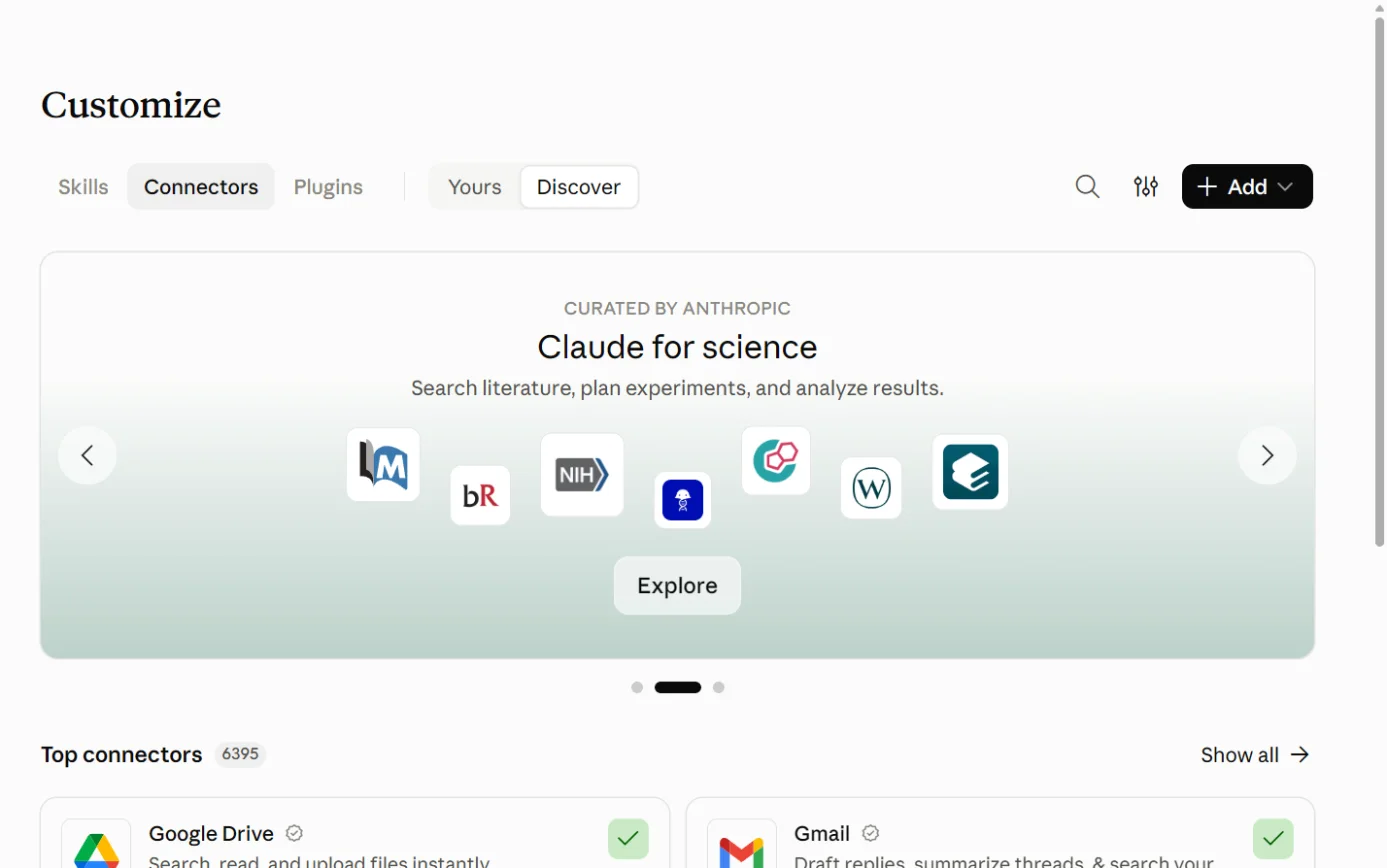
  1. Then: Your connectors. Source 71

    Claude’s Customize page on the Connectors tab, with the Connectors tab ringed.
    Screenshot: Claude, the Connectors page under Customize, 18 October 2026.
  2. Then: A Microsoft sign-in window opens. Source 71

    A drawing from the step’s own words. The real screen may look a little different.
  3. Then: Microsoft’s permissions screen. Source 71

    A drawing from the step’s own words. The real screen may look a little different.
  4. Then: Other people in your tenant can now connect without seeing the consent prompt. Source 71

    A drawing from the step’s own words. The real screen may look a little different.

Pictures without a date are drawings from each step’s own words. The real screen may look a little different.

An admin without a Claude account can do the same in Microsoft Entra instead, by adding the two service principals in Graph Explorer and opening an admin-consent link for each71.

Each person:

  1. Then: Your connectors. Source 72

    Claude’s Customize page on the Connectors tab, with the Connectors tab ringed.
    Screenshot: Claude, the Connectors page under Customize, 18 October 2026.
  2. Then: A Microsoft sign-in window opens. Source 72

    A drawing from the step’s own words. The real screen may look a little different.
  3. Then: Claude can now search SharePoint, OneDrive, Outlook and Teams content you can already open. It also works in Claude’s iOS and Android apps. Source 72

    A drawing from the step’s own words. The real screen may look a little different.

Pictures without a date are drawings from each step’s own words. The real screen may look a little different.

To disconnect Each person: Customize > Connectors > Disconnect. Team and Enterprise owners can remove it for everyone in Organization settings > Connectors. An Entra admin can revoke single permissions on the “M365 MCP Server for Claude” enterprise app. Anthropic’s table maps them, for example revoking Mail.Read blocks Outlook and revoking Sites.Read.All blocks SharePoint. People can also switch individual tools off under Tool permissions.

Each person: Customize > Connectors > Disconnect72. Team and Enterprise owners can remove it for everyone in Organization settings > Connectors71. An Entra admin can revoke single permissions on the “M365 MCP Server for Claude” enterprise app. Anthropic’s table maps them, for example revoking Mail.Read blocks Outlook and revoking Sites.Read.All blocks SharePoint73. People can also switch individual tools off under Tool permissions72.

Limits. SharePoint search covers the whole tenant within the person’s permissions. You can’t limit it to chosen sites, because “Sites.Selected” isn’t supported.
  • SharePoint search covers the whole tenant within the person’s permissions. You can’t limit it to chosen sites, because “Sites.Selected” isn’t supported7172.
  • Email search skips the separate Online Archive mailbox71.
  • Write tools can’t handle attachments and have per-user limits71.
  • Emails Claude sends carry a header marking them as agent-initiated. File, calendar and Teams writes aren’t marked71.
  • Calendar changes make Microsoft 365 send invitations or updates to attendees automatically71.
  • Conditional Access policies based on location or sign-in frequency can block it, because the connector’s server-side requests come from Anthropic’s IP range, 160.79.104.0/217173. Anthropic suggests excluding that range from those policies, and never from device compliance policies71.
  • A connection lapses after 90 days without use, by default73.
Data Anthropic describes the connector as a proxy. Your documents stay in your tenant and are fetched only when a question needs them. File content isn’t cached. Tool results that become part of a saved chat are kept with the chat. On commercial plans, Anthropic doesn’t train on your inputs or outputs by default. On Free, Pro and Max, chats are used for training if you allow it. Raw content from connectors is left out unless you paste it into the chat. Anthropic says its commercial customer data is stored in the US, and traffic may be routed to the US, Europe, Asia and Australia.

Anthropic describes the connector as a proxy. Your documents stay in your tenant and are fetched only when a question needs them. File content isn’t cached73. Tool results that become part of a saved chat are kept with the chat73. On commercial plans, Anthropic doesn’t train on your inputs or outputs by default79. On Free, Pro and Max, chats are used for training if you allow it. Raw content from connectors is left out unless you paste it into the chat80. Anthropic says its commercial customer data is stored in the US, and traffic may be routed to the US, Europe, Asia and Australia81.

Claude inside Excel, Word, PowerPoint and Outlook (Claude for Microsoft 365)

Official? Yes. Anthropic publishes “Claude for Microsoft 365” (Excel, PowerPoint and Word in one listing) and a separate “Claude for Outlook” listing on Microsoft’s marketplace.

Yes. Anthropic publishes “Claude for Microsoft 365” (Excel, PowerPoint and Word in one listing) and a separate “Claude for Outlook” listing on Microsoft’s marketplace7778.

What it can see and do. Excel: answer questions with cell-level citations, change assumptions while keeping formulas intact, track down errors and build models.
  • Excel: answer questions with cell-level citations, change assumptions while keeping formulas intact, track down errors and build models74.
  • Word: edit selected text, make edits as tracked changes, work through comment threads and summarise another party’s redlines75.
  • Outlook (beta): sort the inbox, draft replies into Outlook’s compose pane unsent, summarise threads and find meeting times76. It never sends mail or invites by itself and doesn’t ask for the Mail.Send permission76.
  • One conversation can carry across all four apps77.
What you need A paid Claude plan: Pro, Max, Team or Enterprise. Outlook needs Exchange Online and a one-time Microsoft Graph consent from a Global Administrator. Excel needs Excel on the web or a recent Microsoft 365 build on Windows or Mac. Excel 2016 and 2019, iPad and Android aren’t supported.

A paid Claude plan: Pro, Max, Team or Enterprise747576. Outlook needs Exchange Online and a one-time Microsoft Graph consent from a Global Administrator76. Excel needs Excel on the web or a recent Microsoft 365 build on Windows or Mac. Excel 2016 and 2019, iPad and Android aren’t supported74.

Steps to connect

From Anthropic’s Claude docs (no date shown), read 15 October 20267476.

For yourself:

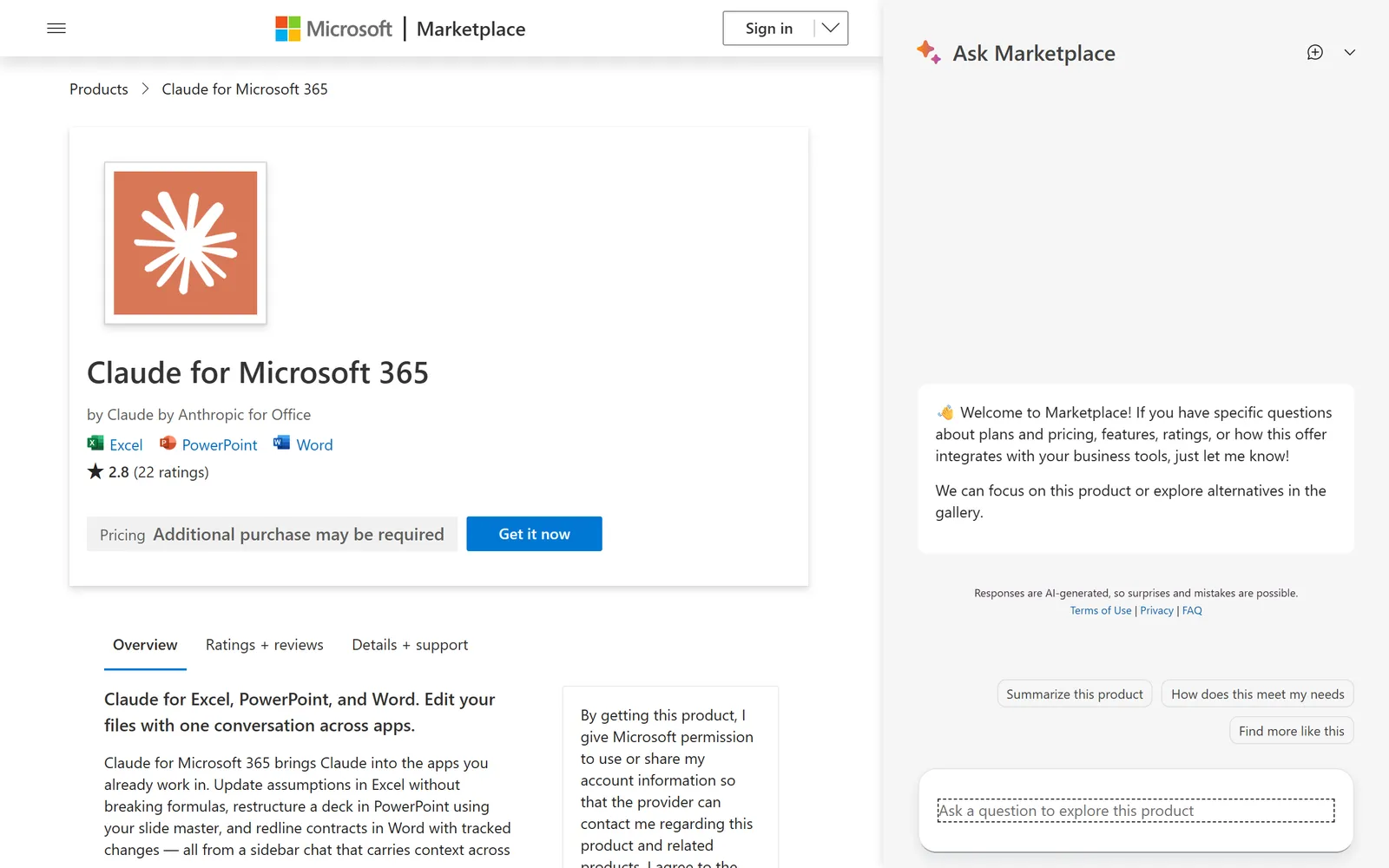
  1. Then: The add-in’s marketplace page. Source 74

    The Claude for Microsoft 365 listing on Microsoft’s marketplace.
    Screenshot: Microsoft Marketplace, the Claude for Microsoft 365 listing, 17 October 2026.
  2. Then: The add-in installs for your account. Source 74

    The Claude for Microsoft 365 listing on Microsoft’s marketplace, with its Get it now button ringed.
    Screenshot: Microsoft Marketplace, the Claude for Microsoft 365 listing, 17 October 2026.
  3. Then: A Claude sidebar beside your workbook. Source 74

    A drawing from the step’s own words. The real screen may look a little different.

Pictures without a date are drawings from each step’s own words. The real screen may look a little different.

For the whole organisation:

  1. Then: Admin-deployed store add-ins can now reach users. Source 74

    A drawing from the step’s own words. The real screen may look a little different.
  2. Then: The add-ins deployment page. Source 74

    A drawing from the step’s own words. The real screen may look a little different.
  3. Then: The Claude add-in listing. Source 74

    A drawing from the step’s own words. The real screen may look a little different.
  4. Then: Users activate it from ‘Home’ > ‘Add-ins’ on Windows or ‘Tools’ > ‘Add-ins’ on Mac, then sign in. Source 74

    A drawing from the step’s own words. The real screen may look a little different.

Pictures without a date are drawings from each step’s own words. The real screen may look a little different.

For Outlook, add one more step. A Global Administrator opens Anthropic’s admin-consent link, checks the Mail.ReadWrite, Calendars.Read, User.Read and offline_access permissions, and selects Accept76.

To disconnect Chat history is stored in your browser and can be cleared from the add-in’s Settings. Removing a deployed add-in uses Microsoft’s Integrated apps controls. Anthropic’s pages don’t list those steps.

Chat history is stored in your browser and can be cleared from the add-in’s Settings7476. Removing a deployed add-in uses Microsoft’s Integrated apps controls. Anthropic’s pages don’t list those steps.

Limits and data. Inputs and outputs are deleted from Anthropic’s systems within 30 days, with exceptions set out in Anthropic’s privacy centre.
  • Inputs and outputs are deleted from Anthropic’s systems within 30 days, with exceptions set out in Anthropic’s privacy centre7476.
  • For Outlook, the Microsoft Graph access token stays in your browser and isn’t sent to Anthropic, but mailbox content Claude reads becomes part of the prompt sent to Anthropic76.
  • Add-in activity isn’t in Enterprise audit logs and doesn’t follow custom retention settings. Enterprise organisations using Anthropic’s Compliance API get it there, in public beta7476.
  • Anthropic warns that hidden instructions in outside files or emails can manipulate the add-ins, so use them with trusted content747576.
  • Excel macros and VBA aren’t supported74.
  • If your admins use Microsoft Entra Privileged Identity Management, Anthropic notes a known Microsoft issue that makes deployment from Integrated apps fail74.

Copilot and Microsoft 365

Built in.

Microsoft Copilot and your other tools (Copilot connectors)

Official? Yes, Microsoft’s own. Its privacy page still calls them Microsoft Graph connectors.

Yes, Microsoft’s own. Its privacy page still calls them Microsoft Graph connectors640.

What they do Bring outside data into Copilot and Microsoft Search. “Synced” connectors copy content into Microsoft 365’s index, and “federated” connectors fetch it live through MCP without copying. Microsoft lists over 100 ready-made connectors, including Box, Dropbox, Google Drive, Confluence, Salesforce, ServiceNow, Jira and Zendesk. They respect the source system’s permissions. Copilot Chat can’t write back to outside systems by default. Microsoft says write actions for federated connectors start “early October 2026”.

Bring outside data into Copilot and Microsoft Search. “Synced” connectors copy content into Microsoft 365’s index, and “federated” connectors fetch it live through MCP without copying40. Microsoft lists over 100 ready-made connectors, including Box, Dropbox, Google Drive, Confluence, Salesforce, ServiceNow, Jira and Zendesk40. They respect the source system’s permissions40. Copilot Chat can’t write back to outside systems by default. Microsoft says write actions for federated connectors start “early October 2026”40.

What you need An AI administrator in the Microsoft 365 admin center, plus credentials for the outside system. Copilot-licensed users get connector content in Copilot. Copilot Chat users reach it through usage-billed agents.

An AI administrator in the Microsoft 365 admin center, plus credentials for the outside system41. Copilot-licensed users get connector content in Copilot39. Copilot Chat users reach it through usage-billed agents331.

Steps to connect

From Microsoft Learn, updated 7 April 202641.

  1. Source 41

    A drawing from the step’s own words. The real screen may look a little different.
  2. Source 41

    A drawing from the step’s own words. The real screen may look a little different.
  3. Source 41

    A drawing from the step’s own words. The real screen may look a little different.
  4. Source 41

    A drawing from the step’s own words. The real screen may look a little different.
  5. Source 41

    A drawing from the step’s own words. The real screen may look a little different.
  6. Source 41

    A drawing from the step’s own words. The real screen may look a little different.

Pictures without a date are drawings from each step’s own words. The real screen may look a little different.

To disconnect Not covered on the page we read. For self-serve connectors, Microsoft says the indexed content is removed when the user disconnects or the admin turns the connector off.

Not covered on the page we read. For self-serve connectors, Microsoft says the indexed content is removed when the user disconnects or the admin turns the connector off40.

Limits Under Custom setup > Users, one option makes indexed data visible to Everyone in the organization. Quicker “incremental” crawls don’t pick up permission changes, so Microsoft says to run full crawls regularly.

Under Custom setup > Users, one option makes indexed data visible to Everyone in the organization41. Quicker “incremental” crawls don’t pick up permission changes, so Microsoft says to run full crawls regularly41.

Personal Copilot on work files (multiple account access)

Official? Yes, a Microsoft feature.

Yes, a Microsoft feature52.

What it can do Someone with Microsoft 365 Personal, Family or Premium can use their personal Copilot on a work document open in Word, Excel, PowerPoint, Outlook or OneNote. It can answer questions about the open document, edit it, search the web if that’s allowed, and draft from documents the person can access. It can’t reach the organisation’s Microsoft Graph or ask about other documents.

Someone with Microsoft 365 Personal, Family or Premium can use their personal Copilot on a work document open in Word, Excel, PowerPoint, Outlook or OneNote5253. It can answer questions about the open document, edit it, search the web if that’s allowed, and draft from documents the person can access52. It can’t reach the organisation’s Microsoft Graph or ask about other documents52.

What you need A personal subscription and a work account signed in to the same app. Microsoft’s page says to select your account profile in the app header, then Add an account.

A personal subscription and a work account signed in to the same app. Microsoft’s page says to select your account profile in the app header, then Add an account53.

Who controls it It’s on unless an admin disables the Cloud Policy setting Multiple account access to Copilot for work documents. Microsoft says enterprise data protection still applies, because protection follows the account that opened the file.

It’s on unless an admin disables the Cloud Policy setting Multiple account access to Copilot for work documents52. Microsoft says enterprise data protection still applies, because protection follows the account that opened the file52.

In Australia Always off in Microsoft’s government clouds. Nothing Australia-specific stated.

Always off in Microsoft’s government clouds. Nothing Australia-specific stated52.

Gemini and Microsoft 365

No official link. Gemini Enterprise only.

Gemini and Microsoft 365

Official? For the everyday Gemini app: no. Google’s table of Connected Apps for the Gemini app runs to dozens of apps, including Dropbox and Zoho Mail, and none of them is a Microsoft app. You connect and disconnect the listed apps under Customize > Connectors on gemini.google.com. The Gemini app can also link a “custom app” through its MCP server, but only for people aged 18 or over in the US, signed in with a personal Google account. For Gemini Enterprise, Google’s business AI product on Google Cloud: yes. Google documents generally available connectors for Microsoft Entra ID, SharePoint Online, OneDrive, Outlook and Teams.

For the everyday Gemini app: no. Google’s table of Connected Apps for the Gemini app runs to dozens of apps, including Dropbox and Zoho Mail, and none of them is a Microsoft app88. You connect and disconnect the listed apps under Customize > Connectors on gemini.google.com87. The Gemini app can also link a “custom app” through its MCP server, but only for people aged 18 or over in the US, signed in with a personal Google account89. For Gemini Enterprise, Google’s business AI product on Google Cloud: yes. Google documents generally available connectors for Microsoft Entra ID, SharePoint Online, OneDrive, Outlook and Teams82.

What it can see and do (Gemini Enterprise) It searches Microsoft 365 content and can take actions. SharePoint actions include uploading and sharing documents and creating list items and pages. Outlook actions include sending mail and creating or updating events, with replying and forwarding added in September 2026. Teams actions include sending channel and chat messages.

It searches Microsoft 365 content and can take actions. SharePoint actions include uploading and sharing documents and creating list items and pages83. Outlook actions include sending mail and creating or updating events, with replying and forwarding added in September 202682. Teams actions include sending channel and chat messages82.

What you need Gemini Enterprise on a Google Cloud project. Google’s connector pages cover the Standard, Plus, Pay-as-you-go and Frontline editions and send Business edition customers to a separate help centre. On the Microsoft side you need an Entra app registration with a client secret and admin-approved API permissions. For copying SharePoint data into Google’s index, Google asks for either “Sites.FullControl.All” or the narrower “Sites.Selected”.

Gemini Enterprise on a Google Cloud project. Google’s connector pages cover the Standard, Plus, Pay-as-you-go and Frontline editions and send Business edition customers to a separate help centre82. On the Microsoft side you need an Entra app registration with a client secret and admin-approved API permissions8485. For copying SharePoint data into Google’s index, Google asks for either “Sites.FullControl.All” or the narrower “Sites.Selected”83.

Steps to connect (SharePoint, admin only)

From Google Cloud docs updated 14 October 20268485.

  1. Then: A new app registration and its overview page. Source 84

    A drawing from the step’s own words. The real screen may look a little different.
  2. Then: A client ID, client secret and tenant ID to copy. Source 84

    A drawing from the step’s own words. The real screen may look a little different.
  3. Then: The app holds the approved permissions. Sources 8485

    A drawing from the step’s own words. The real screen may look a little different.
  4. Then: The SharePoint data store setup. Source 85

    A drawing from the step’s own words. The real screen may look a little different.
  5. Then: The SharePoint connection is created. Source 85

    A drawing from the step’s own words. The real screen may look a little different.
  6. Then: Gemini Enterprise searches and acts only within the scope you set. Source 85

    A drawing from the step’s own words. The real screen may look a little different.

Pictures without a date are drawings from each step’s own words. The real screen may look a little different.

To disconnect The Google pages we read don’t give removal steps.

The Google pages we read don’t give removal steps838485.

Limits Google warns that with federated search your query, which can contain parts of your conversation, goes to the outside system and falls under that system’s terms. Uploads and downloads are capped at 50 MB.

Google warns that with federated search your query, which can contain parts of your conversation, goes to the outside system and falls under that system’s terms83. Uploads and downloads are capped at 50 MB83.

Documented alternative for everyday Gemini users Google doesn’t list a Microsoft 365 connection for the consumer Gemini app. Its custom-app route isn’t open to Australians yet, and Google says it “does not control, monitor, or secure” third-party MCP servers. Google’s documented route to Microsoft 365 is Gemini Enterprise.

Google doesn’t list a Microsoft 365 connection for the consumer Gemini app88. Its custom-app route isn’t open to Australians yet, and Google says it “does not control, monitor, or secure” third-party MCP servers89. Google’s documented route to Microsoft 365 is Gemini Enterprise82.

Other routes

Developer tools, automation tools and app stores.

The MCP and API route (Work IQ)

Official? Yes. Microsoft offers the Work IQ API, which includes a remote MCP server, an agent-to-agent (A2A) endpoint and a REST API. MCP, the Model Context Protocol, is a standard way for an AI tool to use another system’s functions.

Yes. Microsoft offers the Work IQ API, which includes a remote MCP server, an agent-to-agent (A2A) endpoint and a REST API47. MCP, the Model Context Protocol, is a standard way for an AI tool to use another system’s functions.

What it can do The Work IQ MCP server gives AI agents tools to read, create, update and delete Microsoft 365 items such as mail, calendar events, files, chats and sites, and to ask Copilot itself. In Copilot Studio it’s read-only until an admin turns on write operations.

The Work IQ MCP server gives AI agents tools to read, create, update and delete Microsoft 365 items such as mail, calendar events, files, chats and sites, and to ask Copilot itself4847. In Copilot Studio it’s read-only until an admin turns on write operations49.

What you need Usage-based billing. Work IQ API use is separate from Copilot licences. A Global Administrator does a one-time setup. Microsoft’s quick-starts cover GitHub Copilot CLI, Microsoft Foundry and Copilot Studio.

Usage-based billing. Work IQ API use is separate from Copilot licences47. A Global Administrator does a one-time setup50. Microsoft’s quick-starts cover GitHub Copilot CLI, Microsoft Foundry and Copilot Studio49.

Steps to connect (Copilot Studio, preview)

From Microsoft Learn, updated 16 June and 28 September 20265049.

  1. Then: ‘201 Created’, or a conflict message if it already exists. Source 50

    A drawing from the step’s own words. The real screen may look a little different.
  2. Then: The ‘Add a tool’ page. Source 49

    A drawing from the step’s own words. The real screen may look a little different.
  3. Then: A sign-in prompt. Source 49

    A drawing from the step’s own words. The real screen may look a little different.
  4. Then: The agent can use Work IQ. It’s read-only unless an admin turns on write operations. Source 49

    A drawing from the step’s own words. The real screen may look a little different.

Pictures without a date are drawings from each step’s own words. The real screen may look a little different.

Limits It’s a route for developers and admins, and the cost moves with usage. The Copilot Studio version is a preview. Microsoft’s pages don’t document connecting ChatGPT or Claude straight to it.

It’s a route for developers and admins, and the cost moves with usage47. The Copilot Studio version is a preview49. Microsoft’s pages don’t document connecting ChatGPT or Claude straight to it.

Power Automate (the documented automation route)

Official? Yes, Microsoft’s own.

Yes, Microsoft’s own42.

What it does Cloud flows link Microsoft 365 and outside services so routine steps run by themselves. Copilot in Power Automate drafts a flow from a plain description. You can then ask it to change the flow or explain it.

Cloud flows link Microsoft 365 and outside services so routine steps run by themselves46. Copilot in Power Automate drafts a flow from a plain description46. You can then ask it to change the flow or explain it46.

What you need Microsoft 365 licences include Power Automate with standard connectors and up to 6,000 actions per user a day. Premium connectors and AI Builder credits aren’t included. Power Automate Premium adds premium connectors and 5,000 AI Builder credits a month.

Microsoft 365 licences include Power Automate with standard connectors and up to 6,000 actions per user a day. Premium connectors and AI Builder credits aren’t included45. Power Automate Premium adds premium connectors and 5,000 AI Builder credits a month44.

On by default Copilot in Power Automate is on by default in Australia, which Microsoft lists as a region with Copilot GPUs. Microsoft’s pages disagree on switching it off. One says an admin can turn it off. The other says the admin has to contact support for a PowerShell script that works only at tenant level.

Copilot in Power Automate is on by default in Australia, which Microsoft lists as a region with Copilot GPUs43. Microsoft’s pages disagree on switching it off. One says an admin can turn it off43. The other says the admin has to contact support for a PowerShell script that works only at tenant level42.

Steps to connect

From Microsoft Learn, updated 18 September 202646.

  1. Source 46

    A drawing from the step’s own words. The real screen may look a little different.
  2. Source 46

    A drawing from the step’s own words. The real screen may look a little different.
  3. Source 46

    A drawing from the step’s own words. The real screen may look a little different.
  4. Source 46

    A drawing from the step’s own words. The real screen may look a little different.
  5. Source 46

    A drawing from the step’s own words. The real screen may look a little different.
  6. Source 46

    A drawing from the step’s own words. The real screen may look a little different.

Pictures without a date are drawings from each step’s own words. The real screen may look a little different.

Limits Copilot here is tuned for English. Microsoft recommends testing a flow after saving it.

Copilot here is tuned for English46. Microsoft recommends testing a flow after saving it46.

Jobs it’s good for

  • Catching up after leave. Copilot Chat in Outlook can answer questions about your inbox, calendar and meetings, and draft replies, without the paid add-on253.
  • Meeting notes and actions. Copilot in Teams summarises who said what and suggests action items. Turn transcription on if you want to ask about it later26.
  • First drafts and rewrites. Ask Copilot in Word for a first draft or a tighter rewrite, then check it yourself4.
  • A quick look at a spreadsheet. Ask Excel’s Copilot for formulas or insights, or give Analyst a file and ask for trends and outliers. Microsoft lists Analyst among the agents that come with the paid licence42812.
  • A deck from a document. PowerPoint’s Copilot can build a presentation from a prompt or existing content4.
  • A researched briefing with sources. Researcher writes a cited report from the web and your work files. It needs the paid licence27.
  • A simple question-answering agent. An agent built only from instructions and public web pages costs nothing extra in Copilot Chat. One that reads your SharePoint is billed by usage31.
  • Taking the busywork out of a hand-off. Describe a flow in Power Automate, for example posting a Teams message when an email arrives, and Copilot drafts it46.
  • Finding a file when you don’t know where it lives. Claude’s connector and ChatGPT’s SharePoint app both search the SharePoint content the person can already open7261.
  • Reviewing a contract’s changes. Claude for Word can summarise another party’s tracked changes and make its own edits as tracked changes for you to accept75.
  • Clearing an inbox with drafts you approve. Claude for Outlook sorts unread mail and leaves drafts unsent for you to check76.
  • Bringing another system into Copilot. A Copilot connector can make Salesforce, Jira or a Google Drive searchable from Copilot, within each person’s permissions4041.
  • Checking for oversharing before you switch Copilot on. SharePoint’s data access governance reports show sites shared with the whole organisation or with lots of “Anyone” links. They’re part of SharePoint Advanced Management, which comes with the Copilot licence3837.

What to watch for

Permissions decide what any AI can see

  • Copilot shows anything the signed-in person has at least view permission for6. Microsoft notes SharePoint’s sharing settings start at the most permissive option38.
  • Microsoft’s oversharing toolkit, SharePoint Advanced Management, comes with the Copilot licence3739. It includes a Content Management Assessment (SharePoint admin center > Advanced Management > Start assessment), data access governance reports, Restricted Access Control and Restricted Content Discovery, which hides chosen sites from Copilot without changing who can open them38.
  • The outside connectors work the same way. Claude’s connector searches every SharePoint site the person can open and can’t be limited to chosen sites71. ChatGPT’s live SharePoint app can’t use “Sites.Selected” either, though OpenAI offers its own site allowlist61.
  • Some setups ask for very broad Microsoft permissions. ChatGPT’s admin-managed SharePoint sync asks for “Sites.FullControl.All”, and so can Gemini Enterprise’s SharePoint ingestion6183.
  • Copilot connectors have an option to show indexed data to everyone in the organisation41.

Personal and work accounts get mixed up

  • The Copilot app takes either a work or a personal account. Microsoft marks the work side with a “Work” label and the green shield, and gives each kind of account its own background colour2. Admins can control personal sign-ins with Tenant Restrictions v22.
  • Personal Microsoft 365 subscribers can use their own Copilot on work documents unless you disable Multiple account access to Copilot for work documents52.
  • Claude’s connector refuses personal Microsoft accounts71. Anthropic’s setting Restrict verified-domain connectors to your enterprise stops staff connecting a work Microsoft 365 account to a Claude account outside the organisation73.
  • OpenAI notes that connecting a personal account doesn’t give access to work-only files60. A ChatGPT Enterprise organisation can ask OpenAI Support to stop work accounts being connected from workspaces outside the organisation59.

Data and training

  • Microsoft: your prompts and the work data Copilot reads through Graph aren’t used to train foundation models6. Web searches go to Bing under different terms, with Microsoft as an independent controller3.
  • OpenAI: on Free, Plus, Go and Pro, information from apps can be used for training if “Improve the model for everyone” is on. Business, Enterprise and Edu aren’t used by default59.
  • Anthropic: commercial plans aren’t used for training by default. Free, Pro and Max chats are if the person allows it, though raw connector content is excluded unless pasted in7980.
  • Thumbs-up and thumbs-down buttons are worth knowing about. When someone rates a chat, Anthropic keeps the whole conversation for up to five years and may use it for training, even on commercial plans79. Team and Enterprise owners can switch rating off with the Rate chats setting under Organization settings > Data and Privacy79. Microsoft says it uses optional feedback to improve Copilot without using it to train the foundation models, and admins can manage feedback6.

Where data is processed

  • Copilot data at rest stays in Australia for Australian tenants under Microsoft’s Product Terms10. The language model calls can be processed elsewhere6.
  • Claude and OpenAI-operated models inside Copilot are excluded from in-country processing commitments, and both are on by default for most business tenants78.
  • Anthropic stores its commercial customer data in the US81.
  • A side note for schools: Microsoft’s terms let it store Office 365 Education data in the EU or North America unless the school buys the Advanced Data Residency for Education add-on10.

Accuracy and checking

  • Microsoft says AI responses “aren’t guaranteed to be 100% factual” and asks users to review before sending6.
  • OpenAI says its add-in can edit or delete content you didn’t mean it to, and to check formulas, numbers, citations and claims against primary sources70.
  • Anthropic says Claude for Excel isn’t recommended for final client deliverables without human review74.
  • Researcher shows its sources so you can check them27.

Hidden instructions in files and emails

  • Anthropic warns that outside files and emails can carry hidden instructions that steer its add-ins into leaking data or making changes747576.
  • Microsoft says Copilot uses classifiers to block these “cross-prompt injection” attacks, but they “may not be available in all” Copilot scenarios6.
  • OpenAI says its safeguards reduce prompt-injection risk without removing it64.

Cost surprises

  • The Copilot Business promotion only covers the first year12.
  • Monthly billing costs more than yearly: AU$37.68 against AU$31.40 for Copilot Business12.
  • Copilot plan trials need a credit card and roll into paid subscriptions12.
  • Agents that read company data in Copilot Chat are billed through Azure by usage3113.
  • Cowork and some other Copilot services are billed in Copilot Credits by usage, even for licensed users35.
  • Spending policies for those services have Auto-apply new services on by default, so new metered services can fall under an existing budget automatically35.
  • Copilot Studio credits don’t roll over, and going over capacity can stop the service36.
  • @ChatGPT in Teams needs workspace credits67.
  • The ChatGPT and Claude add-ins draw on your ChatGPT or Claude plan limits6874.

Admin settings worth looking at early

  • Copilot > Settings in the Microsoft 365 admin center, including Pin Microsoft Copilot Chat and AI providers operating as Microsoft subprocessors567.
  • Allow web search in Copilot2.
  • Agents > Settings > User access, which defaults to All users33.
  • Multiple account access to Copilot for work documents, in Cloud Policy52.
  • The Teams meeting option Allow Copilot and Facilitator26.
  • Entra admin consent grants for ChatGPT, Claude or Gemini, which you can review or revoke later627184.

Microsoft’s own pages don’t always agree

  • Microsoft’s Australian business-plan FAQ says Copilot Chat “doesn’t integrate with” files, emails or chats13. Its documentation says Copilot Chat in Outlook can use your inbox, calendar, meetings and chats13. The documentation is more specific and carries 2026 dates; the FAQ shows no date1313.
  • The pinning page gives both 20 and 28 January 2026 as the date the pin setting stopped applying to the Copilot app56.
  • The two Power Automate pages describe different ways to turn Copilot off4243.

What’s changing

  • 15 January 2025: the Microsoft 365 (Office) app was renamed and moved to m365.cloud.microsoft. It’s now the Microsoft Copilot app, and web addresses are consolidating at copilot.cloud.microsoft582.
  • 1 September 2025: Copilot Chat interaction content joined Microsoft’s data-at-rest commitment10. Copilot Studio switched its billing unit from messages to Copilot Credits the same day36.
  • January 2026: the Pin Microsoft Copilot Chat setting stopped controlling the Copilot app worldwide562.
  • 2026, undated on the pages we read: “Microsoft 365 Copilot” became “Microsoft Copilot”, and “Microsoft 365 Copilot Chat” became “Microsoft Copilot Chat”, with a transition period23.
  • 1 May 2026: Microsoft 365 E7 and Microsoft Agent 365 became generally available3951.
  • 7 May 2026: Claude for Excel, PowerPoint and Word reached general availability, and Claude for Outlook entered public beta77.
  • 2 June 2026: the free preview of ChatGPT for Excel ended for Business, Enterprise, Edu and K-12. Use then followed each plan’s credits68.
  • 8 June 2026: ChatGPT could draft and send email through a connected Outlook or Gmail account, on the web for Plus, Pro, Business and Enterprise91.
  • 17 September 2026: ChatGPT for Word launched on all ChatGPT plans, using the same add-in as Excel and PowerPoint9190.
  • 1 October 2026: OpenAI’s date for ChatGPT for Word to be on by default. Workspace admins can still switch it off90.
  • June 2026 onwards: Copilot Chat enhancements for Business plans, rolling out over the northern summer21.
  • 1 July 2026: Microsoft 365 commercial list prices rose. Existing customers move at renewal21.
  • 1 July to 31 December 2026: Copilot Business first-year promotion in Australia12.
  • 9 and 24 July 2026: OpenAI-operated models became available in Copilot, then switched on by default8.
  • September 2026: Gemini Enterprise added Outlook, OneDrive and Teams actions82.
  • Early October 2026: write actions for federated Copilot connectors40.
  • By the end of 2026: Microsoft expects local processing of Copilot interactions in Australia9.
  • 31 December 2026: Copilot Business promotion ends12.
  • No date given: OpenAI says individually authorised app sync is no longer available, leaving admin-managed sync only65.
  • No date given: Microsoft retired Deep Research for personal subscribers. Researcher replaces it for Premium and Pro, and Personal and Family subscribers keep old reports in their chat history27.

What we couldn’t establish

  • Which ChatGPT plans include the live SharePoint, Outlook and Teams apps. OpenAI’s pages say it depends on plan, region and workspace without naming the plans596163. Its release notes name Plus, Pro, Business and Enterprise only for sending email through Outlook91.
  • Which Business plans get in-app Copilot without the add-on. Microsoft says the “Basic” in-app experience depends on licensing and tenant configuration, and doesn’t map it to Business Basic, Standard or Premium14.
  • Whether Apps for business users get Copilot Chat. It qualifies for the Copilot add-on but isn’t on Microsoft’s Copilot Chat eligibility list52.
  • What unlicensed users get in Teams meetings. Microsoft’s overview lists meeting summaries without the add-on, but the Teams help page doesn’t say426.
  • The dated announcement of the Copilot rename. The notes on Microsoft’s pages carry no date23.
  • Whether in-country processing is live in Australia yet. Microsoft’s latest statement, from April 2026, says “expected” by the end of 20269.
  • Where Anthropic processes Copilot prompts. Microsoft’s page doesn’t say. Anthropic’s own commercial page describes its own products and doesn’t mention the Microsoft arrangement781.
  • Whether the Personal and Family Classic plans are still offered in Australia. Microsoft’s November 2025 notice doesn’t say20.
  • The ACCC’s court action. The ACCC has a media release titled “Microsoft in court for allegedly misleading millions of Australians over Microsoft 365 subscriptions” (accc.gov.au). The ACCC’s site blocked our request, so we couldn’t read it or check the case’s status.
  • Monthly AI credit amounts for personal plans. Microsoft’s page doesn’t give figures54.
  • Gemini Enterprise Business edition. Google covers it in a separate help centre we didn’t reach, so we can’t say whether its plan includes the Microsoft connectors8286.
  • Prices for Claude, Gemini Enterprise, Teams Premium, Copilot Studio and Agent 365 in Australian dollars. Not checked against their official pricing pages.
  • ChatGPT prices in Australian dollars. OpenAI’s Business pricing page shows A$ headline prices next to fine print in another, unlabelled currency, so we haven’t quoted them92.
  • Exact click paths for blocking Copilot Chat and for removing a deployed add-in. The pages we read describe the result without the steps2.
  • Copilot Chat in Outlook on the web and on phones. Microsoft’s help page lists only Outlook for Microsoft 365 on Windows and Mac and the new Outlook for Windows25.
  • Whether ChatGPT or Claude can connect straight to Microsoft’s Work IQ MCP server. Microsoft documents GitHub Copilot CLI, Microsoft Foundry and Copilot Studio only49.
  • Other AI add-ins in Microsoft’s marketplace. We only checked OpenAI’s and Anthropic’s official listings7078.
  • Our web-search allowance ran out near the end of this research. Pages we reached by direct address are cited. Anything we couldn’t reach is listed above.

Sources

Every line above was read at one of these pages, on the date shown. Vendors change their products and their pages often, so check the page before you rely on a detail.

  1. 1 Overview of Microsoft Copilot Chat Microsoft Learn Updated 9 Sep 2026 Read 15 Oct 2026
  2. 2 Manage Microsoft Copilot Chat Microsoft Learn Updated 12 Oct 2026 Read 15 Oct 2026
  3. 3 Microsoft Copilot Chat Privacy and Protections Microsoft Learn Updated 18 Aug 2026 Read 15 Oct 2026
  4. 4 What is Microsoft Copilot? Microsoft Learn Updated 14 Oct 2026 Read 15 Oct 2026
  5. 5 License Options for Microsoft Copilot Microsoft Learn Updated 25 Sep 2026 Read 15 Oct 2026
  6. 6 Data, Privacy, and Security for Microsoft Copilot Microsoft Learn Updated 9 Jul 2026 Read 15 Oct 2026
  7. 7 Anthropic models in Microsoft Online Services Microsoft Learn Updated 18 Sep 2026 Read 15 Oct 2026
  8. 8 OpenAI as a subprocessor in Microsoft Online Services Microsoft Learn Updated 9 Oct 2026 Read 15 Oct 2026
  9. 9 Microsoft offers in-country data processing to 15 countries to strengthen sovereign controls for Microsoft 365 Copilot Microsoft AI at Work Blog Updated Published 4 Nov 2025; editor's note 3 Apr 2026 Read 15 Oct 2026
  10. 10 Product Terms Data Residency Microsoft Learn Updated 8 Oct 2026 Read 15 Oct 2026
  11. 11 Data Residency for Microsoft 365 Copilot and Copilot Chat Microsoft Learn Updated 8 Oct 2026 Read 15 Oct 2026
  12. 12 Microsoft 365 Copilot Plans and Pricing (Australia) Microsoft Read 15 Oct 2026
  13. 13 Microsoft 365 Pricing for Business: Plans & Features (Australia) Microsoft Read 15 Oct 2026
  14. 14 Microsoft 365 Business Standard (Australia) Microsoft Read 15 Oct 2026
  15. 15 Microsoft 365 Business Premium (Australia) Microsoft Read 15 Oct 2026
  16. 16 Microsoft 365 Business Basic (Australia) Microsoft Read 15 Oct 2026
  17. 17 Microsoft 365 Apps for business (Australia) Microsoft Read 15 Oct 2026
  18. 18 Microsoft 365 Enterprise: Compare Plans and Pricing (Australia) Microsoft Read 15 Oct 2026
  19. 19 Compare Microsoft 365 Plans & Pricing (Australia, home) Microsoft Store Read 15 Oct 2026
  20. 20 An apology to our Microsoft 365 subscribers in Australia Microsoft Source Asia Updated 6 Nov 2025 Read 15 Oct 2026
  21. 21 Microsoft 365 Pricing and Packaging Updates Microsoft Licensing Updated 16 Feb 2026 Read 15 Oct 2026
  22. 22 Advancing Microsoft 365: New capabilities and pricing update Microsoft Copilot Blog Updated Published 4 Dec 2025; updated 18 Mar 2026 Read 15 Oct 2026
  23. 23 How grounding works with a work or school account Microsoft Support Read 15 Oct 2026
  24. 24 Standard versus priority access to features in Microsoft Copilot Chat Microsoft Support Read 15 Oct 2026
  25. 25 Chat with Copilot in Outlook Microsoft Support (Australia) Read 15 Oct 2026
  26. 26 Catch up on meetings with Microsoft Copilot in Teams Microsoft Support (Australia) Read 15 Oct 2026
  27. 27 Get started with Researcher in Microsoft Copilot Microsoft Support (Australia) Read 15 Oct 2026
  28. 28 Get started with Analyst in Microsoft Copilot Microsoft Support (Australia) Read 15 Oct 2026
  29. 29 Copilot Cowork overview Microsoft Learn Updated 29 Sep 2026 Read 15 Oct 2026
  30. 30 Get started with Copilot Cowork Microsoft Learn Updated 14 Sep 2026 Read 15 Oct 2026
  31. 31 Agents for Microsoft Copilot Chat Microsoft Learn Updated 4 Feb 2026 Read 15 Oct 2026
  32. 32 Manage agents in the Microsoft 365 admin center Microsoft Learn Updated 9 Jul 2026 Read 15 Oct 2026
  33. 33 Agent settings in Microsoft 365 admin center Microsoft Learn Updated 3 Sep 2026 Read 15 Oct 2026
  34. 34 Microsoft Copilot Pay-as-You-Go Service Overview Microsoft Learn Updated 17 Jul 2026 Read 15 Oct 2026
  35. 35 Usage-Based Billing and Cost Management for Copilot Credits Microsoft Learn Updated 30 Sep 2026 Read 15 Oct 2026
  36. 36 Standard harness licensing (Microsoft Copilot Studio) Microsoft Learn Updated 3 Aug 2026 Read 15 Oct 2026
  37. 37 Secure & Governed Data Foundation for Microsoft Copilot: Foundational Deployment Guidance Microsoft Learn Updated 6 May 2026 Read 15 Oct 2026
  38. 38 Get ready for Microsoft Copilot with SharePoint Advanced Management Microsoft Learn Updated 16 Jul 2026 Read 15 Oct 2026
  39. 39 Prepare for Microsoft Copilot by comparing E3, E5, and E7 license features Microsoft Learn Updated 22 Jun 2026 Read 15 Oct 2026
  40. 40 Copilot connectors overview Microsoft Learn Updated 6 Oct 2026 Read 15 Oct 2026
  41. 41 Deploy connectors in the Microsoft 365 admin center Microsoft Learn Updated 7 Apr 2026 Read 15 Oct 2026
  42. 42 Copilot in Power Automate Microsoft Learn Updated 17 Aug 2026 Read 15 Oct 2026
  43. 43 Regions overview for Power Automate Microsoft Learn Updated 19 Aug 2026 Read 15 Oct 2026
  44. 44 Types of Power Automate licenses Microsoft Learn Updated 22 Sep 2026 Read 15 Oct 2026
  45. 45 Deep dive on specific licenses (Power Automate) Microsoft Learn Updated 22 Sep 2026 Read 15 Oct 2026
  46. 46 Create your first cloud flow using Copilot Microsoft Learn Updated 18 Sep 2026 Read 15 Oct 2026
  47. 47 Work IQ overview Microsoft Learn Updated 25 Sep 2026 Read 15 Oct 2026
  48. 48 Work IQ MCP overview Microsoft Learn Updated 5 Oct 2026 Read 15 Oct 2026
  49. 49 Work IQ in Microsoft Copilot Studio (GitHub Copilot) (preview) Microsoft Learn Updated 28 Sep 2026 Read 15 Oct 2026
  50. 50 Enable your tenant for Work IQ Microsoft Learn Updated 16 Jun 2026 Read 15 Oct 2026
  51. 51 Microsoft Agent 365 overview Microsoft Learn Updated 19 Aug 2026 Read 15 Oct 2026
  52. 52 Multiple account access to Microsoft Copilot for work and school documents Microsoft Learn Updated 13 Apr 2026 Read 15 Oct 2026
  53. 53 Use Microsoft 365 Personal, Family, or Premium at work Microsoft Support (Australia) Read 15 Oct 2026
  54. 54 How AI usage works across Microsoft 365 subscriptions for individuals Microsoft Support Updated "Last updated October 2026" Read 15 Oct 2026
  55. 55 Delete your Microsoft Copilot activity history Microsoft Support Read 15 Oct 2026
  56. 56 Pin Microsoft Copilot Chat in the Microsoft 365 apps Microsoft Learn Updated 26 Sep 2025 (page metadata shows a revision on 18 Sep 2026) Read 15 Oct 2026
  57. 57 Microsoft Copilot app settings for IT admins Microsoft Learn Updated 16 Sep 2025 (page metadata shows a revision on 11 Sep 2026) Read 15 Oct 2026
  58. 58 The Microsoft 365 app transition to the Microsoft Copilot app Microsoft Support Read 15 Oct 2026
  59. 59 Connected apps in ChatGPT OpenAI Help Center Updated "4 days ago" (11 Oct 2026, UTC) Read 15 Oct 2026
  60. 60 Connecting and managing app accounts in ChatGPT OpenAI Help Center Updated "13 days ago" (2 Oct 2026, UTC) Read 15 Oct 2026
  61. 61 SharePoint app and setup in ChatGPT OpenAI Help Center Updated "10 days ago" (6 Oct 2026, UTC) Read 15 Oct 2026
  62. 62 Outlook Email and Calendar apps in ChatGPT OpenAI Help Center Updated "4 days ago" (11 Oct 2026, UTC) Read 15 Oct 2026
  63. 63 Microsoft Teams app and setup in ChatGPT OpenAI Help Center Updated "23 hours ago" (14 Oct 2026, UTC) Read 15 Oct 2026
  64. 64 Admin controls, security, and compliance for plugins and apps OpenAI Help Center Updated "17 hours ago" (14 Oct 2026, UTC) Read 15 Oct 2026
  65. 65 Administrator-managed apps with sync in ChatGPT OpenAI Help Center Updated "10 days ago" (5 Oct 2026, UTC) Read 15 Oct 2026
  66. 66 ChatGPT with Slack and Microsoft Teams OpenAI Help Center Updated "23 hours ago" (14 Oct 2026, UTC) Read 15 Oct 2026
  67. 67 Setting up and managing @ChatGPT in Slack and Microsoft Teams OpenAI Help Center Updated "23 hours ago" (14 Oct 2026, UTC) Read 15 Oct 2026
  68. 68 ChatGPT for Excel and Google Sheets OpenAI Help Center Updated "2 months ago" (16 Aug 2026, UTC) Read 15 Oct 2026
  69. 69 ChatGPT for PowerPoint OpenAI Help Center Updated "17 hours ago" (14 Oct 2026, UTC) Read 15 Oct 2026
  70. 70 ChatGPT (add-in for Excel, Word and PowerPoint, by OpenAI, LLC) Microsoft Marketplace Updated Version 2.0.0.1, updated 15 Sep 2026 Read 15 Oct 2026
  71. 71 Set up the Microsoft 365 connector Claude Help Center (Anthropic) Updated 14 Oct 2026 ("Updated today") Read 15 Oct 2026
  72. 72 Connect to Microsoft 365 Claude Help Center (Anthropic) Updated 8 Sep 2026 Read 15 Oct 2026
  73. 73 Microsoft 365 connector security guide Claude Help Center (Anthropic) Updated 14 Oct 2026 ("Updated today") Read 15 Oct 2026
  74. 74 Use Claude for Excel Claude Docs (Anthropic) Read 15 Oct 2026
  75. 75 Use Claude for Word Claude Docs (Anthropic) Read 15 Oct 2026
  76. 76 Use Claude for Outlook Claude Docs (Anthropic) Read 15 Oct 2026
  77. 77 Collaborate with Claude across Excel, PowerPoint, Word and Outlook Anthropic (claude.com) Updated 7 May 2026 Read 15 Oct 2026
  78. 78 Claude for Microsoft 365 (marketplace listing) Microsoft Marketplace Read 15 Oct 2026
  79. 79 Is my data used for model training? (commercial products) Anthropic Privacy Center Updated 18 Aug 2026 Read 15 Oct 2026
  80. 80 Is my data used for model training? (consumer products) Anthropic Privacy Center Updated 16 Mar 2026 Read 15 Oct 2026
  81. 81 Where are your servers located? Do you host your models on EU servers? Anthropic Privacy Center Updated 15 Jun 2026 Read 15 Oct 2026
  82. 82 Connect a third-party data source (Gemini Enterprise) Google Cloud Documentation Updated 15 Oct 2026 Read 15 Oct 2026
  83. 83 Microsoft SharePoint data store overview (Gemini Enterprise) Google Cloud Documentation Updated 14 Oct 2026 Read 15 Oct 2026
  84. 84 Microsoft SharePoint configuration (Gemini Enterprise) Google Cloud Documentation Updated 14 Oct 2026 Read 15 Oct 2026
  85. 85 Set up a Microsoft SharePoint data store (Gemini Enterprise) Google Cloud Documentation Updated 14 Oct 2026 Read 15 Oct 2026
  86. 86 Compare editions of Gemini Enterprise Google Cloud Documentation Updated 14 Oct 2026 Read 15 Oct 2026
  87. 87 Use & manage Connected Apps in Gemini Gemini Apps Help (Google) Read 15 Oct 2026
  88. 88 Check the availability & requirements of Connected Apps in Gemini Apps Gemini Apps Help (Google) Read 15 Oct 2026
  89. 89 Connect & manage custom apps for Gemini Apps Gemini Apps Help (Google) Read 15 Oct 2026
  90. 90 ChatGPT for Word OpenAI Help Center Updated "27 days ago" (18 Sep 2026, UTC) Read 15 Oct 2026
  91. 91 ChatGPT release notes OpenAI Help Center Updated "6 days ago" (9 Oct 2026, UTC) Read 15 Oct 2026
  92. 92 ChatGPT Business and Enterprise pricing OpenAI Read 15 Oct 2026

Want your team shown this on its own Microsoft 365?

We teach on the tools your workplace already uses, with the checks that go with them.