



Skip to content

HubSpot and AI.

Its own AI is Breeze Assistant. ChatGPT and Claude can read and update your records once you confirm. Copilot and Gemini can read them.

Checked 15 October 2026 against 91 sources, each the vendor’s own page. See them all, or what’s changed since.

The short version

HubSpot’s own AI assistant, Breeze Assistant, comes with every plan including the free tools, and it doesn’t use credits.2437 Its AI agents, which do work like answering customer chats or researching prospects, have all spent HubSpot Credits since 23 July 2026.141720 Paid plans include monthly credits, and credit packs bought from 16 September 2026 bill any extra use as overage by default.1211 HubSpot has official connectors for ChatGPT, Claude, Microsoft Copilot and Gemini, and they work on any HubSpot plan.8143485964 ChatGPT and Claude can create and update records once you confirm, while HubSpot’s Copilot agent and its Gemini connector can only read.43485964 Each connector sees only what that person can already see in HubSpot, and a Super Admin controls who may connect.434880 HubSpot may use your customer data to train its own AI models unless a Super Admin switches off AI Model Training, which is on by default.53 Accounts can be hosted in Sydney, but HubSpot’s sub-processor list shows its AI providers handle Australian-hosted data in the United States.109 Every vendor here warns the AI can be wrong, so set connectors to ask before they change anything.43485964

The plans

Words used in this guide

  • CRM is the customer database at the centre of HubSpot. HubSpot calls it Smart CRM.12
  • Hubs are HubSpot’s add-on products. HubSpot’s current help articles list Marketing Hub, Sales Hub, Service Hub, Content Hub, Data Hub, Smart CRM and Revenue Hub.1
  • Revenue Hub is the new name for Commerce Hub. It covers quotes, contracts, billing and payments.40
  • Seats are paid user licences. Only paid seats (Core, Sales, Service and Revenue) and Partner seats can use credits. Free and view-only users can’t.11
  • HubSpot Credits are HubSpot’s usage currency for agents and other AI that runs on its own. They’re spent when an action runs. The allowance resets monthly, and unused credits don’t roll over.11
  • An API is the doorway other software uses to read or change your HubSpot data. Every outside AI connection goes through it and counts toward HubSpot’s API usage limits.43485964
  • MCP (Model Context Protocol) is a shared standard that lets AI assistants talk to software like HubSpot. Think of it like a standard power socket. HubSpot provides the socket, and any AI tool with the matching plug can use it.7060
  • A Super Admin is HubSpot’s top admin role. Most AI switches and app approvals need one.380

What each plan gets

Free toolsStarterProfessionalEnterprise
Breeze AssistantYes2Yes2Yes, plus building agents and workflows2Yes2
AI writing tools and record summariesYes2425Yes2425Yes2425Yes2425
Connectors for ChatGPT, Claude, Copilot and GeminiYes43485964YesYesYes
Monthly credits includedNone listed1250012393,000, or 5,000 with Data Hub or Customer Platform125,000, or 10,000 with Data Hub or Customer Platform12
Data enrichment (no credits)Not listed22Yes22Yes22Yes22
Prospecting agent and data agentNot listed2021Yes, uses credits2021Yes2021Yes2021
Customer agentNot listed18Not listed18Yes, uses credits18Yes18
Agent Hub and Agent BuilderNot listed1HubSpot’s pages disagree116Yes, public beta1674Yes, public beta1674
Notetaker and deal progressionNot listedNot listedSales Hub or Service Hub Professional2627Sales Hub or Service Hub Enterprise2627
Content agent and AEONot listedNot listedMarketing Hub Professional2829Marketing Hub Enterprise2829
Knowledge base agentNot listedNot listedService Hub Professional30Service Hub Enterprise30
Sensitive Data settingsNot listedNot listedNot listedYes36
Your own AI model inside workflowsNot listedNot listedNot listedYes79
  • Credits don’t stack across hubs. An account gets the allowance for its highest subscription.12
  • Prices: all of these are paid plans. The pricing pages we could read showed US dollars only, and the Starter page says “Price shown in USD”, so we haven’t quoted any plan prices. Check HubSpot’s pricing page for current figures.39
  • Extra credits: HubSpot’s catalogue lists capacity packs at US$10 per 1,000 credits a month and pay-as-you-go at US$0.010 a credit. We found no AUD rate.1213

Where your data lives

  • HubSpot hosts accounts on Amazon Web Services in the US, Canada, the EU (Germany) and Australia (Sydney).10
  • A new account bought on HubSpot’s website is placed in a data centre based on where the sign-up IP address is.10
  • Starter, Professional and Enterprise accounts can change data centre. Free accounts have to upgrade first.10
  • To check yours: settings icon > Privacy & Consent > Data Hosting tab > *Your data hosting location*.10
  • Some data sits outside your hosting location by design. HubSpot says analytics and usage data is transferred to the United States.10
  • HubSpot Content, which HubSpot says includes enrichment data, may also be hosted elsewhere.10
  • Sub-processors (other companies HubSpot uses) are listed per data centre on HubSpot’s sub-processor page.910
  • HubSpot itself isn’t currently ISO 27001 certified. Its hosting provider, AWS, is.10

What’s built in

Two things apply to every feature in this section.

First, a Super Admin controls the AI switches at settings icon > Account management > AI > Access tab.3 The settings page is available on all plans.3

Switch (exact label)What it controlsDefault
Give users access to generative AI tools and featuresAny generative AI feature, including Breeze Assistant3On3
CRM dataLets AI use CRM records, default properties and user-generated content3On3
Customer conversation dataLets AI summarise and respond to conversations such as call transcripts and emails3On3
Files dataLets AI use public files and files in HubSpot’s Files tool3Off3
Give users access to Breeze AssistantBreeze Assistant for users3On3
AI Model TrainingWhether HubSpot may train its own models on your customer data35On35

Changes to these switches show in the audit log. In a multi-account setup, each account is set separately.3

Second, for accounts hosted in Australia, HubSpot’s sub-processor list names AWS, Google and OpenAI as “AI Service Provider” for HubSpot AI, all processing in the United States. Baseten joins that list from 16 October 2026, also in the United States.9

HubSpot’s model cards list models from OpenAI, Anthropic and Google behind its assistant and agents, plus Perplexity for some other AI features. Each card notes “Model Zero Data Retention” and no customer data used for third-party model training.8

A note on names. Breeze Assistant still carries the Breeze name.2 HubSpot’s old “Understand Breeze” help link now opens a page called “Understand Agent Hub”, and current help articles call the agents “customer agent”, “prospecting agent” and so on.11720 HubSpot’s April 2026 news still said “Breeze Customer Agent”.42 It appears HubSpot is dropping Breeze from agent names. That’s our inference, and HubSpot hasn’t announced it.

Breeze Assistant A chat assistant inside HubSpot that answers using your HubSpot data, content you’ve given it and the user’s role.
What it does

A chat assistant inside HubSpot that answers using your HubSpot data, content you’ve given it and the user’s role.2 It can summarise records and conversations, and list records that match what you ask for.2 Once a calendar is connected, it can prepare you for upcoming meetings.2 It can draft sales emails and generate images and charts from CRM data.2 It can also create deals, notes, products, quotes, agents and workflows, within each user’s permissions and plan.2 It can search apps you’ve installed from HubSpot’s App Marketplace, such as Gmail or Slack.234 It keeps chat history (on by default), “memories” of a user’s preferences, saved prompts, and projects that group chats with shared instructions and files.233 Since September 2026 it can run a saved prompt daily, weekly or monthly, with results landing as a new chat.74 Outputs can be saved as “artifacts”, such as HTML pages or documents, and shared with users, teams or the whole company.2

Where to find it

Click Breeze Assistant in the top navigation bar.2 The Breeze dropdown holds New chat, Chats and Artifacts, with Memories under More.2 On a record, Actions > Summarize gives a Breeze Assistant summary.25 It’s also in the HubSpot mobile app for iOS and Android.37

Plans and cost

All products and plans, free tools included.2 HubSpot says it’s included “at no additional cost” and that it doesn’t consume credits.374 Some of what it does needs more: building agents or workflows needs Professional or Enterprise, and quotes need Revenue Hub Professional or Enterprise.2 Content generation is capped at 30 requests a minute and 1,000 a day.2

On by default, and who controls it

On for all users by default.34 A Super Admin can switch off Give users access to Breeze Assistant, or remove it for particular users or teams through the Breeze Assistant user permission.34

Your data

It only uses CRM, conversation and file data if those switches are on.3 Users can delete memories.233 PPTX and HTML artifacts can be shared as public read-only links, with an optional password.2 HubSpot doesn’t say how long it keeps chats, memories or artifacts.233

In Australia

The article sets no country limits.2 AI processing for Australian-hosted accounts is listed as United States.9

AI writing tools in HubSpot’s editors Highlight text and HubSpot’s AI can rewrite, expand, shorten or change its tone, or apply your brand identity.
What it does

Highlight text and HubSpot’s AI can rewrite, expand, shorten or change its tone, or apply your brand identity.24 Typing “/” in a rich text section generates a heading, paragraph, image or subsection.24 It also writes page titles and meta descriptions, social posts from blog posts, email text in workflows, and sales emails in the HubSpot Sales Chrome extension for Gmail and the iOS app.24 HubSpot’s AI help index also lists AI sales emails in the HubSpot Sales Office 365 add-in.84

Where to find it

The AI icon after highlighting text, or “/” in a rich text section.24

Plans and cost

All products and plans.24 The article doesn’t mention credits. Limits are 30 generations a minute and 1,000 a day, with prompts and responses capped at 4,000 tokens.24

On by default, and who controls it

It needs Give users access to generative AI tools and features, which is on by default.324 Some uses also need the normal tool permission, such as edit and publish rights for pages.24

Your data

Generated text appears in a side panel for you to check before it goes in.24

In Australia

No country limits stated.24 Processing as above.9

Record summaries An AI summary on contact, company, deal and ticket records, built from logged activities, notes and ownership.
What it does

An AI summary on contact, company, deal and ticket records, built from logged activities, notes and ownership.25

Where to find it

Add the Record summary card through Add card > Card library in the record layout editor, or use Actions > Summarize on a record.25

Plans and cost

All products and plans.25 The article doesn’t mention credits.25

On by default, and who controls it

The card needs the CRM data and customer conversation data switches on.25 Admins choose whether the card appears on records.25

Your data

It only reflects what’s been logged to the record.25 With Sensitive Data turned on, some activities such as calls and sales emails may not be summarised.25

In Australia

No country limits stated.25 Processing as above.9

Agent Hub, Agent Builder and the Agent Marketplace Agent Hub is one workspace for viewing and managing HubSpot’s ready-made agents and any custom ones.
What it does

Agent Hub is one workspace for viewing and managing HubSpot’s ready-made agents and any custom ones.1 Agent Builder creates an agent from inputs, instructions, tools, knowledge sources and automation settings.1 Breeze Assistant can draft an agent’s setup from a plain-English description and open it for testing (public beta).74 The Agent Marketplace lists HubSpot-built agents you install and then adjust. Custom agents can’t be listed there.15 Agents can also be triggered from workflows.184

Where to find it

More > Agents > Agent Hub, or Agents > Agent Hub if there’s no More menu.1 Marketplace: More > Agents > Agent Marketplace > Explore all > choose an agent > Add.15

Plans and cost

HubSpot’s Agent Hub article lists Starter, Professional and Enterprise for Marketing, Sales, Service, Data and Content Hub, and Professional or Enterprise for Smart CRM and Revenue Hub.1 HubSpot’s news post and developer changelog describe Agent Hub and Agent Builder as a public beta for Professional and Enterprise.1674 Since 23 July 2026, all AI agents consume HubSpot Credits.14 Custom agents cost 1 credit per “action unit” (beta).12 A test run (HubSpot calls it a simulation) estimates the credit cost without spending any credits or changing the CRM.14 You can cap each agent’s monthly runs: Agents > Agent Hub > Agents tab > Edit > three dots > Edit run limit.14

On by default, and who controls it

Agents aren’t running until someone installs or builds them.115 Before installing a marketplace agent, a Super Admin turns on the generative AI, CRM data, conversation data, files data and Breeze Assistant switches.15 Creating or customising agents needs Super Admin or the Agent builder permission.154 Each agent or project has access settings, such as “Owners and super admins can edit and run”.4

Your data

Agents can draw on your AI context and knowledge vaults.132 Deleting an agent is permanent and removes its data.1

In Australia

No country limits stated.1 Processing as above.9

On 23 July 2026 HubSpot retired five agents: Social Post, ABM Landing Page, RFP, Cross-sell/Upsell and Sales to Marketing Feedback. Installed copies stay, but they can’t be installed again.15

Customer agent Answers customer questions on live chat, email, Facebook Messenger and WhatsApp, using content you sync such as help articles and website pages.
What it does

Answers customer questions on live chat, email, Facebook Messenger and WhatsApp, using content you sync such as help articles and website pages.1718 It can run actions like booking a meeting, and it hands the conversation to a person when it isn’t confident or a handoff rule kicks in.17 It can also just suggest replies for staff to check, and those suggestions don’t use credits.17 A voice version (public beta) answers inbound calls on your HubSpot phone number. It can’t make outbound calls yet.19

Where to find it

More > Service > Customer Agent > Continue to agent setup.18

Plans and cost

Professional or Enterprise of any hub, including Smart CRM and Revenue Hub.18 50 credits per resolved text conversation, and 50 credits per minute of voice (beta).12 You pay per resolved conversation, however many messages it takes.17 A conversation counts as resolved when the agent shares a source or completes an action and the customer doesn’t ask for a person within 72 hours, or when it marks a lead’s qualification.17 New setups can opt in to 14 days of free access.1718 HubSpot’s April 2026 news post mentioned a 28-day trial.42 When credits run out, it stops taking new conversations, and they follow your handoff process instead.17 Testing doesn’t use credits.18

On by default, and who controls it

Nothing goes live until it’s set up and deployed to a channel, and at least one chat, Facebook or WhatsApp channel must be connected first.1718 Editing it needs the Customer agent editor permission and an assigned seat.17

Your data

Chat replies carry a “Powered by AI” label.17 It needs the generative AI, CRM data, conversation data and files data switches on.17 Voice calls are recorded and transcribed.19

In Australia

Neither the chat nor the voice article mentions country limits.1719 Processing as above.9

Prospecting agent Watches companies in your target lists for signals such as funding or product launches.
What it does

Watches companies in your target lists for signals such as funding or product launches.20 For each company it suggests up to three contacts that fit your buyer profiles, then writes personalised outreach.20 It can pull contacts from Apollo, Surfe, ZoomInfo or Seamless, one source at a time.20 You choose Review before sending or Send automatically.20

Where to find it

More > Sales > Prospecting Agent.20

Plans and cost

Starter, Professional or Enterprise of Marketing, Sales, Service, Data or Content Hub, and Professional or Enterprise of Smart CRM. Credits required.20 100 credits per lead it recommends outreach for.12 HubSpot’s April 2026 news post said Professional and Enterprise only.42 Credit-using actions don’t run in sandbox accounts.20

On by default, and who controls it

Off until you set up a “play”.20 It needs a Super Admin or the Access prospecting agent permission.20

Your data

It uses a year of engagement history on each contact, including form submissions, page views, calls, meetings, notes and email opens.20

In Australia

No country limits stated.20 Processing as above.9

Data agent and smart properties A “smart property” is a custom field the AI fills in for each record by answering a question you write.
What it does

A “smart property” is a custom field the AI fills in for each record by answering a question you write.21 It can draw on web research, the company’s website, existing property data or call transcripts.21 It also adds workflow actions (“Data Agent: Fill Smart Property” and “Data Agent: Research”) and AI columns in Data Studio.21

Where to find it

More > Data Management > Data Agent.21

Plans and cost

Starter, Professional or Enterprise of Marketing, Sales, Service, Data or Content Hub, and Professional or Enterprise of Smart CRM and Revenue Hub.21 10 credits per response for one record.12

On by default, and who controls it

Each user needs the Data Agent access switch on. It’s on by default for Super Admins.21

Your data

HubSpot advises against putting sensitive information into prompts.21

In Australia

No country limits stated.21 Processing as above.9 From 16 October 2026 HubSpot adds Bright Data and Exa Labs as “Web Search Results” providers for HubSpot AI, processing in the US. The list doesn’t say which features use them.9

Data enrichment and buyer intent Fills in contact and company fields, such as job title and industry.
What it does

Fills in contact and company fields, such as job title and industry.22 Its sources are HubSpot’s commercial dataset and outside data providers, plus public information from the web.22 It can hide form fields it can already fill (“form shortening”).22 Buyer intent (“Intent, powered by Data Agent”) flags companies showing interest.12 HubSpot’s current help articles call this “data enrichment” and don’t use the older Breeze Intelligence name.22

Where to find it

Settings icon > Data Management > Data Enrichment > Settings tab.23

Plans and cost

Starter, Professional or Enterprise of Marketing, Sales, Service, Data or Content Hub, and Professional or Enterprise of Smart CRM and Revenue Hub.22 Enrichment itself doesn’t consume credits.22 The catalogue lists 10 credits to “Enable intent signals for one month”, and 10 to 50 credits for each beta intent action. It doesn’t say whether the first figure is per company.12

On by default, and who controls it

Automatic enrichment is off for contacts and companies until a Super Admin turns it on.22 Users need the Data enrichment access permission to enrich records.23

Your data

When a record is checked against several data points, limited business contact data may go back into HubSpot’s commercial dataset. Accounts that only use continuous enrichment don’t contribute.22 Turning off AI Model Training doesn’t turn off enrichment, and the reverse is also true.5 People can ask HubSpot to remove them from its dataset. Those contacts get an “enrichment opt out” property, and Super Admins get a notification.22

In Australia

HubSpot says enrichment data may be hosted outside your data centre.10

Notetaker and deal progression Notetaker joins Google Meet, Microsoft Teams and Zoom meetings to record and transcribe them.
What it does

Notetaker joins Google Meet, Microsoft Teams and Zoom meetings to record and transcribe them.26 It writes a summary, suggests CRM updates, lists action items and drafts a follow-up email.26 Deal progression (public beta) reads logged calls, meetings and emails, then suggests next steps and deal field updates.27

Where to find it

Settings icon > Notetaker, then turn on Conversation recording, Transcription and analysis and Meetings.26 Deal progression: Agents > Agent Hub > Overview > Deal progression > Set up deal progression.27

Plans and cost

Sales Hub or Service Hub Professional or Enterprise, with a Sales or Service seat.2627 From 14 April 2026, each custom field captured from a transcript costs 10 credits per run. Standard fields are free.26

On by default, and who controls it

A Super Admin sets it up.26 The Require explicit consent switch emails attendees first, and if anyone declines or doesn’t reply, the meeting isn’t recorded.26 Deal progression suggestions need approval by default. Automatic updates are optional.27

Your data

Recordings are kept for two years.26 HubSpot says you’re responsible for the disclosures and consents needed to record.26 Notetaker data is processed by a sub-processor, Hyperdoc Inc.26

In Australia

HubSpot’s Notetaker article says Hyperdoc is hosted on AWS in the US, the EU (Frankfurt) and Asia (Tokyo).26 The sub-processor list gives United States as Hyperdoc’s location for Australian-hosted accounts.9

Content agent, Marketing Studio and AEO The content agent (beta) drafts LinkedIn posts, blog posts, LinkedIn articles, social posts, campaign assets and landing pages. It never publishes on its own.
What it does

The content agent (beta) drafts LinkedIn posts, blog posts, LinkedIn articles, social posts, campaign assets and landing pages. It never publishes on its own.28 In Marketing Studio, Breeze Assistant calls content and campaign agents to plan campaigns and draft content.41 AEO (beta) tracks how often ChatGPT, Gemini and Perplexity mention your brand for the questions you track.29

Where to find it

The content agent shows up in the social tool and in AEO recommendations. Marketing Studio uses it for campaign assets.28 AEO: More > Marketing > AEO.29

Plans and cost

Content agent: Marketing Hub Professional or Enterprise, plus credits.28 HubSpot’s catalogue lists 1,000 credits per piece (beta).12 Marketing Studio: Marketing Hub Professional or Enterprise.4 AEO: Marketing Hub Professional or Enterprise, or a separate HubSpot AEO subscription, with a 28-day trial.29 AEO’s monthly answer limit is 2,500 on Professional and 5,000 on Enterprise.29

On by default, and who controls it

A Super Admin must turn on the generative AI, files data and Breeze Assistant switches for the content agent.28

Your data

The content agent draws on your account data and brand voice settings, so HubSpot suggests reviewing your AI data-sharing settings first.28

In Australia

Neither article mentions country limits.2829 Processing as above.9

Knowledge base agent A beta agent that reads closed support tickets to find gaps in your help centre.
What it does

A beta agent that reads closed support tickets to find gaps in your help centre.30 It drafts articles to fill those gaps and suggests edits to existing ones. Drafts aren’t published automatically.30

Where to find it

Service > Knowledge Base > Suggestions tab.30

Plans and cost

Service Hub Professional or Enterprise. 200 credits per generated article.3012

On by default, and who controls it

A Super Admin must turn on Customer conversation data, and it needs at least five closed tickets.30

Your data

It scans all conversation data on closed tickets, chats included.30

In Australia

No country limits stated.30 Processing as above.9

Breeze Assistant in workflows Describe a process and Breeze Assistant builds the whole workflow, triggers and actions included. New workflows start switched off until you check them.
What it does

Describe a process and Breeze Assistant builds the whole workflow, triggers and actions included. New workflows start switched off until you check them.31

Where to find it

In Breeze Assistant, or the workflow editor.31

Plans and cost

Professional or Enterprise of Marketing, Sales, Service or Data Hub, Smart CRM or Revenue Hub.31 Each AI action inside a workflow costs 10 credits when it runs.12

On by default, and who controls it

Needs Super Admin or Workflows permission, plus the generative AI and Breeze Assistant switches.31

Your data

HubSpot recommends turning on CRM data for better results.31

In Australia

No country limits stated.31 Processing as above.9

AI context and knowledge vaults AI context is the business background agents use, such as your brand’s tone or your ideal customer profiles.
What it does

AI context is the business background agents use, such as your brand’s tone or your ideal customer profiles.1 Knowledge vaults (beta) hold files and HubSpot content for specific agents and projects.32

Where to find it

Agent Hub’s Context tab.132

Plans and cost

Vaults: Starter, Professional or Enterprise of Marketing, Sales, Service, Data or Content Hub, and Professional or Enterprise of Smart CRM.32 Up to 50 vaults, with files up to 50 MB each.32

On by default, and who controls it

Vault permissions limit who can edit or use each one. Super Admins can always access all vaults.32

Your data

Vaults accept documents, spreadsheets, CRM lists and HubSpot content such as calls.32 The article gives no warning about uploading sensitive material.32

In Australia

No country limits stated.32 Processing as above.9

HubSpot’s own model training HubSpot may use your customer data to train its own AI models.
What it does

HubSpot may use your customer data to train its own AI models.5 Some models are trained on your account alone, such as sales forecasts. Others learn across many accounts, such as spam detection and deal-close predictions.5 HubSpot says the trained models give predictions and scores, and your business data isn’t retrievable from them.5

Where to find it

Settings icon > Account management > AI > Access tab > AI Model Training, at the bottom.5

Plans and cost

All plans.3

On by default, and who controls it

On by default. Only a Super Admin can turn it off.5

Your data

Turning it off stops future use. It “is not possible to delete previously used data from trained models”.5 Accounts with Sensitive Data turned on are opted out automatically and can’t opt in.5 HubSpot doesn’t let its outside AI providers train on your data, and it enforces zero data retention with them “wherever possible”.56

In Australia

No Australia-specific statement.5

Other HubSpot agents HubSpot’s AI help index also lists a company research agent, customer health agent and deal loss agent, plus beta closing, revenue and RFP agents.

HubSpot’s AI help index also lists a company research agent, customer health agent and deal loss agent, plus beta closing, revenue and RFP agents.84 HubSpot retired an “RFP Agent” from the Agent Marketplace on 23 July 2026, yet its help index still has a beta RFP agent article. We can’t tell whether these are the same agent.1584 HubSpot’s agent page adds a campaign agent and a nurture agent.38 Rates in the catalogue include 500 credits for the revenue agent to start chasing one invoice and 10 credits for the nurture agent to personalise one email (both beta).12

Connect another AI

The four assistant connectors and HubSpot’s MCP server all sign in as a person, so the AI sees only what that person can already see in HubSpot.4348596470 HubSpot’s AI tools page names four: ChatGPT, Claude, Gemini and Microsoft Copilot.81 HubSpot’s developer docs say people already using those four should use the connectors, and save its MCP server for building your own agents.71

Before anyone connects: HubSpot’s approval step

Super Admins and users with the App Marketplace Access permission can connect the ChatGPT and Claude connectors without approval. Everyone else needs a Super Admin to approve the connector first.4348 For the Copilot agent, a Super Admin or App Marketplace user has to make the first connection and choose its permissions.59 The connector articles point to HubSpot’s general app approval steps, which a Super Admin follows like this (Manage access to apps, 10 September 2026):8043

  1. Click the settings icon in the top navigation bar.80
  2. In the left sidebar, go to Integrations > Connected Apps.80
  3. Open the Approved apps tab and click Approve apps.80
  4. Search for and select the app.80
  5. In the *Manage access* banner, click Approve.80
  6. Choose who can install it: Admins, Specific users and teams, or Everyone.80
  7. Click Next: Review data permissions.80
  8. Turn optional permissions on or off, then click Approve app.80

To take it away from one person: Manage access > Installed by tab > Uninstall. It can take up to 30 minutes.80 To take it away from everyone: Manage access > Revoke Approval tab > Revoke app approval, type the app’s name, then Revoke.80 If a Super Admin adds data permissions later, each user has to reconnect to get the new access.4348 Super Admins can see in the audit log who connected a connector and when. Writes are logged against both the person and the connector.4348 HubSpot’s April 2026 changelog describes this as the App Install Governance Tool (public beta), which lets Super Admins set read-only or write access for AI connectors.73

ChatGPT and HubSpot

Reads and makes changes. Asks first, unless set to always allow.

ChatGPT and HubSpot

Official? Yes. It’s the “HubSpot connector for ChatGPT”, built by HubSpot. It launched in June 2025 for deep research and added everyday chat in July 2025. It can now write as well as read.

Yes. It’s the “HubSpot connector for ChatGPT”, built by HubSpot.43 It launched in June 2025 for deep research and added everyday chat in July 2025.4445 It can now write as well as read.43 OpenAI’s plugin directory lists it as HubSpot, made by HubSpot, version 6.0.0. The plugin also bundles four HubSpot skills, including Customer Prep and Pipeline Health.86

What it can see and do It can read contacts, leads, companies, deals, tickets, custom objects, products, quotes, invoices, orders, subscriptions, lists, campaigns, website and landing pages, blog posts, marketing emails, and calls, meetings, notes, tasks and emails.

It can read contacts, leads, companies, deals, tickets, custom objects, products, quotes, invoices, orders, subscriptions, lists, campaigns, website and landing pages, blog posts, marketing emails, and calls, meetings, notes, tasks and emails.43 It can create and update contacts, leads, companies, deals, tickets, custom objects, line items, products, campaigns, landing pages, blog posts, marketing emails and all the engagement types.43 Users, quotes, invoices, orders, carts, subscriptions, lists, website pages and analytics are read-only.43 HubSpot’s object table shows no delete permission for anything.43 Deep research mode writes a longer report with its sources shown in a side panel.43 Before any create or update, ChatGPT shows the change and waits for you to reply Yes or No.43 OpenAI’s listing agrees that it can read from and write to deals, contacts, companies, tickets and engagements.86

What you need Any HubSpot plan, free tools included.

Any HubSpot plan, free tools included.43 HubSpot says you need an OpenAI account and names no ChatGPT plan.43 OpenAI’s HubSpot page says availability depends on the plugin, your plan and workspace settings, and doesn’t list plans either.85 In ChatGPT Business, apps start switched on. In Enterprise and Edu, new plugins and apps generally stay off until an admin reviews them.89 If you’re not a Super Admin and don’t have App Marketplace Access, the connector has to be approved first.43

Steps to connect (HubSpot, 28 September 2026)

  1. Then: ChatGPT settings open Source 43

    A drawing from the step’s own words. The real screen may look a little different.
  2. Then: The list of apps Source 43

    A drawing from the step’s own words. The real screen may look a little different.
  3. Then: A dialog about connecting HubSpot Source 43

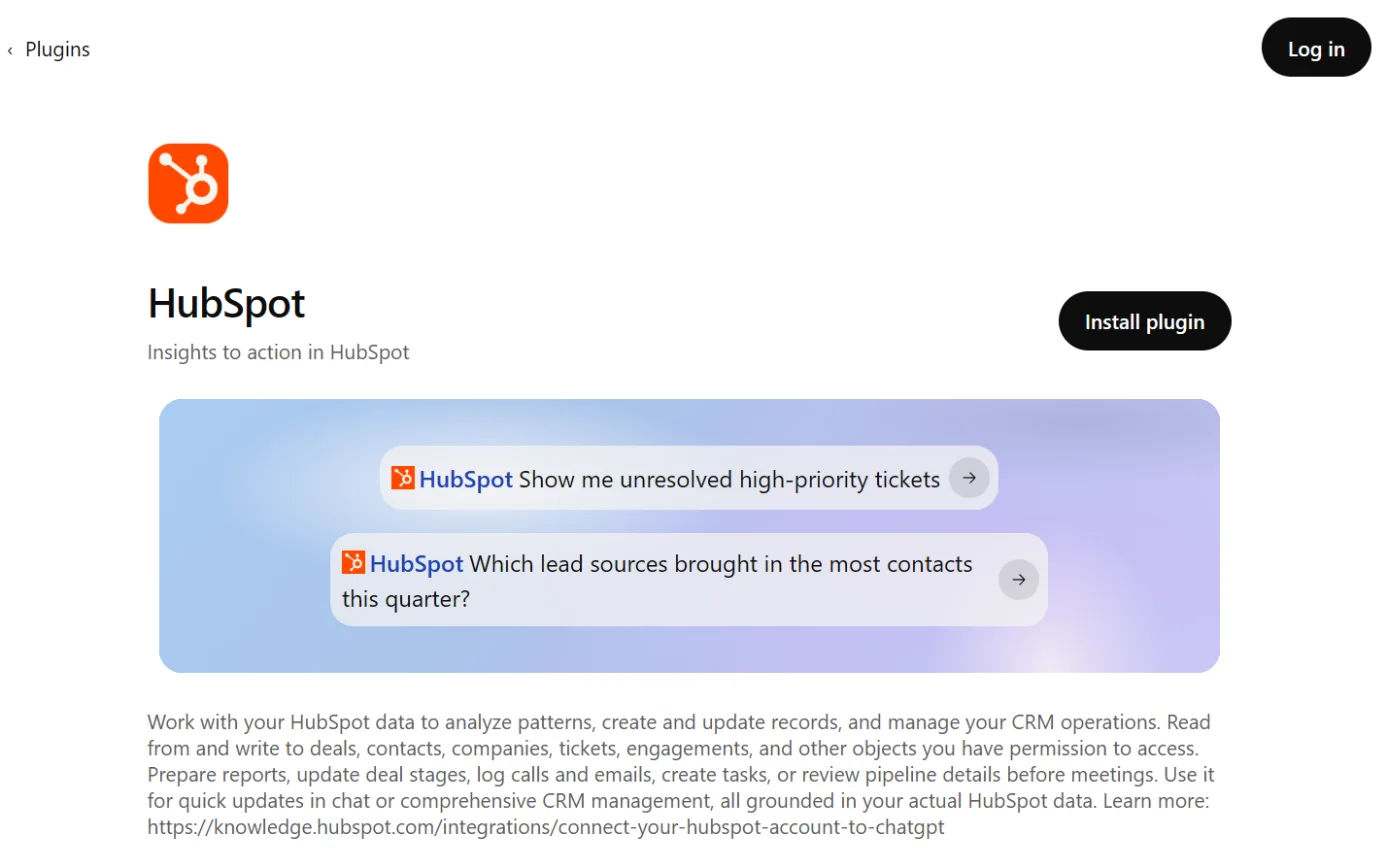
    The HubSpot page in ChatGPT’s plugin directory, with the Install plugin button ringed.
    Screenshot: ChatGPT’s plugin directory, the HubSpot page, signed out, 18 October 2026.
  4. Then: HubSpot’s sign-in page Source 43

    A drawing from the step’s own words. The real screen may look a little different.
  5. Then: The page ‘Connecting HubSpot Connector for ChatGPT to HubSpot’ Source 43

    A drawing from the step’s own words. The real screen may look a little different.
  6. Then: You’re sent back to ChatGPT, connected Source 43

    A drawing from the step’s own words. The real screen may look a little different.
  7. Then: ChatGPT can now answer from your HubSpot data Source 43

    A drawing from the step’s own words. The real screen may look a little different.
  8. Then: A deep research report with sources in a side panel Source 43

    A drawing from the step’s own words. The real screen may look a little different.
  9. Then: ChatGPT asks before creating or updating any record Source 43

    A drawing from the step’s own words. The real screen may look a little different.

Pictures without a date are drawings from each step’s own words. The real screen may look a little different.

OpenAI’s help centre now labels this route Settings > Plugins, with Install plugin and Connect, and says very old versions of the phone apps may still show Apps.8887 Its permission choices run from Always ask to Allow all actions, and it lists editing a record among actions that may need extra review.91

To disconnect Profile icon > Settings > Apps > Enabled apps > HubSpot > Disconnect (top right).

Profile icon > Settings > Apps > Enabled apps > HubSpot > Disconnect (top right).43 OpenAI’s help centre gives the current route: Settings > Plugins > HubSpot > the account’s ••• menu (or Connection) > Disconnect.88 A Super Admin can also uninstall it for a person, or revoke it for everyone, from Connected Apps in HubSpot.80

Limits Bulk creates and updates are capped at 10 records at a time.

Bulk creates and updates are capped at 10 records at a time.43 Your custom validation rules, including pipeline stage and association label rules, aren’t applied when it creates or updates records.43 If Sensitive Data is turned on in HubSpot, it can’t see any engagement data.43 Draft pages and posts only return basic details. Performance figures need a campaign name and date range in your prompt.43 It can’t copy whole databases or customer lists, and one ChatGPT account connects to one HubSpot account at a time.43 HubSpot warns that answers can contain errors and recommends a person checks them.43

Your data and Australia On ChatGPT Enterprise, Business or Edu, connector data isn’t used for training.

On ChatGPT Enterprise, Business or Edu, connector data isn’t used for training.43 On Free, Go, Plus or Pro you can opt out of training in ChatGPT’s settings. If you don’t, HubSpot says OpenAI may use connector data to improve the connector, but not for general model training.43 OpenAI’s own help page is broader. On Free, Go, Plus and Pro, it says OpenAI may use information from apps to train its models if Improve the model for everyone is on.87 OpenAI keeps data accessed through the connector so the connector can work.43 HubSpot says it respects your data centre while data passes through HubSpot’s servers. The article sets no country limits.43
Not the same thing HubSpot also connects to ChatGPT Ads (beta) for running ads in ChatGPT. That’s an advertising account link and needs the Ads publishing permission.

HubSpot also connects to ChatGPT Ads (beta) for running ads in ChatGPT. That’s an advertising account link and needs the Ads publishing permission.4746

Claude and HubSpot

Reads and makes changes. Asks before each change.

Claude and HubSpot

Official? Yes. It’s the “HubSpot connector for Claude”, built by HubSpot and marked “Anthropic verified” in Claude’s directory. It launched on 29 July 2025, and write access was added on 20 November 2025.

Yes. It’s the “HubSpot connector for Claude”, built by HubSpot and marked “Anthropic verified” in Claude’s directory.4853 It launched on 29 July 2025, and write access was added on 20 November 2025.4950

What it can see and do It can read, create and update contacts, leads, companies, deals, tickets, custom objects, line items, products, pipelines, landing pages, website pages, blog posts, marketing emails, and calls, meetings, notes, tasks and emails.

It can read, create and update contacts, leads, companies, deals, tickets, custom objects, line items, products, pipelines, landing pages, website pages, blog posts, marketing emails, and calls, meetings, notes, tasks and emails.48 It can read and create (but not update) properties, campaigns, campaign assets and marketing events. Quotes are in beta.48 Invoices, orders, payments, subscriptions, lists, campaign attribution, users, teams and inbox conversations are read-only.48 It can’t delete anything.48 Before a create or update, Claude shows the change and waits for Yes or No. Afterwards a View [record type] in HubSpot link opens the record.48 Claude can also chart and analyse CRM data in plain language.49

What you need Any HubSpot plan.

Any HubSpot plan.48 A paid Claude plan: Pro, Max, Team or Enterprise.48 On Team and Enterprise, an organisation Owner has to add the connector first. Then each person connects their own HubSpot login.5154 HubSpot’s approval step applies as described above.48

Steps to connect (Claude's help, no date shown; the HubSpot permission screen is from HubSpot's article of 17 September 2026)

  1. Then: Your connectors page Source 51

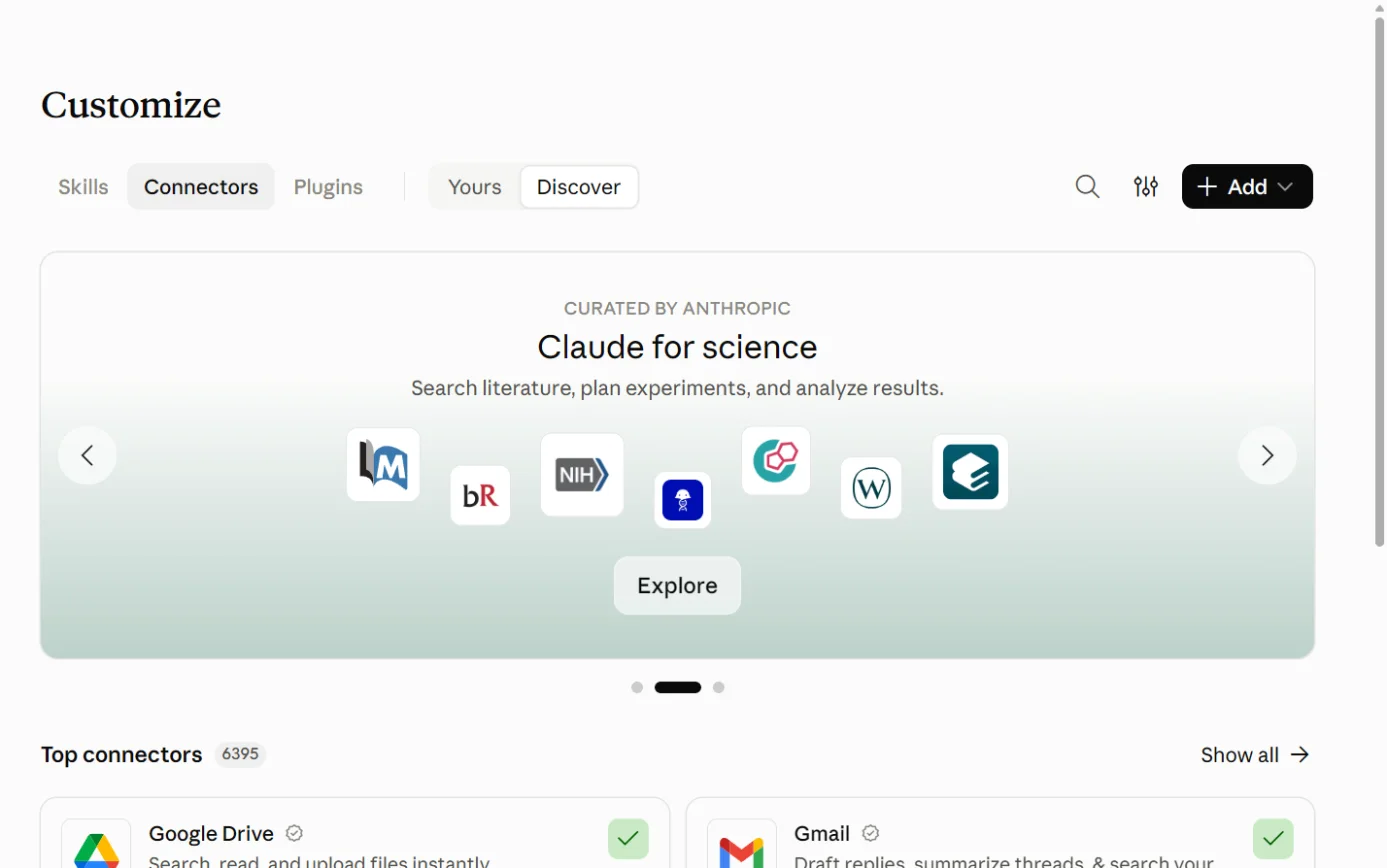
    Claude’s Customize page on the Connectors tab, with the Connectors tab ringed.
    Screenshot: Claude, the Connectors page under Customize, 18 October 2026.
  2. Then: The HubSpot connector listing Source 51

    Claude’s Customize page on the Connectors tab, with Discover ringed.
    Screenshot: Claude, the Connectors page under Customize, 18 October 2026.
  3. Then: HubSpot’s sign-in page Source 51

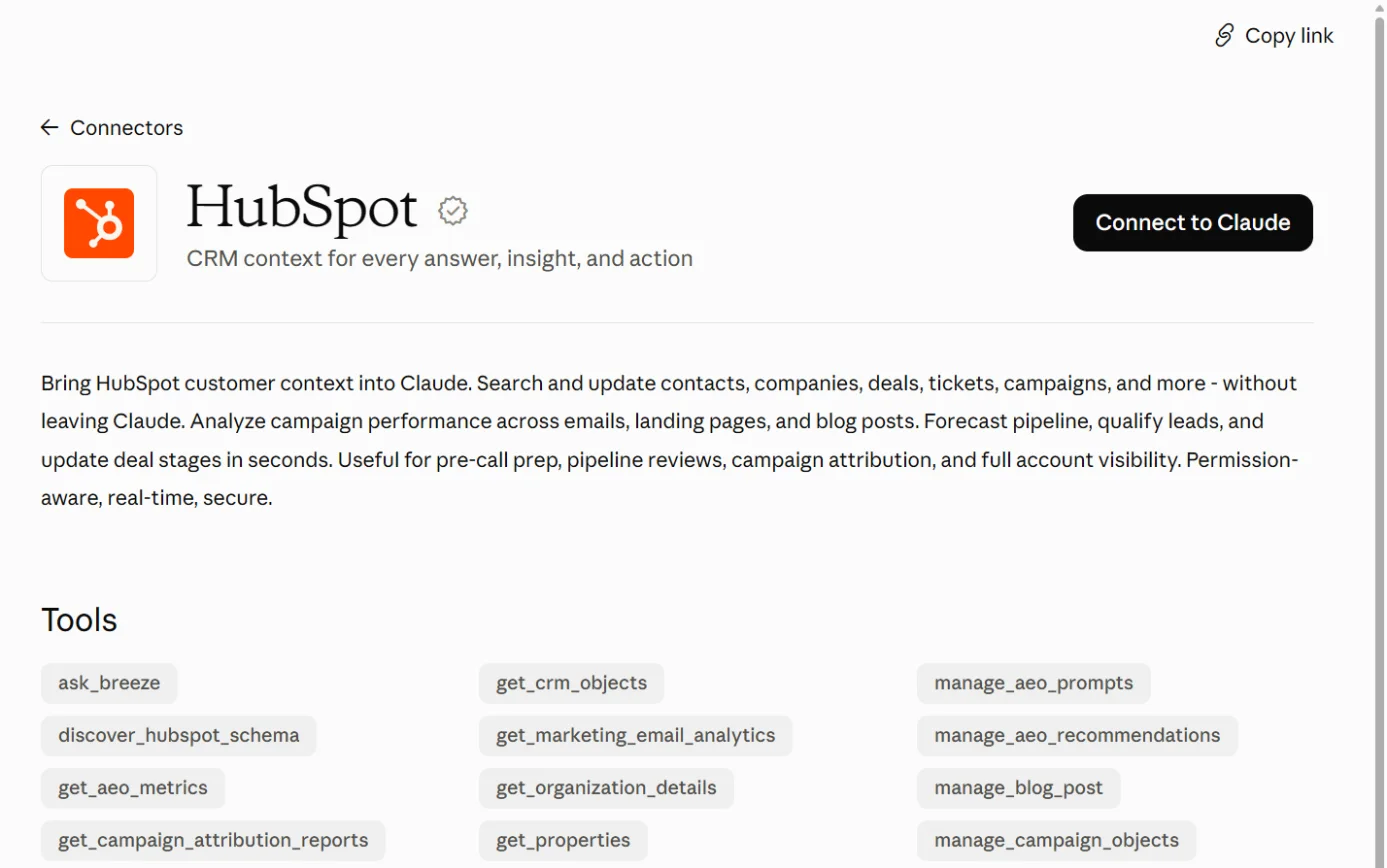
    The HubSpot listing in Claude’s connector directory, with the Connect to Claude button ringed.
    Screenshot: Claude’s connector directory, the HubSpot listing, 18 October 2026.
  4. Then: HubSpot’s permissions page Sources 5148

    A drawing from the step’s own words. The real screen may look a little different.
  5. Then: You’re returned to Claude Source 48

    A drawing from the step’s own words. The real screen may look a little different.
  6. Then: HubSpot shows the status Connected Source 51

    A drawing from the step’s own words. The real screen may look a little different.
  7. Then: Claude can use HubSpot in this conversation Sources 5148

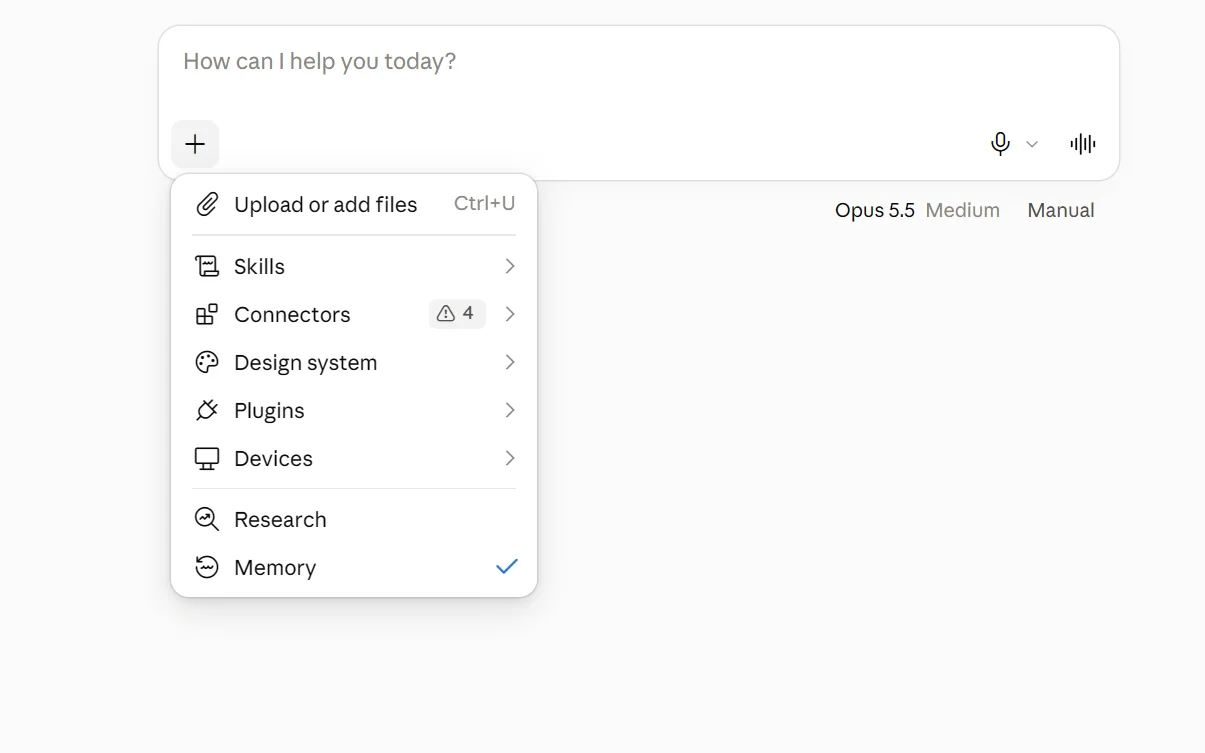
    The + menu under Claude’s message box, with Connectors ringed.
    Screenshot: Claude, the + menu in a new chat, 18 October 2026.
  8. Then: Claude asks before creating or updating any record Sources 5148

    A drawing from the step’s own words. The real screen may look a little different.

Pictures without a date are drawings from each step’s own words. The real screen may look a little different.

HubSpot’s own article still shows the older route: profile icon > Settings > Connectors > Browse > HubSpot > Connect.48

For Team and Enterprise Owners

  1. Then: The connectors directory Source 51

    Claude’s Customize page on the Connectors tab, with Discover ringed.
    Screenshot: Claude, the Connectors page under Customize, 18 October 2026.
  2. Then: The HubSpot listing Source 51

    A drawing from the step’s own words. The real screen may look a little different.
  3. Then: HubSpot is added for everyone in the organisation Source 51

    A drawing from the step’s own words. The real screen may look a little different.
  4. Then: It’s added for you only Source 51

    A drawing from the step’s own words. The real screen may look a little different.
  5. Then: HubSpot’s sign-in page Source 51

    The HubSpot listing in Claude’s connector directory, with the Connect to Claude button ringed.
    Screenshot: Claude’s connector directory, the HubSpot listing, 18 October 2026.
  6. Then: Pending requests to enable or dismiss Source 52

    A drawing from the step’s own words. The real screen may look a little different.

Pictures without a date are drawings from each step’s own words. The real screen may look a little different.

Owners can set tool permissions for the whole organisation, and members can’t override them.54 Enterprise admins can stop people connecting HubSpot with accounts outside the organisation.4854

To disconnect Customize > Connectors > HubSpot > Disconnect. Use the three-dot menu > Remove to take it off your account.

Customize > Connectors > HubSpot > Disconnect. Use the three-dot menu > Remove to take it off your account.51 Team and Enterprise Owners remove it for everyone in Organization settings > Connectors.51 HubSpot’s article describes the older path: profile icon > Settings > Connectors > HubSpot > Disconnect.48

Limits Bulk creates and updates are capped at 10 records.

Bulk creates and updates are capped at 10 records.48 Conditional property rules and pipeline stage checks are applied, but association label checks aren’t.48 Only published pages and posts return content. Performance figures need a campaign name and date range.48 If Sensitive Data is on, it can’t see engagement data.48 One Claude account connects to one HubSpot account at a time.48 HubSpot’s FAQ says Claude drafts campaign and workflow content for you to build yourself. Its object table lists marketing emails as create and update, so check what your account shows.48 HubSpot says Claude can make mistakes and recommends a person checks anything important.48 Claude’s listing carries Anthropic’s general caution to only use connectors from developers you trust.53

Your data and Australia HubSpot says Anthropic doesn’t use data shared through HubSpot to train its models “except in certain instances”, such as feedback or opting in.

HubSpot says Anthropic doesn’t use data shared through HubSpot to train its models “except in certain instances”, such as feedback or opting in.48 On Team, Enterprise and the API, Anthropic doesn’t train on your chats unless you send feedback or otherwise allow it.55 On Free, Pro and Max, a privacy setting called “Help Improve our AI models” controls training, under Settings > Privacy.56 HubSpot says it respects your data centre while data passes through HubSpot’s servers. After that, your Anthropic terms govern where it’s processed.48 Anthropic notes that settings for where Claude runs don’t change where connected services operate.54 HubSpot may collect summaries of tool calls, with names of people, companies and deals anonymised.48

Two other Claude routes Claude Tag (Claude in Slack, public beta) has its own HubSpot link that an admin sets up with a HubSpot private app token and read scopes.

Claude Tag (Claude in Slack, public beta) has its own HubSpot link that an admin sets up with a HubSpot private app token and read scopes.57 It connects with its own credential instead of a person’s login.57 Anthropic’s Claude for Small Business package (13 May 2026) includes HubSpot-based workflows in Claude Cowork.58

Copilot and HubSpot

Reads only.

Microsoft Copilot and HubSpot

Microsoft has renamed Microsoft 365 Copilot to Microsoft Copilot, and Microsoft 365 Copilot Chat to Microsoft Copilot Chat. Some screens still show the old names.63 There are two official routes, and they behave differently.596061

Route 1: the HubSpot Agent for Copilot
Official? Yes, built by HubSpot.

Yes, built by HubSpot.59

What it can see and do Read-only. It can’t create or edit HubSpot data.

Read-only. It can’t create or edit HubSpot data.59 It reads contacts, companies, deals, tickets, users, line items, quotes, invoices, orders, carts, products, subscriptions, lists, and calls, meetings, notes, tasks and emails.59 It works in Copilot Chat and Copilot in Teams, on web, desktop and mobile.59

What you need Any HubSpot plan.

Any HubSpot plan.59 HubSpot says you need “a Microsoft 365 Copilot license or the Microsoft 365 Copilot Chat add-on license” with an eligible Microsoft 365 licence.59 A Microsoft 365 admin has to make the agent available, and a HubSpot Super Admin or App Marketplace user makes the first connection.59

Steps for the Microsoft 365 admin (HubSpot, 24 September 2026)

  1. Source 59

    A drawing from the step’s own words. The real screen may look a little different.
  2. Source 59

    A drawing from the step’s own words. The real screen may look a little different.
  3. Source 59

    A drawing from the step’s own words. The real screen may look a little different.
  4. Source 59

    A drawing from the step’s own words. The real screen may look a little different.

Pictures without a date are drawings from each step’s own words. The real screen may look a little different.

Steps for each user

  1. Then: Copilot with an Agents list in the left sidebar Source 59

    A drawing from the step’s own words. The real screen may look a little different.
  2. Then: The HubSpot agent with suggested prompts Source 59

    A drawing from the step’s own words. The real screen may look a little different.
  3. Then: A request to sign in Source 59

    A drawing from the step’s own words. The real screen may look a little different.
  4. Then: HubSpot’s sign-in and permissions page Source 59

    A drawing from the step’s own words. The real screen may look a little different.
  5. Then: Copilot answers using your HubSpot data Source 59

    A drawing from the step’s own words. The real screen may look a little different.

Pictures without a date are drawings from each step’s own words. The real screen may look a little different.

To disconnect HubSpot’s article only says to disconnect and reconnect if you want a different HubSpot account. It gives no steps.

HubSpot’s article only says to disconnect and reconnect if you want a different HubSpot account. It gives no steps.59

Limits One HubSpot account per Copilot account.

One HubSpot account per Copilot account.59 If Sensitive Data is on, it can’t see engagement data.59 It can’t copy CRM data or whole customer lists.59 HubSpot says Copilot can make mistakes and recommends a person checks the output.59

Route 2: Microsoft’s HubSpot connector (a “federated connector”)
Official? Yes. Microsoft lists HubSpot as a Microsoft-published federated connector in its CRM category.

Yes. Microsoft lists HubSpot as a Microsoft-published federated connector in its CRM category.61

What it can see and do Federated connectors use MCP to fetch live data with each person’s own sign-in. Nothing is copied into Microsoft 365.

Federated connectors use MCP to fetch live data with each person’s own sign-in. Nothing is copied into Microsoft 365.60 They work in Copilot Chat, agents, Cowork, Copilot in Word, Excel, PowerPoint and Outlook, and the Researcher agent.60 Microsoft started rolling out create, update and delete actions in early October 2026, where a connector provides those tools. They need the user’s approval, and Researcher stays read-only.60 Microsoft’s docs don’t list which HubSpot tools this connector offers.6061

What you need Microsoft-published federated connectors are on by default in a Microsoft 365 tenant unless an admin turns them off.

Microsoft-published federated connectors are on by default in a Microsoft 365 tenant unless an admin turns them off.60 Admins manage them under Copilot connectors > Your connections in the Microsoft 365 admin center, and can limit them to groups with Add staging.60 With the Allowed agent types setting, an admin can keep these connectors off, including future ones, and switch them on one at a time.6062

Steps to connect (Microsoft, 30 September 2026)

  1. Then: Copilot Chat Source 60

    A drawing from the step’s own words. The real screen may look a little different.
  2. Then: The settings dialog Source 60

    A drawing from the step’s own words. The real screen may look a little different.
  3. Then: Available external data sources Source 60

    A drawing from the step’s own words. The real screen may look a little different.
  4. Then: HubSpot is connected as a source Source 60

    A drawing from the step’s own words. The real screen may look a little different.
  5. Then: Copilot fetches live HubSpot data; any write action shows a confirmation card first Source 60

    A drawing from the step’s own words. The real screen may look a little different.

Pictures without a date are drawings from each step’s own words. The real screen may look a little different.

To disconnect Turn the source off in Researcher or manage it in Copilot Chat settings. Admins can disable the connector for the tenant.

Turn the source off in Researcher or manage it in Copilot Chat settings. Admins can disable the connector for the tenant.60

Limits Microsoft’s write approval options are Allow once, Allow for conversation and Always allow. Write tools default to Needs approval.

Microsoft’s write approval options are Allow once, Allow for conversation and Always allow. Write tools default to Needs approval.60

Your data and Australia (both routes) Microsoft says prompts, responses and data accessed through Microsoft Graph aren’t used to train its foundation models.

Microsoft says prompts, responses and data accessed through Microsoft Graph aren’t used to train its foundation models.6359 Once HubSpot data is shared with Copilot, Microsoft’s terms govern it.59 For customers outside the EU, Microsoft says queries may be processed in the US, the EU or other regions.63

Gemini and HubSpot

Reads only.

Gemini and HubSpot

There are three official routes.646668 The first two look like the same connector at different stages, but neither vendor says so. That’s our inference.646765

Route 1: the HubSpot connector for Gemini
Official? Yes. HubSpot documents it as the “HubSpot connector for Gemini”. Its Google Workspace Marketplace listing, “HubSpot Integration”, names Google as the developer.

Yes. HubSpot documents it as the “HubSpot connector for Gemini”.64 Its Google Workspace Marketplace listing, “HubSpot Integration”, names Google as the developer.67

What it can see and do Read-only. It fetches contacts, companies and deals, how they link to each other, and their default properties.

Read-only. It fetches contacts, companies and deals, how they link to each other, and their default properties.64 It works in the Gemini app and the Gemini side panel in Gmail, Docs, Sheets and Chat.64 You call it by typing @HubSpot before your prompt.64 It can pull lists of contacts, companies or deals by default properties, such as companies in one state.64 It’s English only.64

What you need Any HubSpot plan.

Any HubSpot plan.64 HubSpot says you need a paid Google Workspace Business Standard, Business Plus or Enterprise plan with “Gemini Alpha” turned on, and you connect using the same email you use for Gmail.64 Google has since renamed Gemini Alpha to Gemini Beta. Only an admin can turn it on.69 Google Workspace Marketplace admins control whether the organisation can use the connector.64

Steps to connect from the Gemini app (HubSpot, 21 August 2026)

  1. Then: The Gemini app Source 64

    A drawing from the step’s own words. The real screen may look a little different.
  2. Then: The list of apps Source 64

    A drawing from the step’s own words. The real screen may look a little different.
  3. Then: HubSpot’s sign-in page Source 64

    A drawing from the step’s own words. The real screen may look a little different.
  4. Then: Gemini can answer @HubSpot prompts Source 64

    A drawing from the step’s own words. The real screen may look a little different.

Pictures without a date are drawings from each step’s own words. The real screen may look a little different.

To disconnect gemini.google.com > Settings & Help > Apps > switch HubSpot off > Disconnect.

gemini.google.com > Settings & Help > Apps > switch HubSpot off > Disconnect.64

Limits One HubSpot account per Google Workspace account.

One HubSpot account per Google Workspace account.64 No access to Sensitive Data properties.64 HubSpot says Gemini can make mistakes and recommends a person checks the output.64 HubSpot’s marketing page describes Gemini drafting emails and notes “you can action back in HubSpot”. Its help article says the connector can’t edit HubSpot data.8164

Route 2: Gemini in Google Workspace integrations
Official? Yes. Google announced on 15 September 2026 that HubSpot is one of seven tools Gemini in Workspace can reach through MCP.

Yes. Google announced on 15 September 2026 that HubSpot is one of seven tools Gemini in Workspace can reach through MCP.65

What it can see and do Google’s help says these integrations “currently only support read actions”.

Google’s help says these integrations “currently only support read actions”.66 For HubSpot it lists finding contacts or companies and viewing active deal details.66

What you need Google says the feature is on by default for users with Gemini for Workspace access.

Google says the feature is on by default for users with Gemini for Workspace access.65 Google’s help lists Google AI Pro or Ultra on personal accounts, and Business Standard, Business Plus, Enterprise Standard, Enterprise Plus, Enterprise Essentials, Enterprise Essentials Plus and Google AI Pro for Education on work accounts.66 For work accounts, an admin has to allow integrations.66 Admins manage this at Apps > Google Workspace Marketplace apps > Apps list, for the whole domain, an organisational unit or a group.65

Steps to connect (Google, no date shown)

  1. Then: Gemini-compatible integrations Source 66

    A drawing from the step’s own words. The real screen may look a little different.
  2. Then: HubSpot’s integration details Source 66

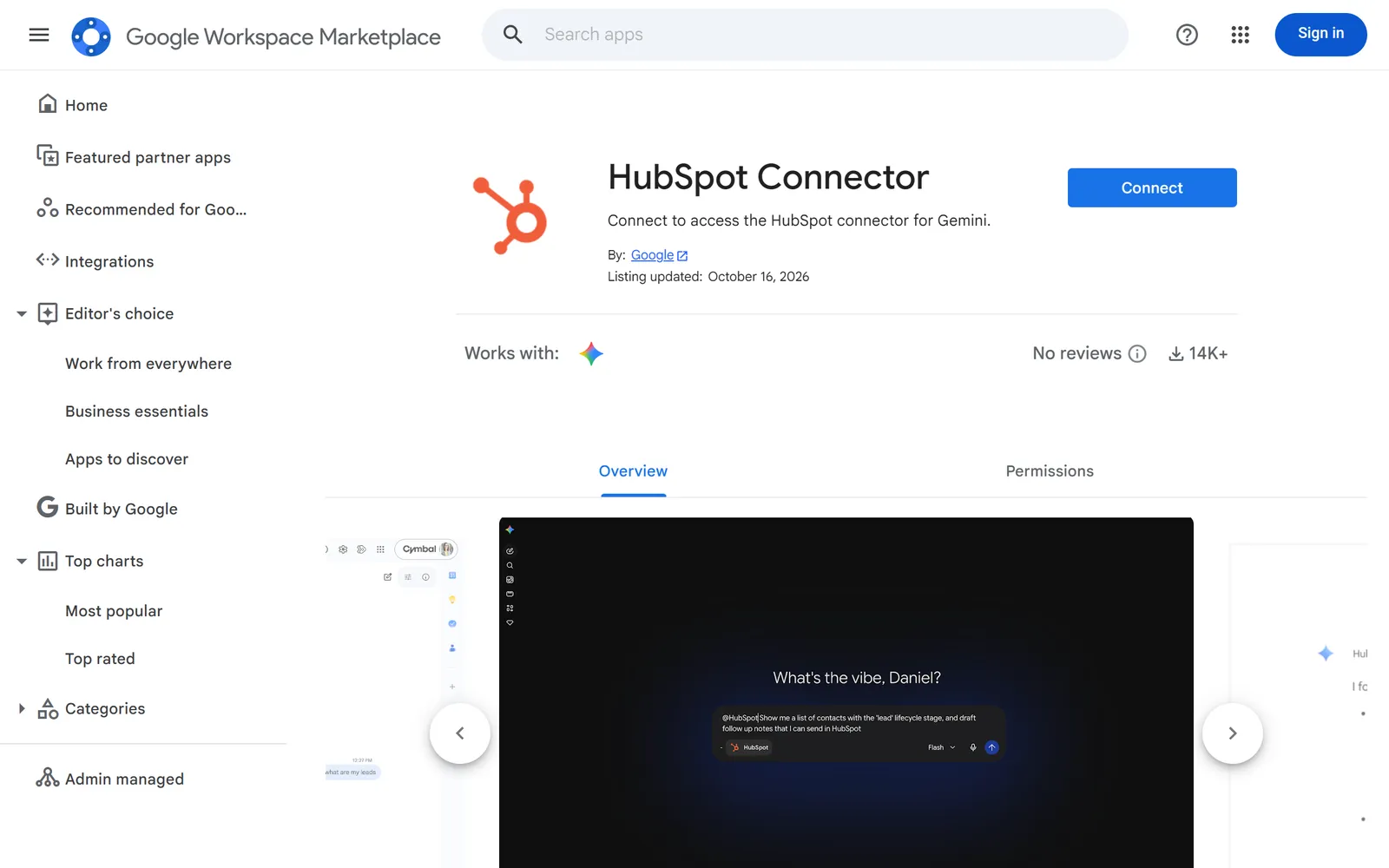
    The HubSpot integration’s listing on the Google Workspace Marketplace.
    Screenshot: Google Workspace Marketplace, the HubSpot integration listing, 17 October 2026.
  3. Then: Prompts to grant access Source 66

    The HubSpot integration’s listing on the Google Workspace Marketplace, with its button ringed.
    Screenshot: Google Workspace Marketplace, the HubSpot integration listing, 17 October 2026.
  4. Then: HubSpot is connected Source 66

    A drawing from the step’s own words. The real screen may look a little different.
  5. Then: Gemini answers from your HubSpot data Sources 6664

    A drawing from the step’s own words. The real screen may look a little different.

Pictures without a date are drawings from each step’s own words. The real screen may look a little different.

To disconnect In your Google Account’s security settings, find *Your connections to third-party apps & services* > See all connections > the app > Delete all connections you have with [app] > Confirm.

In your Google Account’s security settings, find *Your connections to third-party apps & services* > See all connections > the app > Delete all connections you have with [app] > Confirm.66

Route 3: Gemini Enterprise
Official? Yes. Google lists HubSpot as a third-party connector for Gemini Enterprise (Business edition), using a Google-managed sign-in app.

Yes. Google lists HubSpot as a third-party connector for Gemini Enterprise (Business edition), using a Google-managed sign-in app.68

What it can see and do Its listed action is “Manage CRM Objects”. Google doesn’t say whether that includes writing.

Its listed action is “Manage CRM Objects”. Google doesn’t say whether that includes writing.68

Steps to connect (Google, 16 September 2026)

  1. Then: The connector is authorised for the organisation Source 68

    A drawing from the step’s own words. The real screen may look a little different.
  2. Then: HubSpot is available to the team Source 68

    A drawing from the step’s own words. The real screen may look a little different.
  3. Then: Gemini Enterprise can use that person’s HubSpot data Source 68

    A drawing from the step’s own words. The real screen may look a little different.

Pictures without a date are drawings from each step’s own words. The real screen may look a little different.

Your data and Australia (all routes) HubSpot says Google doesn’t use data shared through HubSpot to train its models.

HubSpot says Google doesn’t use data shared through HubSpot to train its models.64 Google’s terms govern retention, and your Workspace licence governs where data is processed.64 HubSpot may collect anonymised summaries of tool calls.64

Other routes

Developer tools, automation tools and app stores.

Any MCP-compatible AI tool and HubSpot (HubSpot’s MCP server)

Official? Yes, built by HubSpot. Its public beta began on 1 September 2025, and HubSpot called it generally available in April 2026.

Yes, built by HubSpot. Its public beta began on 1 September 2025, and HubSpot called it generally available in April 2026.7673

What it can see and do It reads and writes CRM records and activities, landing and website pages, blog posts, campaigns, marketing email drafts, pipelines, custom properties and lists.

It reads and writes CRM records and activities, landing and website pages, blog posts, campaigns, marketing email drafts, pipelines, custom properties and lists.70 Quotes are in beta, and inbox conversations are read-only.7074 Several write tools need the user’s explicit confirmation, including creating or updating records and publishing pages.70 Every action respects the person’s existing HubSpot permissions.70

Who it’s for People building their own agents or connecting AI tools that don’t have an official connector.

People building their own agents or connecting AI tools that don’t have an official connector.71

What you need A HubSpot user who can open the Development area, and an AI tool that supports OAuth with PKCE, which is a secure sign-in handshake.

A HubSpot user who can open the Development area, and an AI tool that supports OAuth with PKCE, which is a secure sign-in handshake.70 HubSpot’s MCP overview page says the account admin connects first and other users connect after that.72 The same page says the server doesn’t reach custom Sensitive Data properties.72 Some tools need particular plans. AEO tools need Marketing Hub Professional or Enterprise, and quotes need Revenue Hub Professional or Enterprise.70 Free tools accounts can’t create custom pipelines.70

Steps to connect (HubSpot developer docs, no date shown)

  1. Then: HubSpot’s development area Source 70

    A drawing from the step’s own words. The real screen may look a little different.
  2. Then: Your MCP connectors Source 70

    A drawing from the step’s own words. The real screen may look a little different.
  3. Then: A form for the connector’s details Source 70

    A drawing from the step’s own words. The real screen may look a little different.
  4. Then: The connector details page Source 70

    A drawing from the step’s own words. The real screen may look a little different.
  5. Then: Credentials ready to paste Source 70

    A drawing from the step’s own words. The real screen may look a little different.
  6. Then: A HubSpot sign-in prompt Source 70

    A drawing from the step’s own words. The real screen may look a little different.
  7. Then: The AI tool is connected to HubSpot Source 70

    A drawing from the step’s own words. The real screen may look a little different.
  8. Then: A list of the objects and tools it can reach Source 70

    A drawing from the step’s own words. The real screen may look a little different.

Pictures without a date are drawings from each step’s own words. The real screen may look a little different.

To disconnect HubSpot’s setup page doesn’t describe revoking access.

HubSpot’s setup page doesn’t describe revoking access.70

Limits Searches return up to 200 results a page, and lookups take up to 100 IDs.

Searches return up to 200 results a page, and lookups take up to 100 IDs.70 There’s no vector search, and the query tool can’t join tables.70 Turning on Sensitive Data blocks activities and conversations.70 When HubSpot adds tools, existing users have to reinstall to get the new permissions.7074

Coding agents and HubSpot (Agent CLI and the developer MCP server)

Official? Yes, both built by HubSpot.

Yes, both built by HubSpot.7877

What they can see and do The Agent CLI (beta) lets AI coding agents take on repetitive CRM jobs, including analysis and summaries.

The Agent CLI (beta) lets AI coding agents take on repetitive CRM jobs, including analysis and summaries.78 It acts with the connected person’s permissions, “which can include creating, updating, or deleting records”.78 It can read contacts, companies, deals, tickets, custom objects, workflows, pipelines, properties and activity history. Revenue records are read-only.78 A --dry-run option previews changes where it’s available.78 The developer MCP server runs on your own computer and helps build HubSpot apps and website content. Its setup page doesn’t say it touches CRM data.77

What you need Agent CLI: any HubSpot plan and a compatible coding agent, such as Claude Code, Claude Cowork or the ChatGPT app. A Super Admin has to allow you to connect.

Agent CLI: any HubSpot plan and a compatible coding agent, such as Claude Code, Claude Cowork or the ChatGPT app. A Super Admin has to allow you to connect.78 Claude Cowork Team or Enterprise users may need an admin to allow api.hubapi.com first.78 Developer MCP server: HubSpot CLI 8.2.0 or later, and Claude Code, Codex CLI, Cursor, Gemini CLI, VS Code or Windsurf.77

Steps to connect the Agent CLI (HubSpot, 26 August 2026)

  1. Then: The agent’s workspace Source 78

    A drawing from the step’s own words. The real screen may look a little different.
  2. Then: The agent installs the CLI, starts sign-in and adds HubSpot’s skills Source 78

    A drawing from the step’s own words. The real screen may look a little different.
  3. Then: The permissions the CLI is asking for Source 78

    A drawing from the step’s own words. The real screen may look a little different.
  4. Then: What the agent will be able to do with your access Source 78

    A drawing from the step’s own words. The real screen may look a little different.
  5. Then: The coding agent can work with your HubSpot account Source 78

    A drawing from the step’s own words. The real screen may look a little different.

Pictures without a date are drawings from each step’s own words. The real screen may look a little different.

Steps to set up the developer MCP server (HubSpot developer docs, no date shown)

  1. Then: CLI version 8.2.0 or later Source 77

    A drawing from the step’s own words. The real screen may look a little different.
  2. Then: A list of supported coding tools Source 77

    A drawing from the step’s own words. The real screen may look a little different.
  3. Then: A choice of standalone mode or the global CLI Source 77

    A drawing from the step’s own words. The real screen may look a little different.
  4. Then: A success message Source 77

    A drawing from the step’s own words. The real screen may look a little different.
  5. Then: HubSpotDev listed as a server Source 77

    A drawing from the step’s own words. The real screen may look a little different.

Pictures without a date are drawings from each step’s own words. The real screen may look a little different.

To disconnect The Agent CLI article doesn’t describe revoking access. It only says Super Admins control who can connect.

The Agent CLI article doesn’t describe revoking access. It only says Super Admins control who can connect.78

Limits HubSpot recommends starting with reports and analysis before anything that changes data.

HubSpot recommends starting with reports and analysis before anything that changes data.78

Your own AI model and HubSpot (the custom LLM workflow action)

Official? Yes. HubSpot’s “Use a custom LLM” workflow action calls an outside model with your own account key.

Yes. HubSpot’s “Use a custom LLM” workflow action calls an outside model with your own account key.79

What it can see and do It sends a prompt to the model during a workflow and uses the answer in later steps, for jobs like summarising a record or sorting incoming data.

It sends a prompt to the model during a workflow and uses the answer in later steps, for jobs like summarising a record or sorting incoming data.79 It supports OpenAI, Anthropic (Claude), Cohere, xAI (Grok) and Google (Gemini).79

What you need An Enterprise subscription.

An Enterprise subscription.79 An API key from the AI provider, which for OpenAI must come from an account owner and for Anthropic from an admin or developer.79

Steps to connect (HubSpot, 15 July 2026)

  1. Then: Your workflows Source 79

    A drawing from the step’s own words. The real screen may look a little different.
  2. Then: The workflow editor Source 79

    A drawing from the step’s own words. The real screen may look a little different.
  3. Then: The custom LLM action panel Source 79

    A drawing from the step’s own words. The real screen may look a little different.
  4. Then: A dialog asking for an API key Source 79

    A drawing from the step’s own words. The real screen may look a little different.
  5. Then: The provider is connected Source 79

    A drawing from the step’s own words. The real screen may look a little different.
  6. Then: The action is configured Source 79

    A drawing from the step’s own words. The real screen may look a little different.
  7. Then: The workflow will call your model when it runs Source 79

    A drawing from the step’s own words. The real screen may look a little different.

Pictures without a date are drawings from each step’s own words. The real screen may look a little different.

To disconnect Settings icon > Integrations > Connected Apps > the provider > Actions > Uninstall.

Settings icon > Integrations > Connected Apps > the provider > Actions > Uninstall.79

Limits HubSpot warns the key gives access to your account with that provider, so keep it secure.

HubSpot warns the key gives access to your account with that provider, so keep it secure.79 The article doesn’t say what data goes to the provider or who pays for usage.79 We’d expect the provider to bill your key directly, but that’s an inference.

Your other apps and HubSpot’s AI (agents and Breeze Assistant reaching out)

Official? Yes, both directions are HubSpot features.

Yes, both directions are HubSpot features.3534

What it can see and do Agents built in Agent Builder can connect over MCP to Amplitude, Asana, Atlassian, Box, Canva, Fathom, G2, Gmail, Gong, Google Calendar, Google Chat, Google Drive, Linear, Notion, Slack, Xero and Zapier. Agents can read data there and take actions.

Agents built in Agent Builder can connect over MCP to Amplitude, Asana, Atlassian, Box, Canva, Fathom, G2, Gmail, Gong, Google Calendar, Google Chat, Google Drive, Linear, Notion, Slack, Xero and Zapier. Agents can read data there and take actions.35 Each tool can be set to Always allow, Ask permission or Never allow.35 Breeze Assistant can search apps you’ve installed from the App Marketplace, such as Slack, Gmail, Google Docs and Teams.34

What you need Agent connections: Starter, Professional or Enterprise of Marketing, Sales, Service, Data or Content Hub, or Professional or Enterprise of Smart CRM, plus Agent Builder permissions.

Agent connections: Starter, Professional or Enterprise of Marketing, Sales, Service, Data or Content Hub, or Professional or Enterprise of Smart CRM, plus Agent Builder permissions.35 Breeze Assistant searches: any plan, with Breeze Assistant switched on.34

Steps to connect apps to Breeze Assistant (HubSpot, 28 September 2026)

  1. Then: The app’s install flow Source 34

    A drawing from the step’s own words. The real screen may look a little different.
  2. Then: The app is installed Source 34

    A drawing from the step’s own words. The real screen may look a little different.
  3. Then: Breeze Assistant with a right-hand panel Source 34

    A drawing from the step’s own words. The real screen may look a little different.
  4. Then: Breeze Assistant can search the chosen apps Source 34

    A drawing from the step’s own words. The real screen may look a little different.

Pictures without a date are drawings from each step’s own words. The real screen may look a little different.

The agent connection article describes signing in through on-screen prompts, or pasting a server address for Zapier, but gives no click path.35

To disconnect Agents: the Connectors tab in Agent Builder. Breeze Assistant: uninstall the app, and Breeze Assistant stops using its data.

Agents: the Connectors tab in Agent Builder.35 Breeze Assistant: uninstall the app, and Breeze Assistant stops using its data.34

Limits HubSpot retired eight Breeze Assistant connectors on 26 September 2026: Smartsheet, GitBook, Azure DevOps, Guru, ReadMe, Productboard, Helpjuice and Document360.

HubSpot retired eight Breeze Assistant connectors on 26 September 2026: Smartsheet, GitBook, Azure DevOps, Guru, ReadMe, Productboard, Helpjuice and Document360.34 Prompts can include up to five web addresses.34

Other AI assistants and HubSpot

HubSpot’s AI tools page names only ChatGPT, Claude, Gemini and Copilot.81 None of the HubSpot pages we read mention an official connector for other assistants, such as Perplexity or Mistral’s Le Chat. We didn’t run a separate search for them. The documented alternative is HubSpot’s MCP server, which works with any tool that supports OAuth with PKCE.7071 HubSpot’s help centre also has a page for a Lovable connector (an AI app builder). It’s a private beta and HubSpot marks the page confidential, so we’ve left the details out.83

Jobs it’s good for

  • Prepare for a sales call. Ask Claude or ChatGPT for the company, its open deals and the latest emails and meetings. Both can read engagement history unless Sensitive Data is on.4843 On any plan, Breeze Assistant can summarise a record, or prepare you for meetings once your calendar’s connected.225
  • Log the call straight after. Tell ChatGPT or Claude what was agreed and have it add a note and a follow-up task. It shows the change and waits for your yes.4348
  • A Monday pipeline check. Ask for open deals by stage, with a chart. Claude and Breeze Assistant can both chart CRM data.492
  • Tidy up a handful of records. Up to 10 at a time through ChatGPT or Claude. Check the result, since ChatGPT skips your custom validation rules.4348
  • A weekly digest. Schedule a Breeze Assistant prompt to run every Monday. It lands as a new chat.74
  • Answer website chats after hours. The customer agent answers from your help articles and website pages and hands over to a person when it’s unsure. Professional plan or above, paid per resolved conversation.171812
  • Fill in missing company details. Data enrichment fills fields like industry and job title from Starter up, without credits.22 For questions enrichment can’t answer, a smart property researches each record for 10 credits a response.2112
  • Turn meetings into notes and deal updates. Notetaker records Zoom, Teams or Google Meet calls, and deal progression suggests field changes for you to approve. Sales Hub or Service Hub Professional.2627
  • First drafts of content. Breeze Assistant has guides for drafting blog posts and landing pages.84 The content agent drafts posts and campaign assets on Marketing Hub Professional and never publishes by itself.28
  • Check a campaign’s results. Ask Claude or ChatGPT about a campaign by name and date range.4843
  • Find holes in your help centre. The knowledge base agent reads closed tickets and drafts the missing articles for review. Service Hub Professional, 200 credits an article.3012
  • Look up a deal without leaving Teams. The HubSpot Agent for Copilot answers in Copilot Chat and Teams.59
  • Pull a list into a Google Doc or Sheet. In the Gemini side panel, @HubSpot can fetch contacts at a lifecycle stage.64
  • Turn a manual process into a workflow. Describe it to Breeze Assistant on Professional. The workflow arrives switched off for you to check first.31

What to watch for

Switches that are on until someone turns them off

  • AI Model Training is on, so HubSpot may train its models on your customer data. Turning it off only works going forward.35
  • Breeze Assistant is on for every user, and AI can use your CRM and conversation data.34
  • In a Microsoft 365 tenant, Microsoft’s own federated connectors, HubSpot included, are on unless an admin turns them off.6061
  • In Google Workspace, Gemini’s tool integrations, HubSpot included, are on for users with Gemini for Workspace access.65
  • Microsoft’s and Google’s docs don’t say whether HubSpot’s app approval step applies to their routes.606566 We’d check this before assuming HubSpot’s approval protects you. That’s our inference.

Who can connect outside AI

  • Anyone with the App Marketplace Access permission can connect ChatGPT or Claude without asking. That includes agencies and consultants who hold it.4348
  • Super Admins can review connection attempts in the audit log.4348
  • Revoking approval uninstalls the app for everyone. Removing one person can take up to 30 minutes.80

AI that writes to your CRM or talks to customers

  • With Always allow set, ChatGPT and Claude can edit records without asking. HubSpot recommends Needs Approval.4348
  • The ChatGPT connector skips your custom validation rules. Claude applies pipeline stage checks but not association label checks.4348
  • The connectors can’t delete records. The Agent CLI can, within the person’s permissions.434878
  • Breeze Assistant can create deals, notes, products and workflows within each person’s permissions.2
  • The prospecting agent can send emails without anyone reading them if you choose Send automatically.20
  • The customer agent talks to customers directly. Its chat replies carry a “Powered by AI” label.17
  • Deal progression asks for approval by default, but automatic updates can be switched on.27

Customer personal information

  • For Australian-hosted accounts, HubSpot lists its AI providers as processing in the United States.9
  • New sub-processors for HubSpot AI start on 16 October 2026. HubSpot promises at least 30 days’ notice of sub-processor changes to customers who opt in to notifications.9
  • Notetaker recordings are kept for two years, and HubSpot puts recording consent on you.26
  • Once data reaches ChatGPT, Claude, Copilot or Gemini, that vendor’s terms apply.43485964
  • On personal ChatGPT and Claude plans, whether your connector data can be used for training depends on your plan and privacy settings.4356
  • HubSpot may keep anonymised summaries of what the AI asked for through its connectors.485964
  • Sensitive Data (Enterprise only) blocks engagement data from the connectors, and it opts you out of model training.364348595
  • The knowledge base agent reads every conversation on closed tickets.30
  • Data enrichment may feed limited business contact data back into HubSpot’s dataset.22
  • HubSpot advises keeping sensitive information out of data agent prompts.21
  • Breeze Assistant artifacts can be shared through a public link.2

Accuracy and checking

  • HubSpot says Claude, Gemini and Copilot can all make mistakes. It recommends a person checks anything important, and suggests asking the AI for citations.486459
  • Microsoft says generated responses “aren’t guaranteed to be 100% factual”.63
  • Record summaries only cover what’s been logged.25
  • Credit estimates from test runs can differ from what an agent actually spends.14

Cost surprises

  • Every AI agent has used credits since 23 July 2026.14
  • On credit packs bought from 16 September 2026, extra use is billed as overage by default. It arrives monthly in arrears on its own invoice.11
  • Once you buy packs, HubSpot sets an account spend limit 50% above your monthly credits. Limits for individual features aren’t on by default.11
  • Without packs, credit-using features pause when credits run out.11
  • Billing contacts and Super Admins get alerts at 75%, 85% and 90% of credits used.11
  • Unused credits expire each month.11
  • Some features charge credits when switched on and again monthly while they stay on.12
  • Phone minutes and SMS used by agents are charged separately.12
  • If a customer replies to an email more than 72 hours later, the customer agent’s conversation reopens and can cost credits again.17
  • Beta features may start costing credits later. HubSpot aims for 30 days’ notice but says that may not always happen.11
  • Test runs are free, and each agent can have a monthly run limit.14

What’s changing

DateChangeSource
4 Jun 2025HubSpot’s ChatGPT connector launched for deep research44
24 Jul 2025ChatGPT connector added everyday chat45
29 Jul 2025HubSpot connector for Claude launched49
11 Aug 2025OpenAI made the HubSpot connector available in chat for Plus90
1 Sep 2025HubSpot’s remote MCP server entered public beta76
20 Nov 2025Claude connector gained write access (beta at the time) and engagement history50
13 Jan 2026Self-service MCP connector setup (“MCP Auth Apps”) entered public beta, announced 20 Jan76
14 Apr 2026Remote and developer MCP servers generally available; App Install Governance Tool in public beta73
14 Apr 2026Customer and prospecting agents moved to pay-per-outcome pricing42
14 Apr 2026Notetaker’s custom field capture started costing 10 credits per run26
13 May 2026Anthropic launched Claude for Small Business, with HubSpot workflows58
29 Jun 2026MCP server can create, edit and publish landing pages75
9 Jul 2026OpenAI replaced ChatGPT’s App Directory with a Plugin Directory; existing app connections carried on90
13 Jul 2026Custom assistants retired and moved into Breeze projects33
23 Jul 2026All AI agents now use credits; five agents retired; Agent Hub and Agent Builder in public beta141516
25 Aug 2026Microsoft retired the PowerShell switch for federated connectors in favour of Allowed agent types62
31 Aug 2026Notetaker and video call recordings now only create meeting records26
15 Sep 2026MCP server and Claude connector expanded (custom objects, quotes beta, inbox conversations); Breeze Assistant can build agents (beta) and run scheduled prompts74
15 Sep 2026Google added HubSpot to Gemini in Workspace, on by default (post corrected 30 Sep)65
16 Sep 2026Fall 2026 Spotlight: rebuilt Breeze Assistant, Marketing Studio, updated prospecting agent, mobile Notetaker41
16 Sep 2026ChatGPT Ads integration (beta) and a HubSpot and OpenAI “AI Growth Bundle” for new customers4647
16 Sep 2026New credit packs default to pay-as-you-go overage11
16 Sep 2026Customer agent voice billing began19
26 Sep 2026Eight Breeze Assistant app connectors retired34
Early Oct 2026Microsoft began rolling out write actions for federated connectors60
16 Oct 2026Baseten, Bright Data and Exa Labs become HubSpot AI sub-processors, processing in the US9
31 Oct 2026Sign-up deadline for ChatGPT ad credits in the AI Growth Bundle; the offer page names US and EU advertisers82
Not datedCommerce Hub renamed Revenue Hub40
Not datedMicrosoft 365 Copilot renamed Microsoft Copilot (page dated 9 Jul 2026)63
Not datedGoogle renamed Gemini Alpha to Gemini Beta (page updated 13 Oct 2026)69

What we couldn’t establish

  • AUD prices. We couldn’t load HubSpot’s AUD plan prices. The pages we read showed US dollars, and HubSpot’s catalogue prices extra credits in US dollars only.391213
  • Which ChatGPT plans can use the HubSpot plugin today. OpenAI’s pages say it depends on plan, workspace, role and region, and its HubSpot page lists no plans.8587 In 2025 HubSpot noted chat wasn’t available on Plus.45 OpenAI’s release notes show chat reached Plus on 11 August 2025, but no current OpenAI page names plans for it.90
  • Whether Starter can build custom agents. HubSpot’s Agent Hub article includes Starter1, and its setup guide lists Agent Builder from Starter up.4 Its Breeze Assistant article, news post and developer changelog say Professional or Enterprise.21674
  • Trial lengths and plans for two agents. The customer agent article says 14 days free17, but HubSpot’s April news post said 28 days.42 The prospecting agent article includes Starter20, but the news post said Professional and Enterprise.42
  • How long Breeze Assistant keeps chats, memories and artifacts. Not stated.233
  • How HubSpot reaches Anthropic’s models. Its model cards list Claude models8, but Anthropic isn’t on its sub-processor list.9
  • Whether connector traffic for Australian-hosted accounts stays in Sydney before it reaches the AI vendor. HubSpot says it respects your data centre, with no Australia-specific detail.4348
  • Microsoft’s HubSpot federated connector. We couldn’t find which HubSpot tools it exposes, whether write actions are live for HubSpot, which licence it needs, or whether HubSpot’s approval step applies.6061
  • Removing the HubSpot Agent for Copilot. HubSpot’s article has no steps.59
  • Which Gemini rules apply now. HubSpot’s article (21 August) requires Gemini Alpha. Google’s September launch says it’s on by default for Gemini for Workspace users.646569 We also couldn’t confirm whether the Gemini Enterprise connector can write.68
  • Revoking an MCP connector. HubSpot’s setup page doesn’t cover it.70
  • Claude’s Free plan. HubSpot says a paid Claude plan is needed48, while Anthropic says directory connectors are available to all users.54 We didn’t test it.
  • Data enrichment and credits. The enrichment article says no credits22. HubSpot’s setup guide marks the data enrichment permission as credit-using, which may be because it covers buyer intent too.4
  • Whether “Breeze Intelligence” is still sold under that name. Current help articles don’t use it.22
  • Australian availability of ChatGPT Ads and the AI Growth Bundle. Neither page mentions Australia.4782
  • AI-specific certifications. HubSpot’s AI trust page mentions independent audits but names no AI standard such as ISO 42001.7
  • The Lovable connector. It’s a private beta, and HubSpot marks the page confidential.83
  • Connectors for other AI assistants. Our web search allowance ran out partway through, so we didn’t search separately for official HubSpot links to Perplexity, Mistral or other assistants. The HubSpot pages we read name only the four covered here.81

Sources

Every line above was read at one of these pages, on the date shown. Vendors change their products and their pages often, so check the page before you rely on a detail.

  1. 1 Understand Agent Hub (reached via the old “Understand Breeze” link, /ai/understand-breeze) HubSpot Knowledge Base Updated 16 Sep 2026 Read 15 Oct 2026
  2. 2 Use Breeze Assistant HubSpot Knowledge Base Updated 16 Sep 2026 Read 15 Oct 2026
  3. 3 Manage AI settings HubSpot Knowledge Base Updated 8 Sep 2026 Read 15 Oct 2026
  4. 4 Set up a HubSpot account to adopt AI features HubSpot Knowledge Base Updated 16 Sep 2026 Read 15 Oct 2026
  5. 5 Understand HubSpot’s AI model training HubSpot Knowledge Base Updated 8 Sep 2026 Read 15 Oct 2026
  6. 6 HubSpot AI Cloud Infrastructure: Frequently Asked Questions HubSpot Knowledge Base Updated 21 Jul 2026 Read 15 Oct 2026
  7. 7 HubSpot’s AI Trust and Safety HubSpot Read 15 Oct 2026
  8. 8 HubSpot’s AI Model Cards HubSpot Trust Center Read 15 Oct 2026
  9. 9 HubSpot Sub-Processors Page HubSpot Legal Updated 16 Sep 2026 Read 15 Oct 2026
  10. 10 HubSpot Cloud Infrastructure and Data Hosting: Frequently Asked Questions HubSpot Knowledge Base Updated 24 Jul 2026 Read 15 Oct 2026
  11. 11 Manage HubSpot Credits HubSpot Knowledge Base Updated 16 Sep 2026 Read 15 Oct 2026
  12. 12 HubSpot Product & Services Catalog HubSpot Legal Read 15 Oct 2026
  13. 13 HubSpot Credits (Put HubSpot to work for you with credits) HubSpot Read 15 Oct 2026
  14. 14 Test and control agent credit usage HubSpot Knowledge Base Updated 29 Sep 2026 Read 15 Oct 2026
  15. 15 Install agents from the Agent Marketplace HubSpot Knowledge Base Updated 16 Sep 2026 Read 15 Oct 2026
  16. 16 Meet Agent Hub and Agent Builder: One place to build and manage AI agents with shared context HubSpot Newsroom Updated Updated 23 Jul 2026 Read 15 Oct 2026
  17. 17 Understand the customer agent HubSpot Knowledge Base Updated 16 Sep 2026 Read 15 Oct 2026
  18. 18 Set up the customer agent HubSpot Knowledge Base Updated 16 Sep 2026 Read 15 Oct 2026
  19. 19 Set up customer agent voice HubSpot Knowledge Base Updated 16 Sep 2026 Read 15 Oct 2026
  20. 20 Set up and use the prospecting agent HubSpot Knowledge Base Updated 16 Sep 2026 Read 15 Oct 2026
  21. 21 Set up and use the data agent HubSpot Knowledge Base Updated 13 Oct 2026 Read 15 Oct 2026
  22. 22 Get started with data enrichment HubSpot Knowledge Base Updated 10 Jul 2026 Read 15 Oct 2026
  23. 23 Manage data enrichment settings HubSpot Knowledge Base Updated 31 Jul 2026 Read 15 Oct 2026
  24. 24 Generate and refine content with AI HubSpot Knowledge Base Updated 10 Sep 2026 Read 15 Oct 2026
  25. 25 Summarize a record HubSpot Knowledge Base Updated 21 Sep 2026 Read 15 Oct 2026
  26. 26 Record and take notes in meetings with Notetaker HubSpot Knowledge Base Updated 16 Sep 2026 Read 15 Oct 2026
  27. 27 Move deals forward with deal progression HubSpot Knowledge Base Updated 1 Oct 2026 Read 15 Oct 2026
  28. 28 Create content with content agent HubSpot Knowledge Base Updated 16 Sep 2026 Read 15 Oct 2026
  29. 29 Set up and analyze AEO HubSpot Knowledge Base Updated 27 Aug 2026 Read 15 Oct 2026
  30. 30 Set up and manage a knowledge base agent HubSpot Knowledge Base Updated 16 Sep 2026 Read 15 Oct 2026
  31. 31 Build workflows using Breeze Assistant HubSpot Knowledge Base Updated 3 Aug 2026 Read 15 Oct 2026
  32. 32 Manage AI context with knowledge vaults HubSpot Knowledge Base Updated 21 Aug 2026 Read 15 Oct 2026
  33. 33 Create and manage projects in Breeze Assistant HubSpot Knowledge Base Updated 16 Sep 2026 Read 15 Oct 2026
  34. 34 Search connected apps with Breeze Assistant HubSpot Knowledge Base Updated 28 Sep 2026 Read 15 Oct 2026
  35. 35 Connect apps to HubSpot’s AI agents HubSpot Knowledge Base Updated 18 Sep 2026 Read 15 Oct 2026
  36. 36 Store Sensitive Data in HubSpot HubSpot Knowledge Base Updated 8 Sep 2026 Read 15 Oct 2026
  37. 37 Free AI Assistant for Every Team: HubSpot Breeze Assistant HubSpot Read 15 Oct 2026
  38. 38 Run, Build, and Manage Your AI Agents: Agent Hub HubSpot Read 15 Oct 2026
  39. 39 HubSpot Starter: For Startups & Small Businesses HubSpot Read 15 Oct 2026
  40. 40 CPQ, Billing & Payments Software: HubSpot Revenue Hub HubSpot Read 15 Oct 2026
  41. 41 Fall 2026 Spotlight: HubSpot just made its most foundational product release HubSpot Newsroom Updated Updated 16 Sep 2026 Read 15 Oct 2026
  42. 42 HubSpot’s Customer Agent and Prospecting Agent: Now you pay when the task is complete HubSpot Newsroom Updated Updated 13 Apr 2026 Read 15 Oct 2026
  43. 43 Set up and use the HubSpot connector for ChatGPT HubSpot Knowledge Base Updated 28 Sep 2026 Read 15 Oct 2026
  44. 44 HubSpot launches first CRM deep research connector with ChatGPT HubSpot Newsroom Updated Updated 4 Jun 2025 Read 15 Oct 2026
  45. 45 Expanding the HubSpot connector for ChatGPT HubSpot Developer Changelog Updated 24 Jul 2025 Read 15 Oct 2026
  46. 46 HubSpot and OpenAI deepen partnership to bring AI transformation to every SMB HubSpot Newsroom Updated Updated 16 Sep 2026 Read 15 Oct 2026
  47. 47 Connect and manage ChatGPT Ads account in HubSpot HubSpot Knowledge Base Updated 15 Sep 2026 Read 15 Oct 2026
  48. 48 Set up and use the HubSpot connector for Claude HubSpot Knowledge Base Updated 17 Sep 2026 Read 15 Oct 2026
  49. 49 HubSpot launches first CRM connector for Anthropic’s Claude HubSpot Newsroom Updated Updated 29 Jul 2025 Read 15 Oct 2026
  50. 50 Take Action With Claude: Update CRM Records and Access Engagement History HubSpot Developer Changelog Updated 20 Nov 2025 Read 15 Oct 2026
  51. 51 Get started with connectors Anthropic (Claude docs) Read 15 Oct 2026
  52. 52 Connectors directory Anthropic (Claude docs) Read 15 Oct 2026
  53. 53 HubSpot connector (Claude directory listing) Anthropic Read 15 Oct 2026
  54. 54 Use connectors to extend Claude’s capabilities Anthropic Help Center Updated "Updated over 2 weeks ago" (no calendar date) Read 15 Oct 2026
  55. 55 Is my data used for model training? (commercial products) Anthropic Privacy Center Updated 18 Aug 2026 Read 15 Oct 2026
  56. 56 How do I change my model improvement privacy settings? Anthropic Privacy Center Updated 3 Aug 2026 Read 15 Oct 2026
  57. 57 Connect HubSpot (Claude Tag) Anthropic (Claude docs) Read 15 Oct 2026
  58. 58 Introducing Claude for Small Business Anthropic Updated 13 May 2026 Read 15 Oct 2026
  59. 59 Set up and use the HubSpot Agent for Copilot HubSpot Knowledge Base Updated 24 Sep 2026 Read 15 Oct 2026
  60. 60 Federated connectors overview: Microsoft 365 Copilot connectors Microsoft Learn Updated 30 Sep 2026 Read 15 Oct 2026
  61. 61 Microsoft-built connectors gallery: Microsoft 365 Copilot connectors Microsoft Learn Updated 30 Sep 2026 Read 15 Oct 2026
  62. 62 Manage federated connector availability Microsoft Learn Updated 28 Apr 2026 Read 15 Oct 2026
  63. 63 Data, Privacy, and Security for Microsoft Copilot Microsoft Learn Updated 9 Jul 2026 Read 15 Oct 2026
  64. 64 Set up and use the HubSpot connector for Gemini HubSpot Knowledge Base Updated 21 Aug 2026 Read 15 Oct 2026
  65. 65 Connect to more tools with Gemini in Google Workspace Google Workspace Updates Updated 15 Sep 2026 (corrected 30 Sep 2026) Read 15 Oct 2026
  66. 66 Use integrations with Gemini in Workspace Google Docs Editors Help Read 15 Oct 2026
  67. 67 HubSpot Integration (Google Workspace Marketplace listing) Google Updated 26 Aug 2026 Read 15 Oct 2026
  68. 68 Connect your Google apps and third-party data (Gemini Enterprise) Google Updated 16 Sep 2026 Read 15 Oct 2026
  69. 69 Turn access to Google Workspace with Gemini Beta on or off Google Workspace Help Updated 13 Oct 2026 Read 15 Oct 2026
  70. 70 Integrate AI tools with the HubSpot MCP server HubSpot Developer Docs Read 15 Oct 2026
  71. 71 Using the HubSpot MCP server HubSpot Developer Docs Read 15 Oct 2026
  72. 72 HubSpot MCP Server HubSpot Developers Read 15 Oct 2026
  73. 73 Spring 2026 Spotlight HubSpot Developer Changelog Updated 14 Apr 2026 Read 15 Oct 2026
  74. 74 Fall 2026 Spotlight: Developer / Builder Updates HubSpot Developer Changelog Updated 15 Sep 2026 Read 15 Oct 2026
  75. 75 Developer updates for June 2026 HubSpot Developer Changelog Updated 29 Jun 2026 Read 15 Oct 2026
  76. 76 Public Beta: Self-Service MCP Auth Apps for the HubSpot Remote MCP Server HubSpot Developer Changelog Updated 20 Jan 2026 Read 15 Oct 2026
  77. 77 Set up the developer MCP server HubSpot Developer Docs Read 15 Oct 2026
  78. 78 Use the HubSpot Agent CLI HubSpot Knowledge Base Updated 26 Aug 2026 Read 15 Oct 2026
  79. 79 Create and use custom LLM workflow actions HubSpot Knowledge Base Updated 15 Jul 2026 Read 15 Oct 2026
  80. 80 Manage access to apps HubSpot Knowledge Base Updated 10 Sep 2026 Read 15 Oct 2026
  81. 81 Your HubSpot context in every AI tool HubSpot Read 15 Oct 2026
  82. 82 AI Growth Bundle offer page HubSpot Read 15 Oct 2026
  83. 83 Build apps with the HubSpot connector for Lovable (private beta, marked confidential; don’t publish details) HubSpot Knowledge Base Updated 15 Sep 2026 Read 15 Oct 2026
  84. 84 AI Topics (index of HubSpot’s AI help articles) HubSpot Knowledge Base Read 15 Oct 2026
  85. 85 HubSpot plugin for ChatGPT OpenAI Read 15 Oct 2026
  86. 86 HubSpot (ChatGPT plugin listing) OpenAI Read 15 Oct 2026
  87. 87 Connected apps in ChatGPT OpenAI Help Center Updated "Updated: 4 days ago" (11 Oct 2026, UTC) Read 15 Oct 2026
  88. 88 Connecting and managing app accounts in ChatGPT OpenAI Help Center Updated "Updated: 13 days ago" (2 Oct 2026, UTC) Read 15 Oct 2026
  89. 89 Admin controls, security, and compliance for plugins and apps OpenAI Help Center Updated "Updated: 17 hours ago" (14 Oct 2026, UTC) Read 15 Oct 2026
  90. 90 ChatGPT release notes OpenAI Help Center Updated "Updated: 6 days ago" (9 Oct 2026, UTC) Read 15 Oct 2026
  91. 91 Managing app permissions in ChatGPT OpenAI Help Center Updated "Updated: 13 days ago" (2 Oct 2026, UTC) Read 15 Oct 2026

Want your team shown this on its own HubSpot?

We teach on the tools your workplace already uses, with the checks that go with them.